About AMR to MP3 Converter
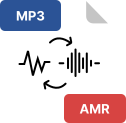
The AMR to MP3 Converter is an online audio conversion tool that allows users to upload AMR or 3GP audio files and convert them into MP3 format. The tool supports single and multiple file uploads, processes audio files on the server using FFmpeg, and provides downloadable MP3 output files.
This tool is designed for users who need to convert AMR voice recordings into a more commonly supported MP3 audio format.
What Is This Tool?
This tool converts AMR and 3GP audio files into MP3 format.
Users can upload one or multiple audio files, start the conversion process, and download the converted MP3 files individually or as a ZIP archive.
The tool handles file uploads, conversion, download, and cleanup automatically.
What Is an AMR File?
AMR (Adaptive Multi-Rate) is an audio file format commonly used for voice recordings.
It is often generated by mobile devices, voice recorders, and call recording systems.
AMR files are optimized for speech but are not widely supported by all media players, which makes conversion necessary.
What Is an MP3 File?
MP3 (MPEG Layer-3) is a widely used audio format supported by almost all devices and media players.
Converting AMR audio to MP3 allows users to play, share, and store audio files more easily.
Supported Input Formats
The tool accepts only the following audio formats:
Files with other formats are automatically rejected during upload.
Key Features of the AMR to MP3 Converter
1) Multiple File Upload
2) Drag and Drop Support
3) Secure Temporary File Handling
4) Audio Conversion Using FFmpeg
5) Fixed High-Quality Output Settings
6) Conversion Result Details
After conversion, the tool displays:
7) Single and Bulk Download
8) File Removal and Clear Options
How the Tool Works (Step-by-Step)
Step 1: Upload Audio Files
Users upload AMR or 3GP files using drag & drop or file selection.
Step 2: Temporary Storage
Uploaded files are saved in a temporary directory with unique identifiers.
Step 3: Conversion Process
The server converts each file from AMR/3GP to MP3 using FFmpeg with predefined audio settings.
Step 4: Output Verification
The tool verifies that the MP3 file is successfully created and extracts metadata such as file size and duration.
Step 5: Display Results
Converted files are listed with download options and audio details.
Step 6: Download
Users can download converted MP3 files individually or as a ZIP file.
Conversion Settings Used
The tool applies the following conversion settings:
-
Audio codec: libmp3lame
-
Bitrate: 192k
-
Sample rate: 44100 Hz
-
Channels: Mono
These settings are applied automatically during conversion.
Download Options
Download filenames are generated based on the original audio file name.
File Management and Cleanup
Manual Cleanup
Automatic Cleanup
This prevents unnecessary storage usage.
Error Handling and Validation
The tool includes built-in checks for:
-
Invalid file types
-
Missing uploaded files
-
Upload failures
-
Conversion errors
-
Missing or deleted files
Errors are displayed clearly to the user during upload or conversion.
User Interface Behavior
-
Responsive layout for desktop and mobile devices
-
File name truncation based on screen size
-
Visual file list for uploaded and converted files
-
Clear status updates during upload and conversion
Who Can Use This Tool?
This tool is useful for:
-
Users with AMR voice recordings
-
Mobile audio recordings
-
Call recording conversions
-
Anyone needing MP3 audio output from AMR files
The AMR to MP3 Converter provides a simple and reliable way to convert AMR and 3GP audio files into MP3 format. With support for multiple file uploads, automatic cleanup, and easy download options, the tool simplifies audio conversion while maintaining consistent output quality.