
In today’s data-driven world, handling large datasets efficiently is no longer optional — it’s essential. Whether you’re a developer managing server logs, a data analyst working with sales data, a student comparing research outputs, or a marketer verifying campaign results, CSV files are everywhere. But what happens when you need to compare two CSV files and find the differences quickly and accurately? That’s where a CSV Diff Tool comes into play. In this blog, we’ll explore the ins and outs of CSV comparison, introduce the best practices, highlight common challenges, and show you how AllFileTools CSV Diff Tool can simplify your workflow.
What is a CSV File?
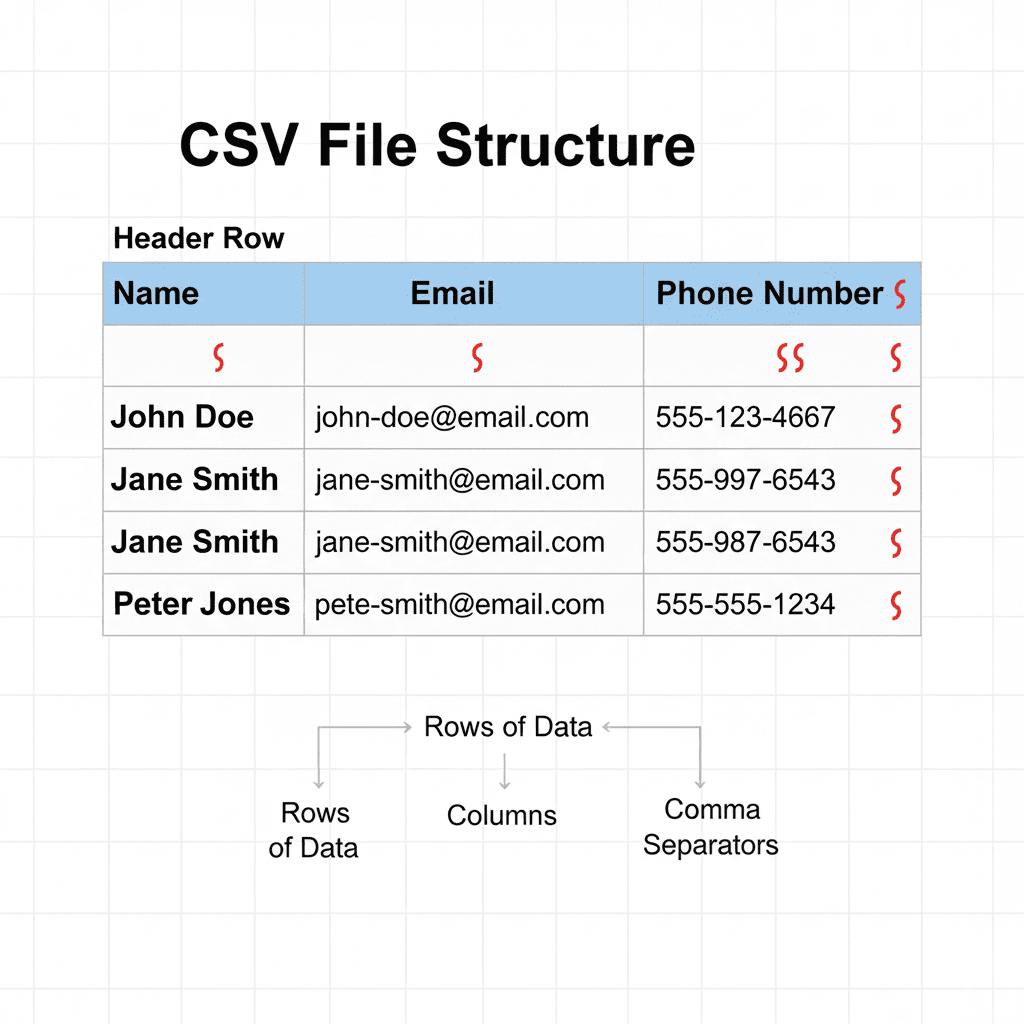
Before diving into comparison tools, let’s quickly revisit what a CSV file is. CSV stands for Comma-Separated Values, a simple file format used to store tabular data, such as spreadsheets or databases. Each line in a CSV file represents a data record, and each record consists of fields separated by commas (or other delimiters like semicolons or tabs).
CSV files are popular because:
-
They are lightweight and easy to share
-
Supported by nearly all spreadsheet software
-
Easy to parse programmatically
Despite their simplicity, even small CSV files can become complicated when they contain thousands of rows or multiple columns, making manual comparison nearly impossible.
How Compare CSV Files?
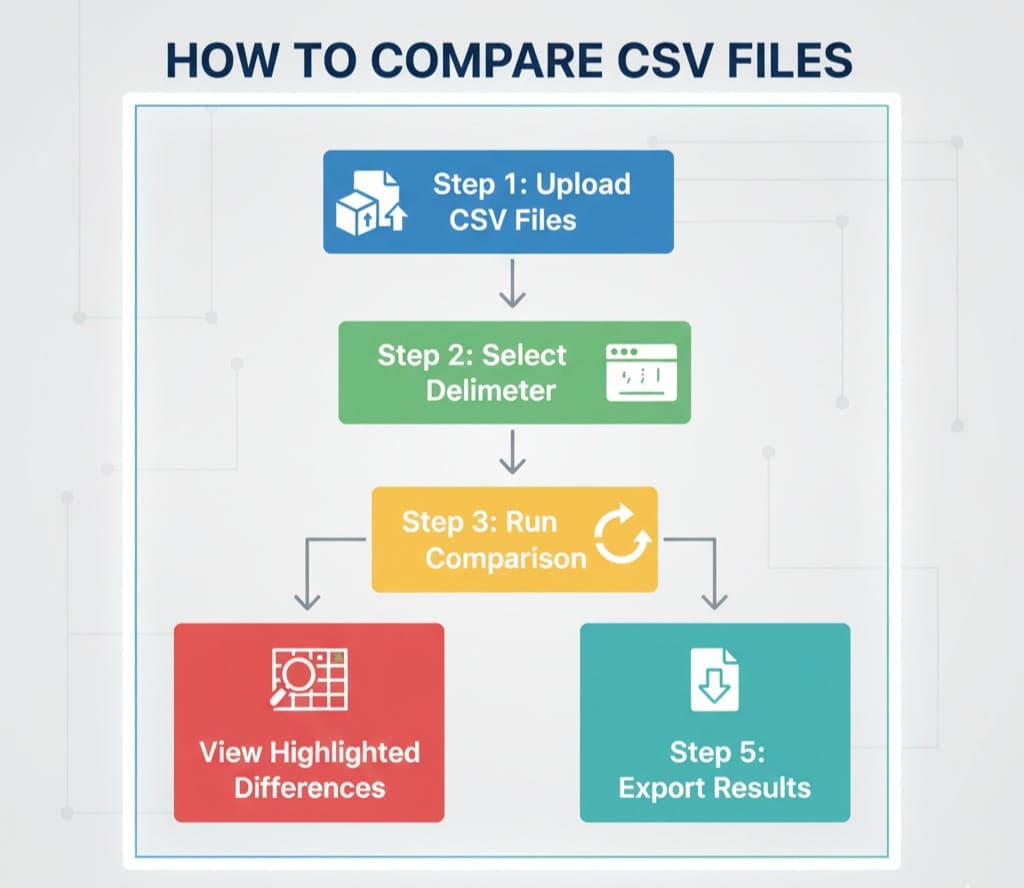
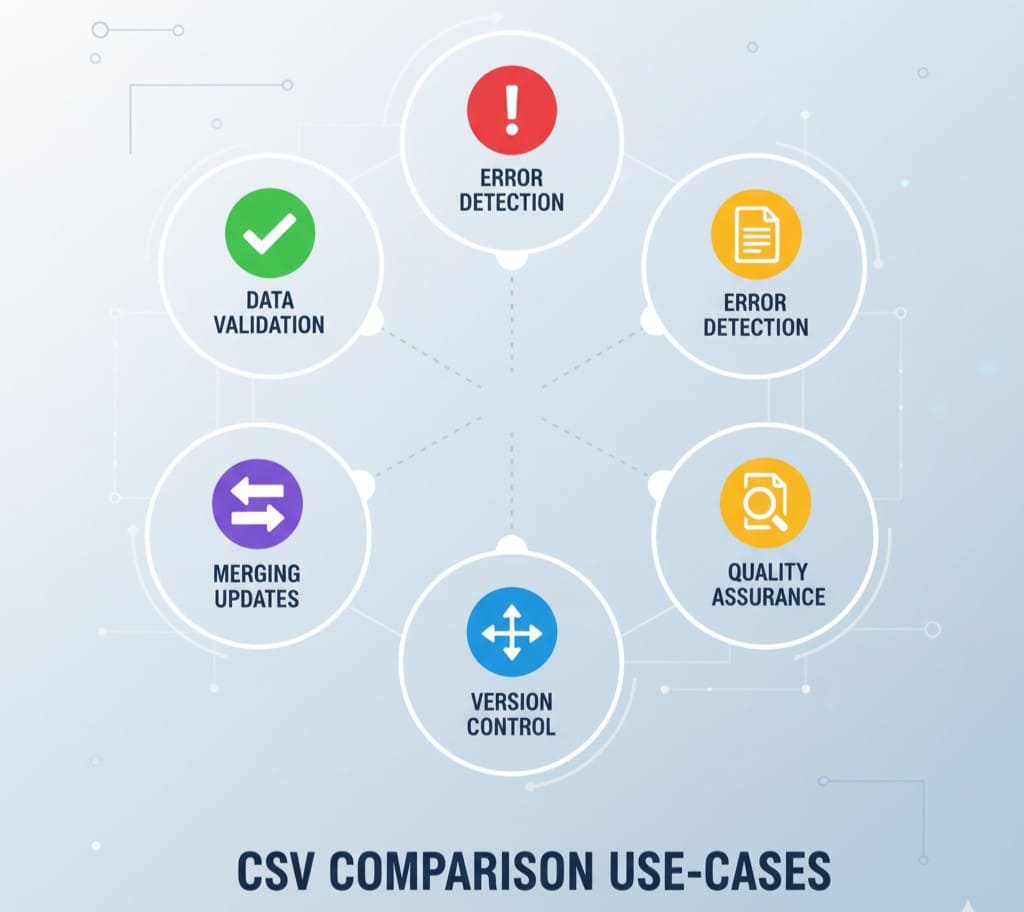
You might wonder, “Why do I need to compare CSV files at all?” There are several scenarios where comparison is critical:
-
Data Validation: Ensuring that exported data from a system matches the original dataset.
-
Error Detection: Catching errors or discrepancies between different CSV versions.
-
Version Control: Tracking changes in datasets over time.
-
Merging Updates: Combining new records with existing datasets without duplication.
-
Quality Assurance: Verifying transformations in ETL (Extract, Transform, Load) pipelines.
Manual comparison using spreadsheets is time-consuming and prone to mistakes. That’s why online CSV Diff Tools are a game-changer.
Introducing CSV Diff Tool
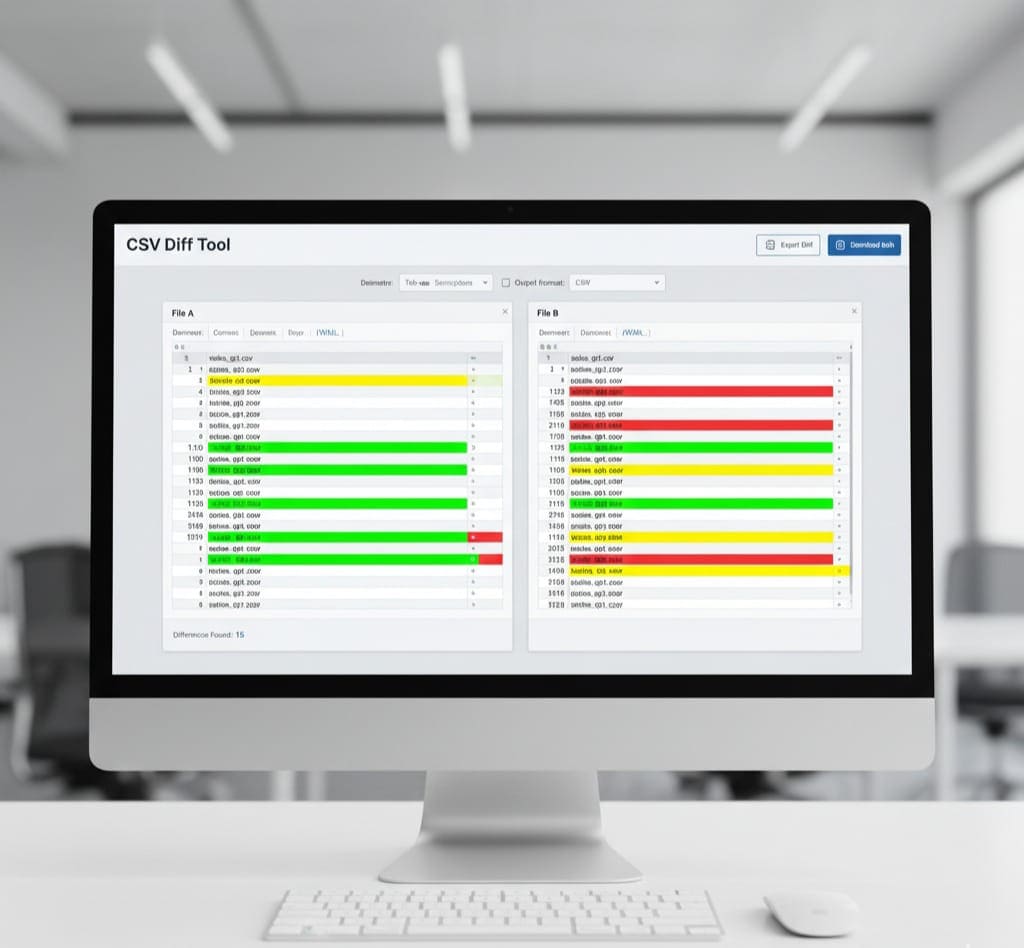
A CSV Diff Tool is an online utility that allows you to compare two CSV files quickly and accurately, highlighting the differences in a readable format. With AllFileTools CSV Diff Tool, users can:
-
Upload two CSV files or paste their contents
-
Configure delimiter settings
-
Detect added, deleted, or modified rows
-
View differences side-by-side
-
Export results in multiple formats
This tool is browser-based, meaning your data never leaves your device — perfect for sensitive information. The intuitive interface makes it accessible to technical and non-technical users alike.
Key Features of AllFileTools CSV Diff Tool
Let’s explore the features that make AllFileTools CSV Diff Tool stand out:
1. Side-by-Side Comparison
The tool visually separates the two CSV files into columns, allowing users to instantly spot differences. Changes are highlighted, making it easy to identify:
-
Added rows
-
Deleted rows
-
Modified fields
This feature is particularly helpful when dealing with large datasets.
2. Custom Delimiter Support
Not all CSV files use commas. Some files may use semicolons, tabs, or pipes as delimiters. The tool allows you to choose your delimiter, ensuring accurate comparisons.
3. Header Row Detection
Many CSV files include headers for column names. The tool can automatically detect headers and align data correctly during comparison. This avoids mismatches due to column shifts.
4. Browser-Based Processing
One of the standout features is client-side processing. Your CSV files are processed locally in your browser, which guarantees:
-
Data privacy
-
Faster comparison for large files
-
No server upload required
5. Export Comparison Results
After comparing, users can export the results for reporting purposes:
-
CSV format for further analysis
-
Excel format for sharing with team members
-
HTML report for presentations or documentation
How to Compare CSV Files Using AllFileTools CSV Diff Tool
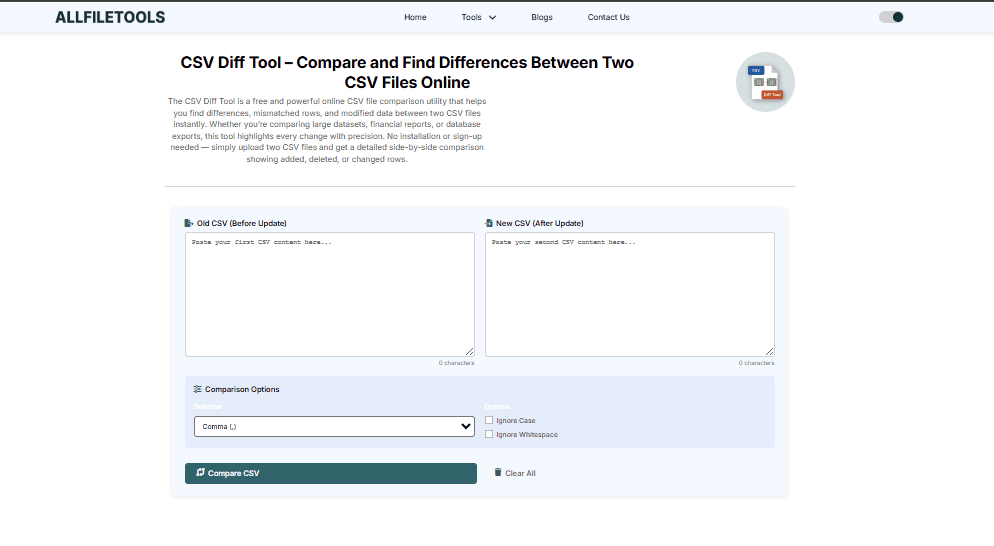
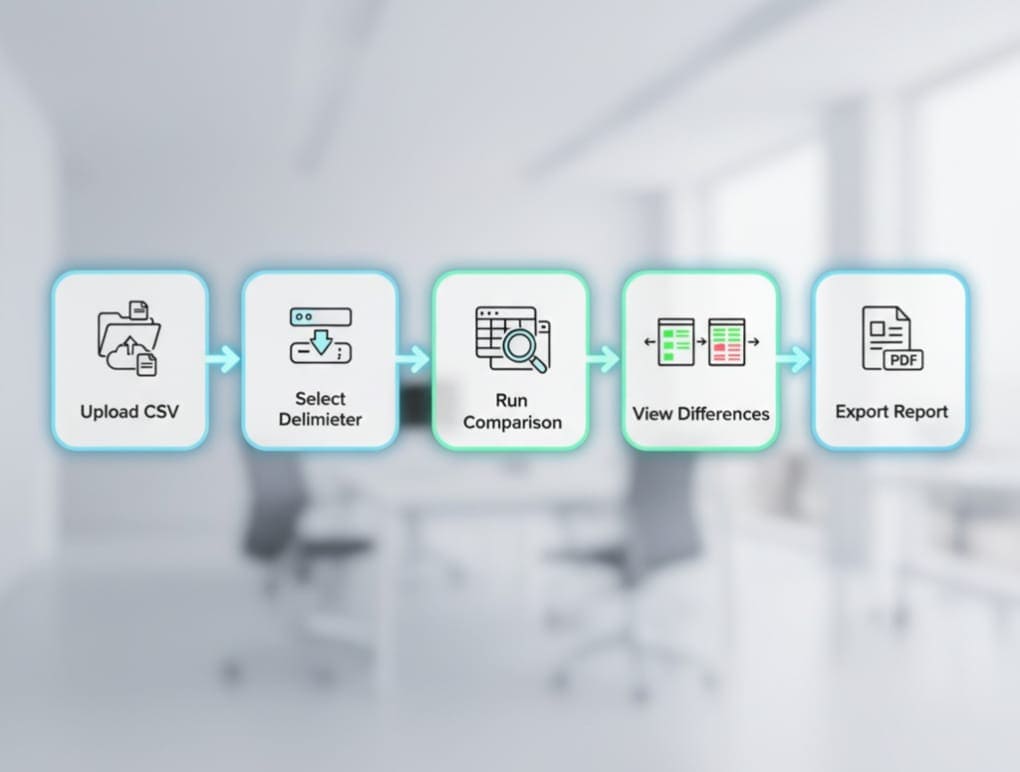
Here’s a simple step-by-step guide:
-
Access the Tool: Open AllFileTools CSV Diff Tool.
-
Upload Files: Select the first and second CSV files you want to compare. You can also copy-paste content directly.
-
Configure Settings: Choose the correct delimiter and verify that headers are correctly detected.
-
Run Comparison: Click the compare button. The tool will highlight differences row-by-row.
-
Review Results: Inspect added, deleted, and modified data.
-
Export Results: Download the comparison in your preferred format.
Even beginners can perform CSV comparisons in under a minute using this tool.
Benefits of Using CSV Diff Tool

Using an online CSV comparison tool like AllFileTools CSV Diff Tool provides several advantages:
-
Accuracy: Automated comparison reduces human errors.
-
Time-Saving: Quickly identifies differences in large datasets.
-
User-Friendly: Minimal learning curve, no installation required.
-
Privacy: Files are processed locally; sensitive data remains secure.
-
Feature-Rich: Offers multiple formats, delimiter settings, and side-by-side views.
Use Cases by Audience
Developers
-
Debugging CSV-based logs
-
Tracking changes in data exports from applications
-
Validating API data outputs
Data Analysts
-
Validating dataset updates
-
Cleaning and reconciling data from multiple sources
-
Generating reports for management
Students
-
Comparing research datasets
-
Checking data integrity in experiments or surveys
-
Learning data analysis techniques
Marketers
-
Comparing campaign data exports
-
Tracking changes in analytics CSV reports
-
Verifying CRM data updates
General Tech Users
-
Household CSV comparisons like budget or inventory
-
Personal data reconciliation
-
File backup verification
Challenges Without a CSV Diff Tool
Manually comparing CSV files is not only time-consuming but also error-prone. Common challenges include:
-
Large datasets with thousands of rows
-
Subtle differences that are easy to overlook
-
Misaligned columns due to different header arrangements
-
Difficulty in exporting differences for reporting
-
Increased risk of human error
With an online CSV Diff Tool, all these challenges are mitigated.
Best Practices for Comparing CSV Files

-
Always Use Headers: Ensure your CSV files have a header row for proper alignment.
-
Choose the Correct Delimiter: Misconfigured delimiters can cause mismatched rows.
-
Trim Spaces: Remove leading/trailing spaces to avoid false differences.
-
Export Reports: Keep records of differences for audits or future reference.
-
Process Locally if Sensitive: Browser-based tools protect sensitive data.
Advanced Tips for Technical Users
-
Compare Large Files: Use browser-based processing to handle tens of thousands of rows.
-
Key Columns: Specify a unique identifier column to detect row-level changes accurately.
-
Integration with Pipelines: CSV Diff tools can be integrated with automation scripts for regular data validation.
-
Export for Version Control: Track dataset changes over time using exported diff reports.
FAQ Section

1. What is a CSV Diff Tool?
A CSV Diff Tool is an online utility that compares two CSV files and highlights the differences in a structured and readable format.
2. Can I use the tool for large CSV files?
Yes, AllFileTools CSV Diff Tool supports large datasets and processes them efficiently in your browser.
3. Do I need to upload my files to a server?
No, the tool runs entirely in your browser, so your files never leave your device.
4. Can I export the comparison results?
Yes, you can export results in CSV, Excel, or HTML formats for further analysis or reporting.
5. Does the tool support different delimiters?
Yes, you can configure commas, semicolons, tabs, or custom delimiters to match your CSV files.
6. Is the tool free?
Yes, AllFileTools CSV Diff Tool is completely free and requires no registration.
7. Can I use it on mobile devices?
Absolutely, the tool is mobile-friendly and works across all modern browsers.
Conclusion
Comparing CSV files manually is cumbersome and prone to errors. With AllFileTools CSV Diff Tool, developers, data analysts, students, marketers, and general tech users can quickly and accurately identify differences between CSV files, saving time, reducing errors, and maintaining data integrity. Its combination of side-by-side comparison, custom delimiter support, export options, and browser-based privacy makes it the ideal solution for anyone handling CSV files regularly.
Stop wasting hours on manual comparison — try AllFileTools CSV Diff Tool now and see the difference for yourself.
Leave a Comment
No comments yet. Be the first to comment!