
In today’s digital world, knowing the age of a domain or website is more than just a curiosity—it’s an essential part of online research, SEO planning, and website investment. Whether you are an SEO expert, blogger, digital marketer, developer, or a website buyer, understanding a website’s age can provide valuable insights into its credibility, trustworthiness, and potential value. With the Domain Age Checker Tool, you can instantly determine the domain registration date and the website’s age, helping you make informed decisions and optimize your online strategies.
In this comprehensive guide, we will explore what domain age is, why it matters, how the Domain Age Checker works, and the best ways to leverage it for SEO, digital marketing, and website research. We will also provide step-by-step instructions, examples, and expert tips to ensure you fully understand and benefit from this tool.
What is Domain Age?
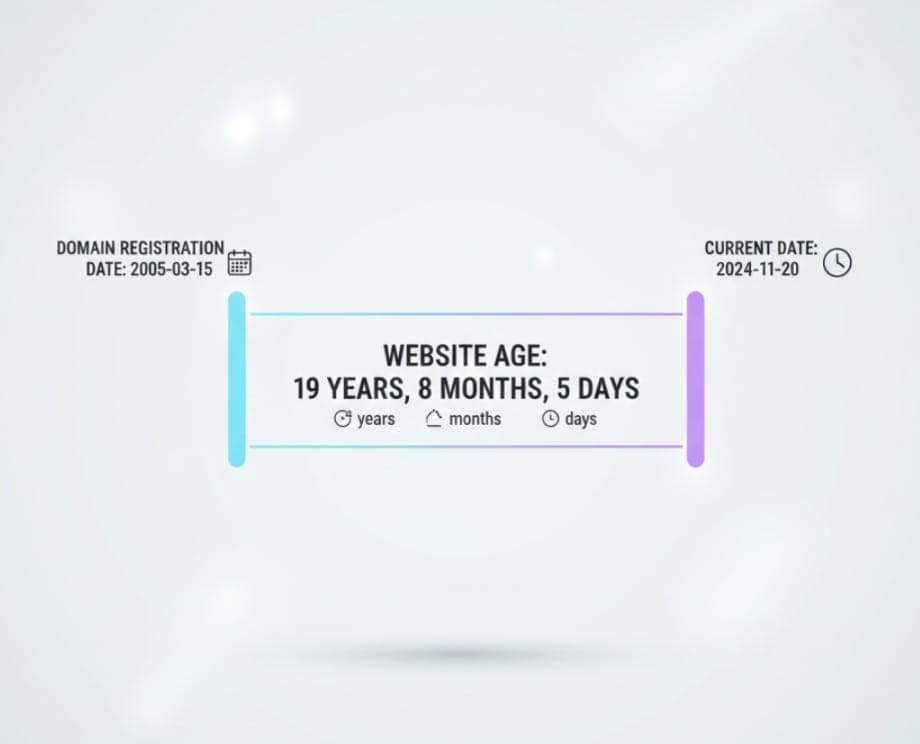
Domain age refers to the length of time a domain name has been registered. It is typically calculated from the domain’s initial registration date to the current date. Understanding domain age can reveal several key aspects of a website:
-
Trust and credibility: Older domains are often seen as more trustworthy by both users and search engines.
-
SEO advantage: Search engines may favor older domains because they have a longer history and more established backlinks.
-
Investment insight: For website buyers or investors, domain age can indicate stability and long-term potential.
Example: If a domain was registered in 2010, it has been active for over 13 years. This longevity can suggest authority and reliability compared to a brand-new domain registered last month.
Why Domain Age Matters
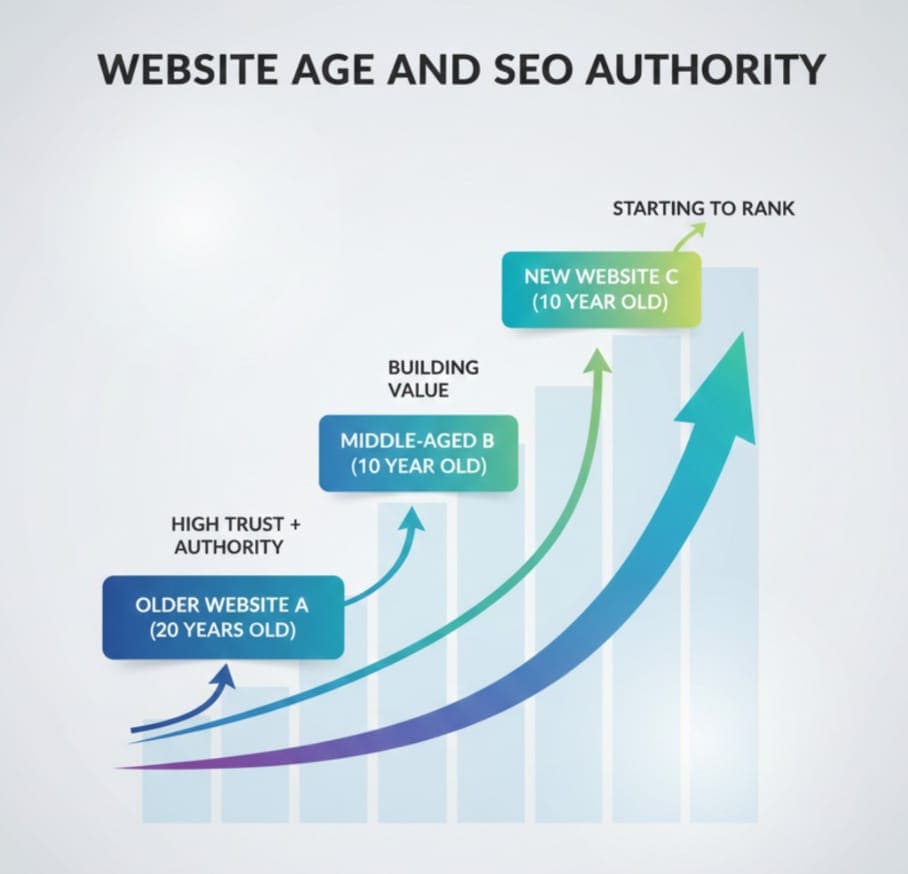
Understanding domain age is critical for several reasons:
1. SEO and Search Engine Rankings
Search engines like Google often consider older domains as more reliable, especially if the website has a clean history. While domain age alone does not guarantee higher rankings, it can influence SEO performance in combination with quality content, backlinks, and user engagement.
-
Older domains are likely to have accumulated high-quality backlinks.
-
They may have established domain authority, which benefits new pages added to the website.
-
Domains with a stable history are less likely to be penalized for spam or suspicious activity.
2. Trustworthiness and User Perception
Users tend to trust websites that have been online for a longer time. A website with a longer history may indicate that the owner is committed to maintaining the site, improving services, and providing reliable content.
3. Buying or Flipping Websites
For people interested in buying existing domains or websites:
-
A domain with 10+ years of registration may be more valuable.
-
It can attract more traffic due to established SEO presence.
-
Shorter-age domains may require more work to gain credibility.
4. Competitive Research
If you are analyzing competitors in your niche, knowing the domain age can:
-
Help you understand how long competitors have been building authority.
-
Reveal growth patterns and marketing strategies.
-
Identify domains with potential partnership or backlink opportunities.
What is a Domain Age Checker Tool?

A Domain Age Checker Tool is an online utility that lets you instantly discover the registration date and age of any domain or website. It simplifies the process of finding crucial information that would otherwise require manual searches through WHOIS databases or multiple domain registrars.
Key Features of the Domain Age Checker Tool:
-
Instant domain age results: Simply enter a domain name and receive its registration date and current age.
-
User-friendly interface: Minimal clicks and easy navigation make it accessible for both beginners and experts.
-
Compatibility: Works with any domain name across different extensions like .com, .net, .org, .io, and more.
-
Free access: Many tools, including AllFileTools Domain Age Checker, provide instant results for free.
By using this tool, you can save time and quickly gain insights into website history, trustworthiness, and potential value.
Technical Terms You Should Know
When using a domain age checker, it helps to understand some key technical terms:
-
Domain Registration Date: The original date when a domain was first registered.
-
Domain Expiry Date: When the current registration period ends.
-
WHOIS Data: Public record showing domain registration details, including owner information, registrar, and status.
-
Domain Age: Number of years, months, and days a domain has been active.
-
Backlink Profile: A list of websites linking to the domain, which affects SEO authority.
Step-by-Step Guide: How to Use the Domain Age Checker Tool
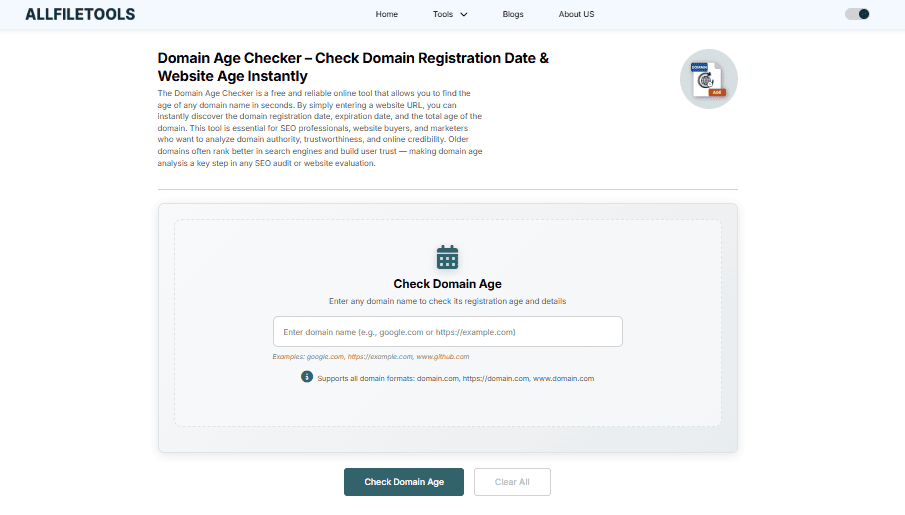
Using a Domain Age Checker is straightforward. Follow these steps to instantly determine domain age:
Step 1: Open the Tool
Go to the Domain Age Checker Tool on AllFileTools.com.
Step 2: Enter the Domain Name
Type the website or domain name you want to analyze in the input field. For example, example.com.
Step 3: Click ‘Check Domain Age’
Hit the Check Domain Age button. The tool will process your request instantly.
Step 4: View Results
The tool will display:
-
Domain Registration Date
-
Domain Expiry Date
-
Current Age (Years, Months, Days)
Step 5: Interpret the Data
Use this information for SEO planning, website investment, or competitor analysis.
Example:
-
Domain: example.com
-
Registration Date: January 1, 2010
-
Current Age: 13 years, 0 months, 2 days
Benefits of Using a Domain Age Checker Tool

-
Time-Saving: Quickly get domain information without manually checking WHOIS records.
-
Accurate Information: Provides official domain registration data verified via global domain databases.
-
SEO Insights: Helps in assessing the authority and trustworthiness of domains.
-
Investment Decisions: Ideal for website buyers and domain investors.
-
Competitive Analysis: Check competitors’ domain age and strategize accordingly.
Keyword Strategy for SEO Using Domain Age Checker
For this blog, we integrate high-volume keywords relevant to domain research:
Primary Keywords:
-
Domain Age Checker
-
Check Domain Age
-
Domain Registration Date
-
Website Age Checker
-
Domain Age Tool
Secondary/Long-Tail Keywords:
-
How old is a website
-
Find domain registration date online
-
Free domain age checker tool
-
Domain age check for SEO
-
Website age verification
Technical Terms:
-
WHOIS lookup
-
Domain expiry date
-
Domain authority
-
Backlink profile
-
Domain registrar
Feature-Related Keywords:
-
Instant results
-
User-friendly interface
-
Free online tool
-
Compatibility with all domains
-
Accurate domain information
Other Related Keywords:
-
Domain research tool
-
Website trust verification
-
Domain history lookup
-
Buy website analysis
-
SEO competitive research
These keywords are naturally integrated throughout headings, subheadings, and body text, ensuring SEO optimization without keyword stuffing.
Use Cases of Domain Age Checker Tool

-
SEO Experts
Check competitor websites to assess authority and plan backlink strategies. -
Bloggers & Content Creators
Analyze old domains for guest posting opportunities. -
Website Buyers & Flippers
Determine domain credibility before purchase. -
Developers
Verify domain age for building trustworthy apps or projects. -
Digital Marketers
Evaluate domain history to decide on collaboration or advertising. -
Students & Beginners
Learn about domain history and web research techniques. -
General Users
Verify trustworthiness of any website before using its services.
Expert Tips to Maximize the Tool’s Potential

-
Combine with WHOIS Lookup: Use the domain age checker alongside a WHOIS lookup to get complete ownership details.
-
Cross-Verify for Accuracy: Check the domain on multiple tools if needed to confirm registration details.
-
Monitor New Domains: If planning to buy domains, track new registrations to get potential SEO advantages early.
-
Analyze Expiring Domains: Expired domains can be valuable for link-building or domain flipping.
-
Integrate with SEO Tools: Use insights from the domain age to enhance keyword targeting and backlink campaigns.
Common Questions About Domain Age
1. Can a domain age be changed?
No, the registration date is permanent. Transferring a domain does not reset its age.
2. Do older domains always rank higher?
Not necessarily. While age can signal trust, content quality, backlinks, and user engagement are more significant ranking factors.
3. Is this tool free?
Yes, AllFileTools Domain Age Checker provides instant results for free.
4. Does it work with all domain extensions?
Yes, it supports .com, .net, .org, .io, and many others.
5. Can I use it for competitor analysis?
Absolutely. SEO experts and marketers frequently use domain age to analyze competitors.
6. How accurate is the data?
The tool pulls data from official WHOIS records and domain registrars, ensuring high accuracy.
7. Can I check multiple domains at once?
Currently, the tool allows one domain at a time, but you can quickly repeat the process for multiple domains.
Conclusion

The Domain Age Checker Tool is a must-have utility for anyone serious about digital presence, SEO, and website investments. It provides instant, accurate, and actionable information about domain registration and website age, making it invaluable for:
-
SEO planning
-
Website purchasing decisions
-
Competitor analysis
-
Content and marketing strategy
No matter your level of expertise, this tool simplifies domain research, saves time, and helps make informed decisions about online assets.
Don’t wait—use the Domain Age Checker Tool today and unlock the insights hidden in every domain.
Leave a Comment
No comments yet. Be the first to comment!