
In today’s digital world, images are the backbone of design, marketing, photography, and even academic or professional documentation. From web graphics to professional print materials, the quality and format of an image matter a lot. Among the various image formats available, TIFF (Tagged Image File Format) remains one of the most preferred formats for high-quality image storage. Whether you are a designer, photographer, developer, printing professional, student, or a general user, sometimes converting your images into TIFF is necessary for maintaining quality and compatibility.
Luckily, online tools like the Free Image to TIFF Converter make this process fast, free, and hassle-free, without requiring any software installation or account creation. In this comprehensive guide, we’ll walk you through everything you need to know about converting images to TIFF, the advantages of using online converters, and how to maximize your results.
What is TIFF and Why Use It?
TIFF, short for Tagged Image File Format, is a widely-used image format designed for high-quality graphics and photographs. Unlike compressed formats like JPEG, TIFF files can be lossless, meaning the image quality remains intact during conversion and editing.
Key benefits of TIFF include:
-
High Resolution: Perfect for printing and professional design.
-
Lossless Quality: Preserves details without compression artifacts.
-
Flexible Color Spaces: Supports RGB, CMYK, and grayscale.
-
Multi-layer & Metadata Support: Useful for designers and photographers who want extra information embedded.
Because of these benefits, TIFF is widely used in printing houses, design studios, photographers’ workflows, and archival purposes.
Why You Need a Free Online Image to TIFF Converter
While professional software like Photoshop can convert images to TIFF, not everyone has access to paid tools or the technical know-how. Online converters fill this gap by offering fast, free, and secure image conversion directly in your browser.
Advantages of Online TIFF Converters:
-
Free of Cost: No subscription required.
-
No Signup Needed: Convert instantly without creating accounts.
-
No Watermark: Preserve your image integrity.
-
Supports Multiple Formats: Convert JPG, PNG, WEBP, and more to TIFF.
-
Batch Conversion: Process multiple images simultaneously.
-
High-Quality Output: Maintains resolution and color profiles.
-
Accessible Anywhere: Works on Windows, Mac, Linux, or even tablets.
Using an online TIFF converter is particularly useful for designers, photographers, students, developers, and printing professionals who need a reliable solution quickly.
How to Convert Images to TIFF Using AllFileTools
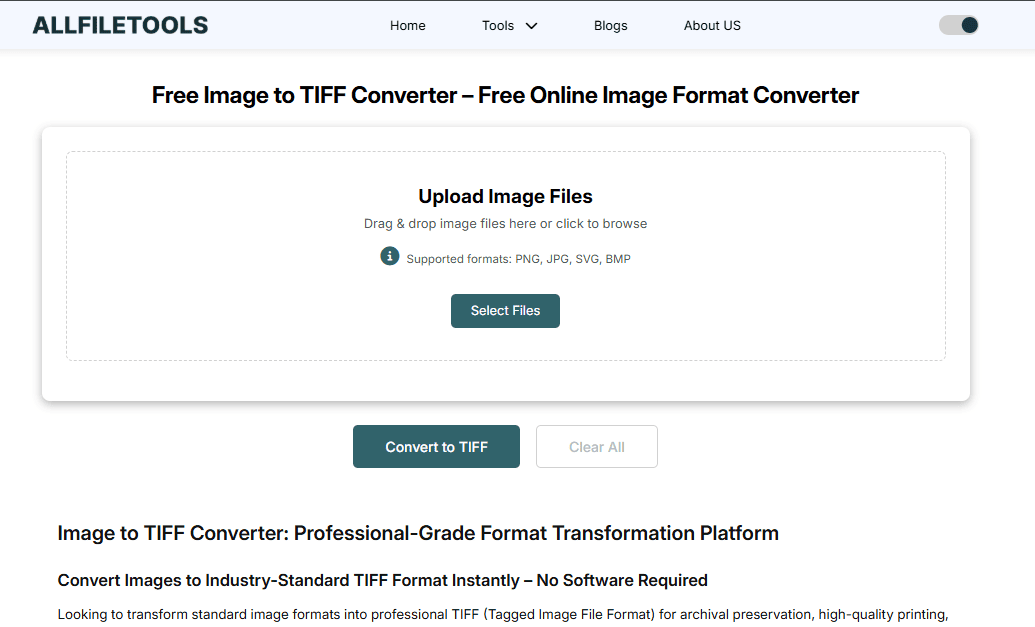
The AllFileTools Image to TIFF Converter is one of the best free tools for online TIFF conversion. It combines speed, simplicity, and quality without any limitations.
Step-by-Step Guide:
Step 1: Upload Your Image
-
Click on the “Upload Image” button or drag and drop your files.
-
Supported formats: JPG, JPEG, PNG, WEBP, BMP, GIF, and more.
Step 2: Choose Output Settings
-
Select TIFF as the output format.
-
Optional: Adjust quality settings or compression (if available).
Step 3: Convert
-
Click “Convert” and wait for the tool to process your images.
-
Conversion is fast, even for multiple files at once.
Step 4: Download
-
Once conversion is complete, download your TIFF files.
-
All images retain original resolution, color profiles, and metadata.
Features That Make This Tool Stand Out
The AllFileTools Image to TIFF Converter offers several features that make it a top choice for online image conversion:
1. High-Quality Conversion
Unlike many free tools that compress images, this converter preserves original quality, ensuring your photos and graphics are print-ready.
2. Multi-Format Support
Supports conversion from JPG, PNG, WEBP, BMP, and GIF to TIFF, giving flexibility for designers and photographers who work with diverse formats.
3. Batch Processing
Convert multiple images at once, saving time for professionals and students working on projects with many files.
4. Secure and Private
All files are processed in the browser or securely on the server, ensuring no data leaks or unauthorized access.
5. Fast and Efficient
No software installation, no sign-up, and no watermarks. Just upload, convert, and download — all in seconds.
Who Can Benefit from Online TIFF Conversion?
Using a free online image to TIFF converter is ideal for:
-
Designers: Quickly convert assets to high-quality TIFFs for client projects.
-
Photographers: Maintain image fidelity for prints or portfolios.
-
Developers: Convert assets for web or software projects requiring TIFF format.
-
Printing Professionals: Get lossless images ready for press and large-scale prints.
-
Students: Prepare high-resolution images for reports, projects, or presentations.
-
General Users: Easily convert personal images without installing complex software.
Best Practices for Image to TIFF Conversion
To get the most out of online TIFF converters, follow these tips:
1. Check Original Image Quality
-
Higher resolution input = better TIFF output.
-
Avoid already compressed images (like low-quality JPEGs) for printing purposes.
2. Use Batch Conversion for Multiple Files
-
Save time by uploading all images at once instead of converting individually.
3. Keep Original Metadata
-
Ensure that the tool preserves EXIF data, which contains valuable camera and editing information.
4. Choose Appropriate Compression
-
If the tool allows, select lossless compression to maintain high fidelity.
5. Double-Check Color Profiles
-
For professional printing, ensure the color profile is RGB or CMYK as required.
TIFF vs Other Formats
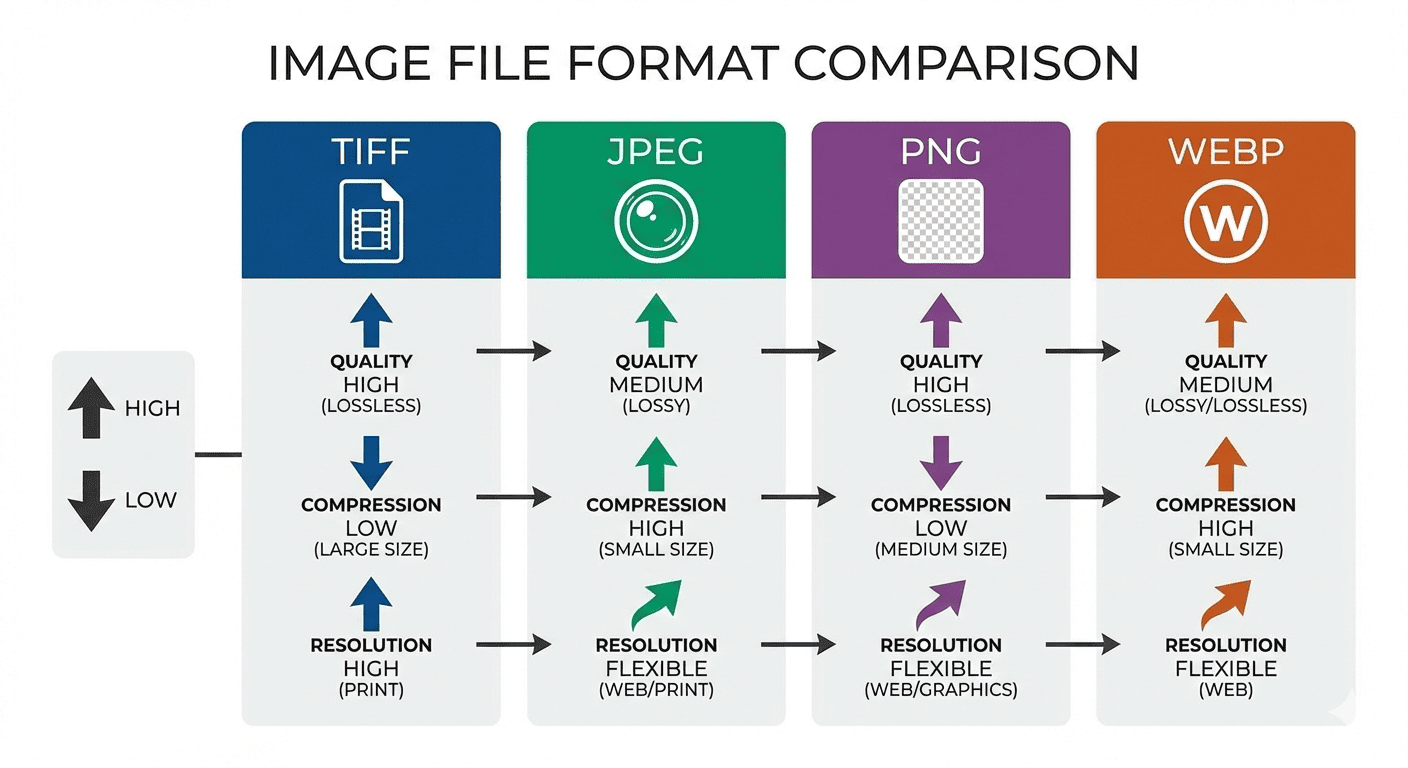
| Feature | TIFF | JPEG | PNG | WEBP |
|---|---|---|---|---|
| Compression | Lossless | Lossy | Lossless | Lossy/Lossless |
| Best Use | Printing, Archiving | Web, Quick Sharing | Web, Transparent Images | Web, High Compression |
| File Size | Large | Small | Medium | Medium/Small |
| Layers | Supported | Not Supported | Not Supported | Not Supported |
Observation: TIFF is best for scenarios demanding quality and precision, while JPEG and WEBP are more suitable for web sharing.
Common Use Cases for TIFF Files
-
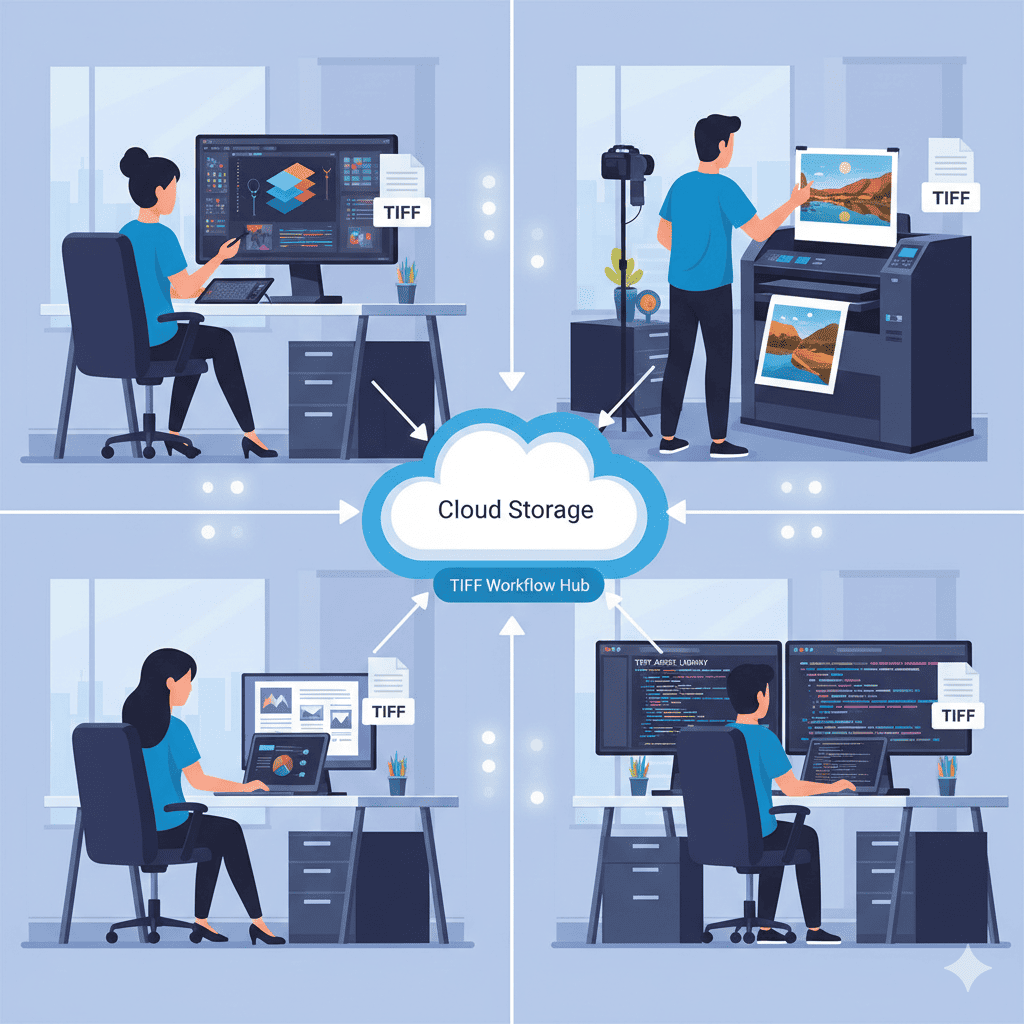
Professional Printing – Ensures high-quality prints for magazines, brochures, and flyers.
-
Photography – Archival storage of RAW images converted to TIFF.
-
Design Assets – Designers can share multi-layer or high-resolution images.
-
Document Scanning – Convert scanned documents into TIFF for legal or professional use.
-
Scientific Imaging – Maintains details for research, microscopy, or technical images.
Conclusion

The AllFileTools Image to TIFF Converter is a free, fast, and high-quality online solution for converting images to TIFF. Whether you are a designer, photographer, developer, printing professional, student, or general user, this tool simplifies your workflow. It preserves image quality, supports multiple formats, and ensures your files are ready for professional or personal use — all without signing up or installing software.
Converting images to TIFF has never been easier, safer, or faster. Make your digital workflow seamless and efficient with this tool today.
🔹 Explore more powerful file conversion and online utilities at AllFileTools –
🔹 For technical support, digital solutions, and expert services, visit LetDigitalFly IT Services –
🔹 Discover additional career and productivity resources at Resume Slip Builder –
FAQs
Q1: What is a TIFF file and why should I use it?
A: TIFF (Tagged Image File Format) is a high-quality image format often used for printing and archival. It preserves details, color profiles, and layers, unlike compressed formats like JPEG.
Q2: Can I convert multiple images at once?
A: Yes, AllFileTools supports batch conversion, saving you time when processing several images.
Q3: Is this tool free to use?
A: Absolutely. You can convert images to TIFF online without any cost, sign-up, or watermark.
Q4: What input formats does the converter support?
A: JPG, JPEG, PNG, WEBP, BMP, GIF, and other common image formats.
Q5: Will my images lose quality after conversion?
A: No. The tool performs lossless conversions, preserving resolution, color, and metadata.
Q6: Can I use this converter on mobile or tablet?
A: Yes, the tool is browser-based and works on Windows, Mac, Linux, and mobile devices.
Q7: Is my data safe during conversion?
A: Yes. The platform ensures secure processing, and your images are not shared or stored permanently.
Leave a Comment
No comments yet. Be the first to comment!