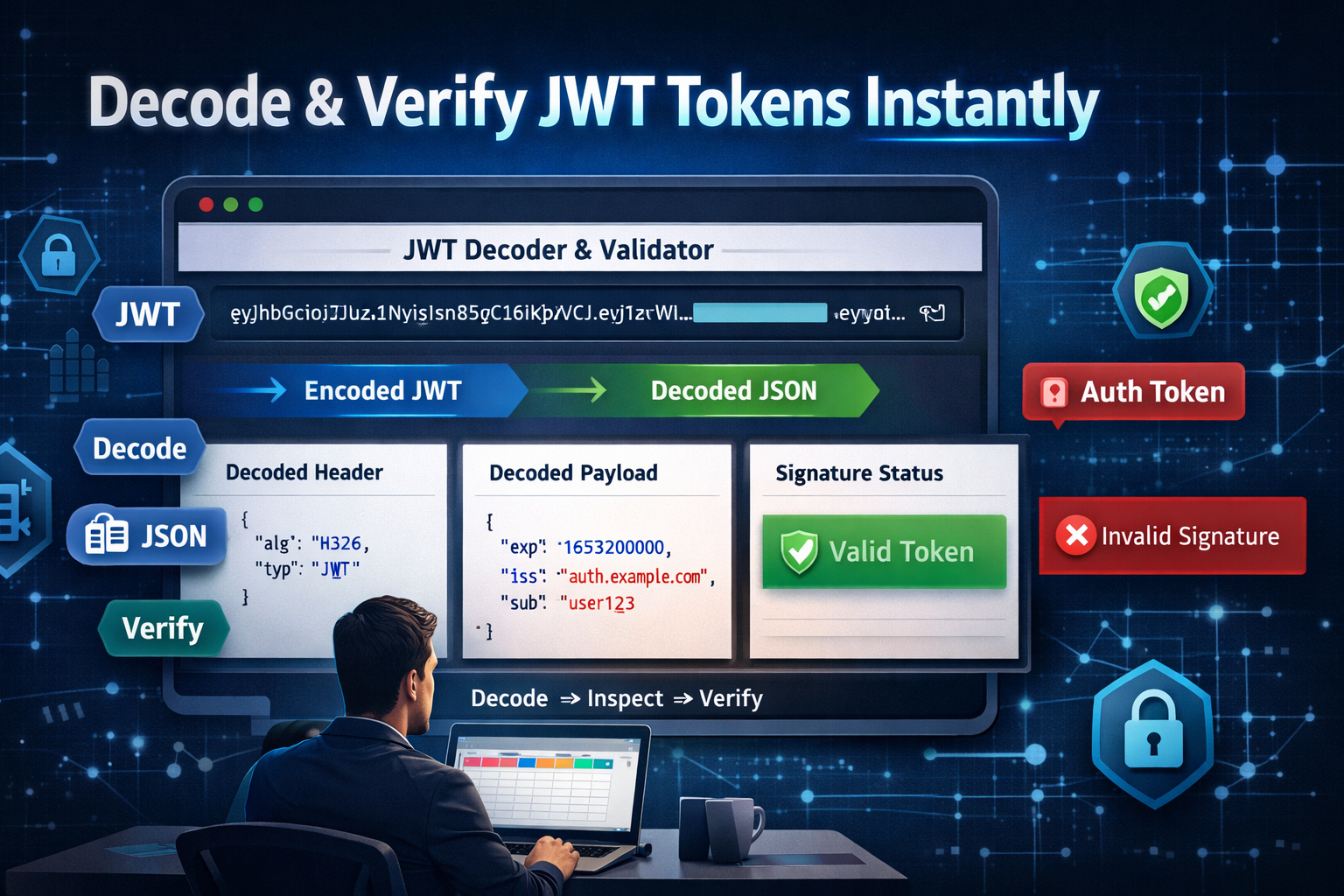
In today’s fast-paced digital world, securing and managing web applications is more important than ever. Whether you are a developer building a complex API, a cybersecurity student learning about authentication, or a tech enthusiast exploring web technologies, understanding JSON Web Tokens (JWTs) is crucial. JWTs are widely used for transmitting information securely between parties, and knowing how to inspect, decode, and validate them can save you from potential security vulnerabilities.
In this blog, we will explore everything you need to know about JWT Decoders and Validators, including how to use them effectively, why they matter, and how to leverage the Free JWT Decoder & Validator tool for fast, accurate results.
1. What is a JSON Web Token (JWT)?
A JSON Web Token (JWT) is a compact, URL-safe means of representing claims between two parties. Essentially, it is a way of securely transmitting information that can be verified and trusted because it is digitally signed. JWTs are commonly used in authentication, authorization, and information exchange in web applications.
Key Characteristics of JWTs:
-
Self-contained: JWT contains all necessary information, reducing server-side storage.
-
Secure: The information is digitally signed using HMAC or RSA, ensuring integrity.
-
Compact: JWTs are smaller than traditional tokens and can be transmitted easily via URL, POST parameters, or HTTP headers.
2. Why JWTs Are Important in Modern Web Development
JWTs play a pivotal role in secure authentication and efficient communication between clients and servers. Here’s why developers rely on them:
-
Stateless Authentication: Servers don’t need to store session information, reducing memory usage.
-
Cross-platform: JWTs are language-agnostic and work seamlessly across web, mobile, and IoT applications.
-
Scalable: Perfect for large-scale applications and microservices architecture.
-
Security: Signed tokens ensure that payload data cannot be tampered with.
3. Anatomy of a JWT: Header, Payload, and Signature
Understanding the structure of a JWT is essential before decoding or validating it.
1. Header
The header typically contains two parts:
-
alg: Algorithm used for signing (e.g., HS256)
-
typ: Token type (usually JWT)
2. Payload
The payload includes claims (statements about an entity and additional metadata). Common claims:
-
iss: Issuer
-
sub: Subject
-
aud: Audience
-
exp: Expiration time
3. Signature
The signature ensures the token’s integrity. It is generated by encoding the header and payload using the algorithm and a secret key.
4. Common Use Cases for JWTs
JWTs are versatile and widely used in modern web applications. Some of the main use cases include:
-
User Authentication: Tokens allow users to log in once and access multiple services without re-authenticating.
-
Authorization: After login, JWTs help define what resources a user can access.
-
Information Exchange: Securely transmitting data between two parties with verified integrity.
-
Single Sign-On (SSO): JWTs are widely used for SSO systems across platforms and services.
5. Challenges of JWT Management
Despite their benefits, managing JWTs can be tricky. Common challenges include:
-
Token Tampering: Without proper validation, attackers can modify payloads.
-
Expiration Handling: Developers must correctly implement token expiration to prevent unauthorized access.
-
Decoding and Debugging: Raw JWTs are not human-readable; decoding is necessary to inspect claims.
-
Signature Verification: Ensuring that the signature is valid to trust the token is critical.
These challenges make a JWT Decoder & Validator tool essential for developers and security learners.
6. How JWT Decoder & Validator Tools Help
A JWT Decoder & Validator tool simplifies handling tokens by providing:
-
Quick Decoding: Instantly convert the JWT into a readable format.
-
Claims Inspection: View all header and payload claims clearly.
-
Signature Verification: Validate the integrity of tokens.
-
Error Detection: Detect expired, malformed, or invalid tokens.
7. Introducing the Free JWT Decoder & Validator Tool
Our Free JWT Decoder & Validator is a powerful online tool designed to help developers, students, and cybersecurity learners inspect and verify JWTs with ease.
Tool Link: https://www.allfiletools.com/jwt-decoder/
Why Choose This Tool?
-
100% Free: No signup or subscription required
-
Fast & Accurate: Decode and verify tokens in seconds
-
User-Friendly Interface: Minimalistic design, easy to use even for beginners
-
Secure: Data is processed safely without storing your tokens
8. Step-by-Step Guide: Decode and Validate JWTs
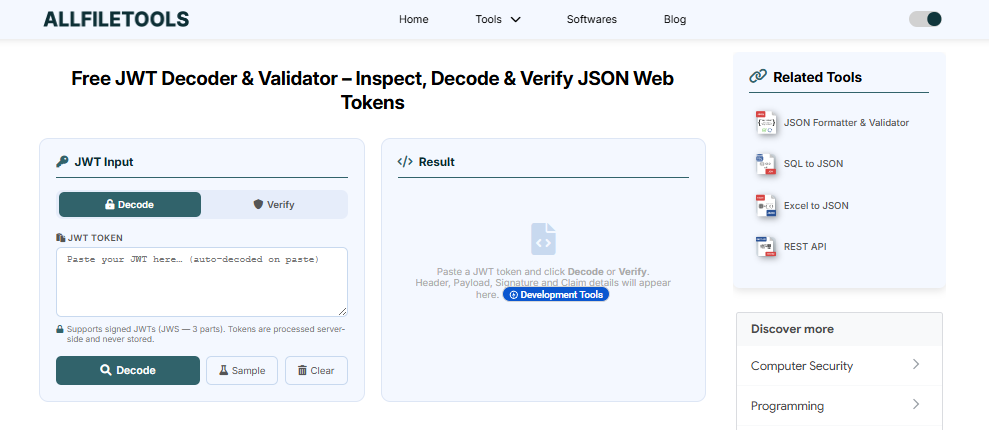
Using the tool is simple. Follow these steps:
Step 1: Open the Tool
Go to https://www.allfiletools.com/jwt-decoder/.
Step 2: Paste Your JWT
Copy the JWT from your application and paste it into the input field.
Step 3: Decode the JWT
Click on “Decode” to instantly view the header, payload, and claims.
Step 4: Verify the Signature
The tool checks whether the signature is valid using the selected algorithm.
Step 5: Inspect Errors
Any issues like token expiration, invalid claims, or malformed tokens will be highlighted.
Step 6: Copy or Export
You can copy decoded information or use it for debugging.
9. Features and Benefits of Using the Tool
Using this tool brings numerous advantages:
-
Time-Saving: Decode multiple JWTs instantly
-
Accuracy: Verify signatures without writing extra code
-
Educational: Learn how JWTs work by inspecting real tokens
-
Cross-Platform: Works on desktop and mobile browsers
-
Enhanced Security: Detect vulnerabilities in JWT implementation
Feature Keywords to Integrate: JWT decoder online, JWT validator tool, decode JWT free, online JWT verification, JWT inspection tool
10. Security Best Practices When Working With JWTs
While decoding and validating tokens is important, maintaining secure JWT practices is equally critical:
-
Always Validate Tokens: Never trust tokens blindly.
-
Use Strong Secrets: Ensure your signing key is long and unpredictable.
-
Set Expiration: Short-lived tokens reduce risks if compromised.
-
Use HTTPS: Always transmit JWTs over secure channels.
-
Avoid Storing Sensitive Info in JWTs: JWT payload is base64-encoded, not encrypted.
11. Conclusion
Understanding, decoding, and validating JWTs is essential for developers, cybersecurity learners, and tech enthusiasts. JWTs are at the core of modern authentication and authorization systems, and knowing how to inspect and verify them ensures your applications remain secure and reliable.
Using the Free JWT Decoder & Validator tool (https://www.allfiletools.com/jwt-decoder/) allows you to decode, inspect, and validate tokens instantly without any hassle. It is fast, secure, and beginner-friendly, making it a must-have tool for anyone working with web tokens.
With proper knowledge and the right tools, handling JWTs becomes simple, efficient, and secure. Start using the tool today to streamline your JWT management and ensure your applications are safe and trustworthy.
12. Frequently Asked Questions (FAQs)
1. What is a JWT?
A JSON Web Token (JWT) is a compact, secure way to transmit information between parties. It is digitally signed to ensure authenticity.
2. Why do I need a JWT Decoder & Validator?
Decoding and validating JWTs helps developers inspect claims, verify signatures, and detect errors or security issues.
3. Is the Free JWT Decoder & Validator tool safe?
Yes, the tool processes tokens securely without storing your sensitive data.
4. Can I decode multiple JWTs at once?
The tool supports decoding multiple JWTs sequentially, but each token must be pasted individually for validation.
5. How do I check if a JWT has expired?
Decoded JWTs show the expiration timestamp (exp). If the current time is beyond this value, the token is expired.
6. Can students use this tool for learning purposes?
Absolutely! It’s perfect for CS/IT students and cybersecurity learners to understand JWT structure and signature validation.
7. Is there any limit to using the tool?
No, the tool is free and unlimited. You can decode and validate as many JWTs as needed.
Leave a Comment
No comments yet. Be the first to comment!