
In today’s digital world, website visibility is everything. For any website owner, blogger, or SEO specialist, ensuring that search engines like Google can efficiently crawl and index your website is crucial. This is where XML sitemaps come into play. An XML sitemap is essentially a roadmap of your website that helps search engines find all your important pages.
However, creating an XML sitemap manually can be time-consuming and technical. That’s why using a Free Online XML Sitemap Generator becomes a lifesaver. With this tool, you can create, validate, and download sitemaps instantly, ensuring your website is SEO-friendly without any technical hassle.
Whether you are a developer, a website owner, or a digital marketer, this professional guide will walk you through everything you need to know about XML sitemaps, how to generate them effortlessly, and why they are essential for SEO success.
What is an XML Sitemap?
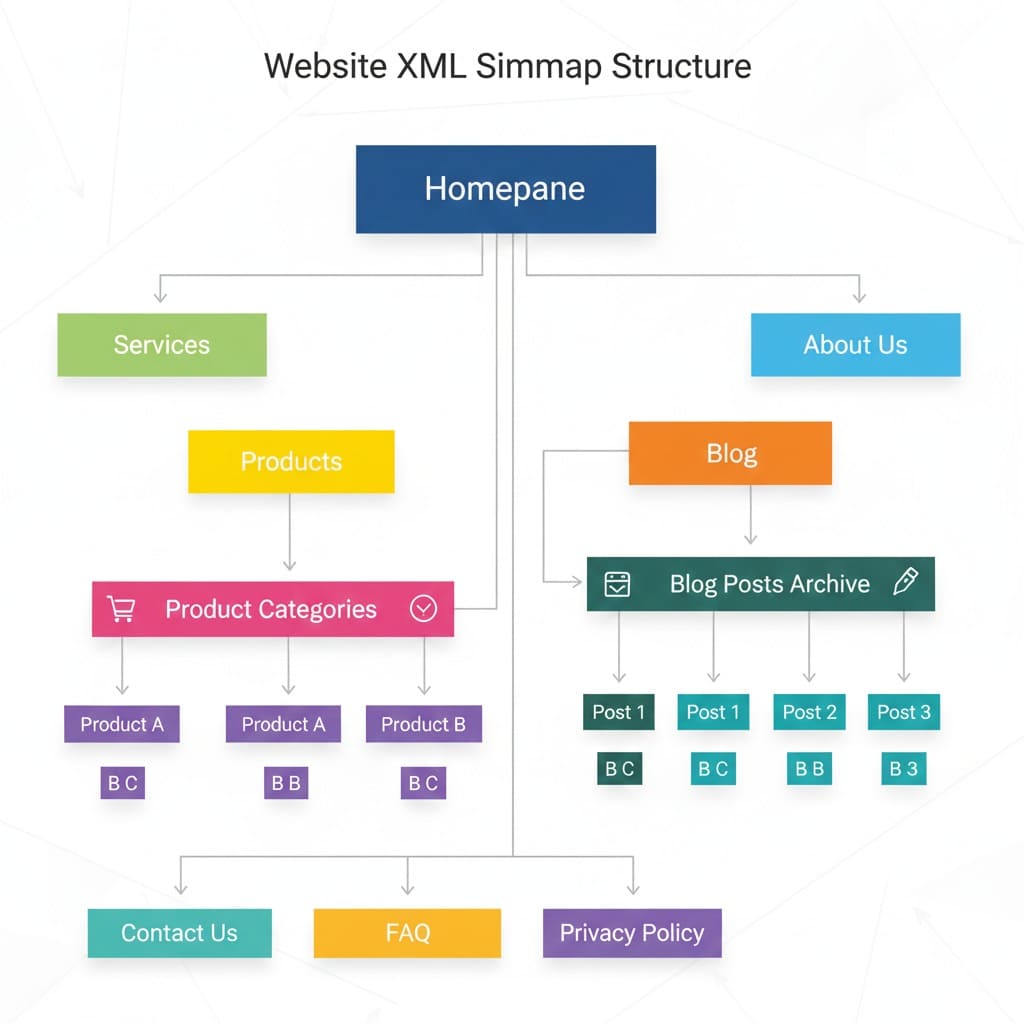
An XML Sitemap (Extensible Markup Language Sitemap) is a file that lists all important URLs of your website, helping search engines crawl your site more intelligently. Unlike regular sitemaps designed for humans, XML sitemaps are meant specifically for search engine bots.
Key Features of XML Sitemaps:
-
Lists URLs of all web pages
-
Provides metadata like last modified date, priority, and frequency
-
Helps search engines discover new or updated content faster
-
Supports large websites with complex structures
Why XML Sitemaps Are Important for SEO
-
Improves Crawl Efficiency: Search engines don’t have to guess your website structure.
-
Faster Indexing: New pages or updates get indexed quickly.
-
Highlights Priority Content: You can indicate which pages are most important.
-
Error Detection: Detects broken links or pages not being crawled.
Introducing the Free Online XML Sitemap Generator
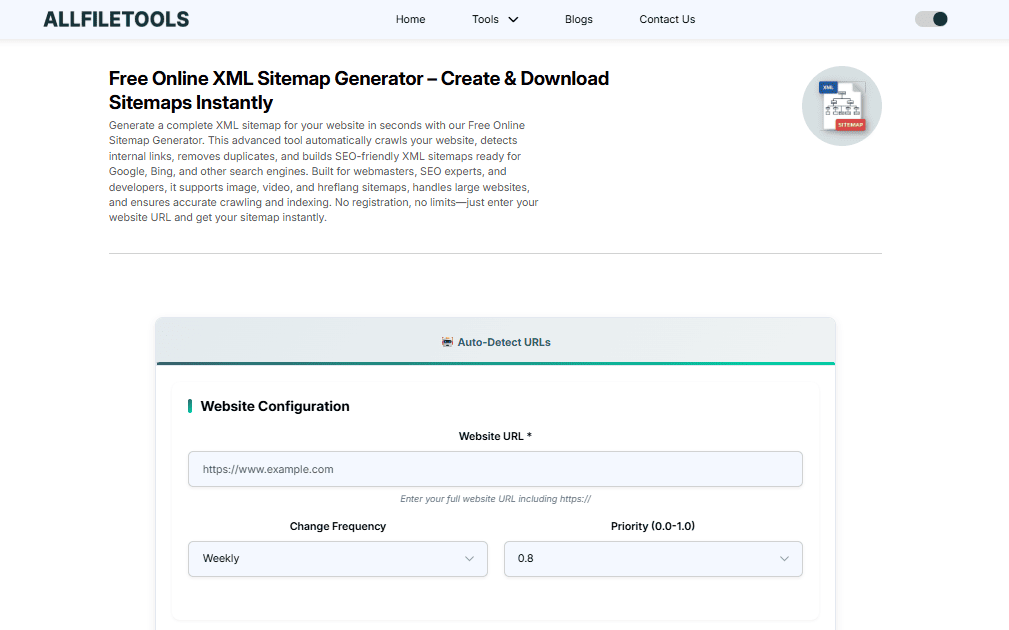
Instead of manually coding an XML sitemap, the Free Online XML Sitemap Generator allows you to:
-
Create sitemaps automatically
-
Validate URLs for SEO accuracy
-
Download the sitemap instantly in XML format
-
Submit to Google Search Console effortlessly
Tool Link: Sitemap Generator
How to Use the Sitemap Generator (Step-by-Step)
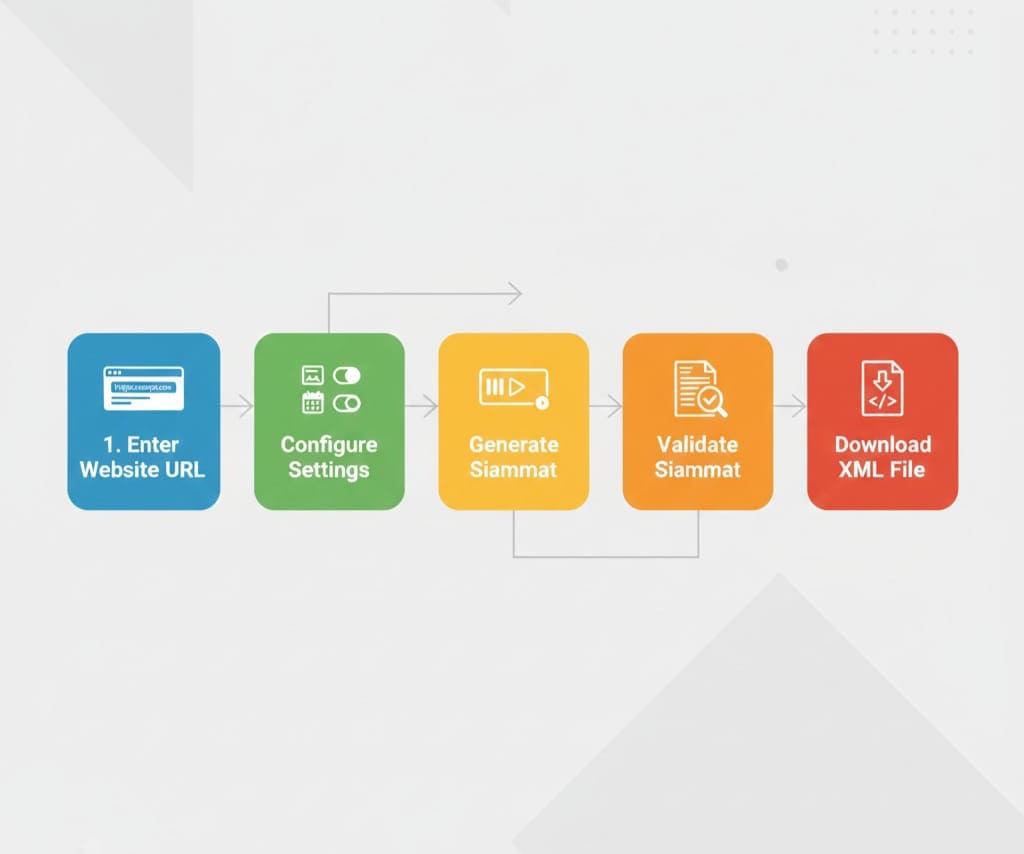
Step 1: Enter Your Website URL
Simply input your full website URL into the generator. Ensure you include https:// or http://.
Step 2: Configure Optional Settings
You can configure optional settings such as:
-
Priority: Assign priority to important pages (0.1 to 1.0)
-
Frequency: Indicate how often pages are updated (daily, weekly, monthly)
-
Exclusions: Exclude pages you don’t want crawled
Step 3: Generate the Sitemap
Click “Generate Sitemap”. The tool will scan your website, fetch all pages, and create a structured XML file.
Step 4: Validate Your Sitemap
Validation ensures all URLs are correctly formatted, no duplicates exist, and metadata is accurate. This improves indexing and reduces errors in search engines.
Step 5: Download the Sitemap
Download your XML sitemap file with one click. This file can now be submitted to search engines or kept for internal record.
Benefits of Using the Free Online XML Sitemap Generator
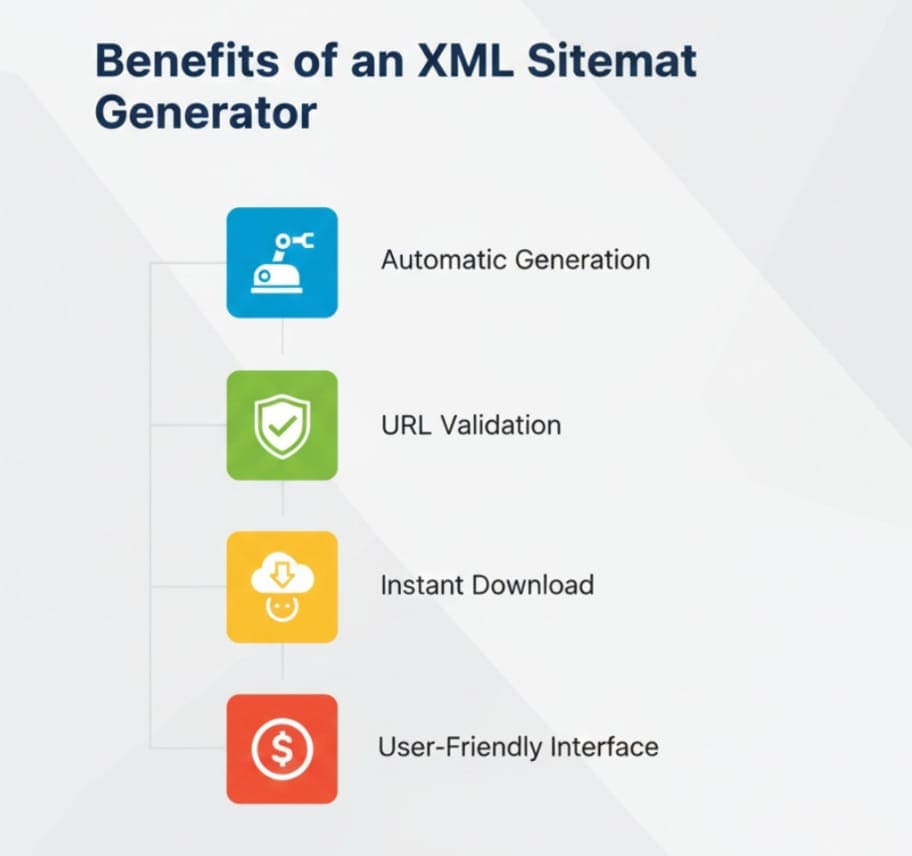
| Feature | Benefit |
|---|---|
| Automatic Generation | Saves time & effort |
| URL Validation | Ensures SEO compliance |
| Instant Download | Ready for submission to search engines |
| User-Friendly Interface | No technical skills required |
| Free of Cost | Accessible for all users |
Who Should Use This Tool?
-
Developers: Save time generating large sitemaps
-
SEO Specialists: Optimize website indexing
-
Website Owners / Bloggers: Ensure new content is discoverable
-
Digital Marketers: Improve SEO performance for clients
-
Students / Tech Enthusiasts: Learn about sitemap structure and SEO best practices
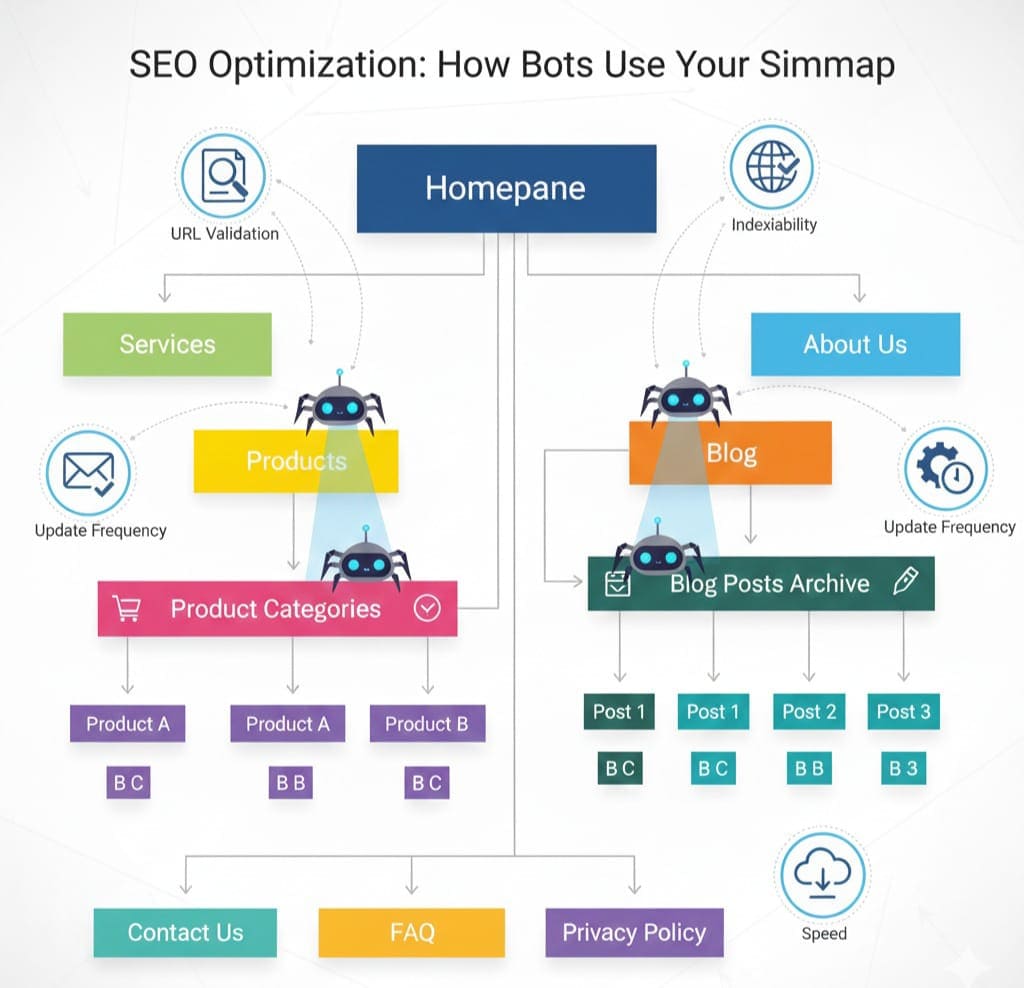
SEO Tips When Using XML Sitemaps
-
Update Regularly: Ensure your sitemap reflects new content or removed pages.
-
Submit to Google Search Console: This ensures faster indexing.
-
Include Canonical URLs Only: Avoid duplicate content issues.
-
Limit Sitemap Size: Large websites may need multiple sitemaps.
-
Use HTTPS URLs: Ensure consistency in URLs.
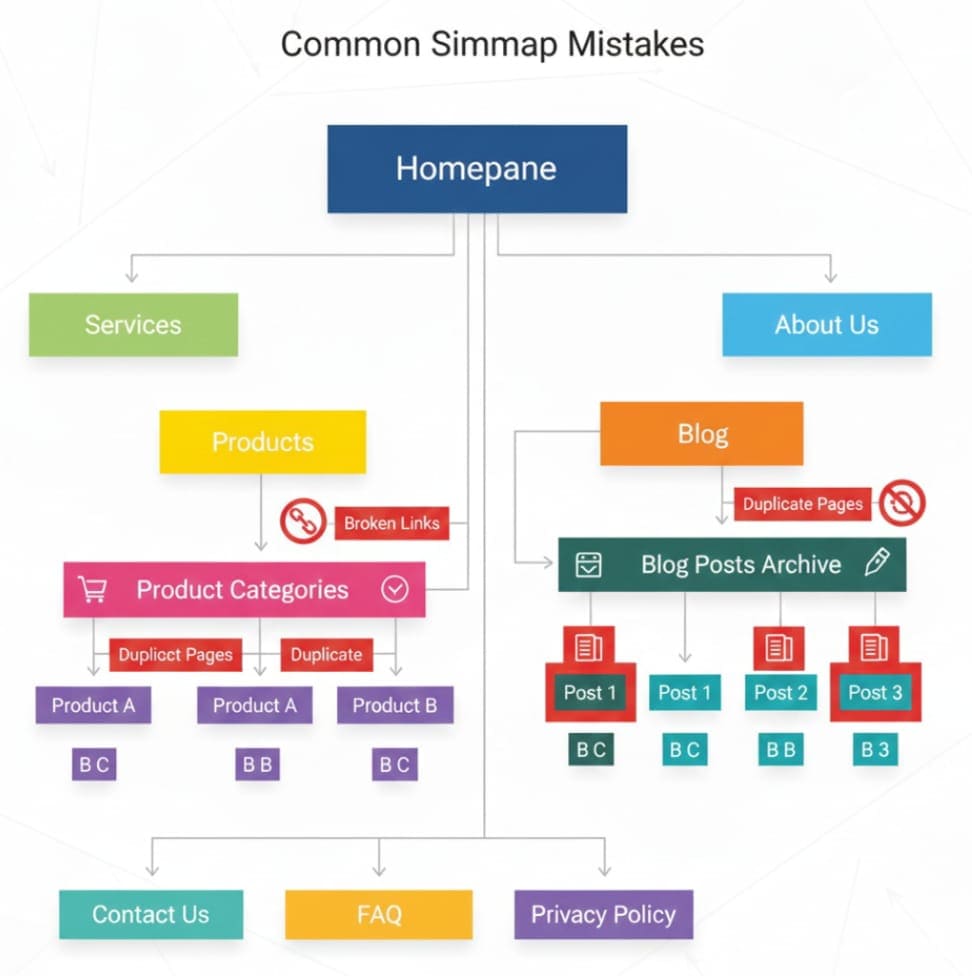
Common Mistakes to Avoid
-
Missing important pages in the sitemap
-
Using incorrect metadata (priority, frequency)
-
Duplicate URLs causing indexing errors
-
Forgetting to submit the sitemap to Google Search Console
Using the Free Online XML Sitemap Generator helps you avoid these mistakes effortlessly.
Conclusion

Creating an XML sitemap is essential for modern SEO. With this Free Online XML Sitemap Generator, even non-technical users can generate, validate, and download sitemaps in seconds. It ensures better indexing, faster crawling, and improved SEO performance for websites of all sizes.
Using this tool saves time, reduces errors, and provides a professional solution for all website owners, developers, and digital marketers. Make sure to regularly update your sitemap and submit it to search engines to keep your content discoverable.
Try it now: Sitemap Generator
FAQs
Q1: What is the difference between XML and HTML sitemaps?
XML sitemaps are designed for search engines, while HTML sitemaps are for users. XML sitemaps improve SEO and indexing.
Q2: Can I generate a sitemap for a large website with thousands of pages?
Yes, the tool supports large websites and can create multiple sitemaps if needed.
Q3: Is this sitemap generator free to use?
Absolutely. It’s completely free and doesn’t require any registration.
Q4: Do I need technical skills to use this tool?
No technical knowledge is required. The tool is user-friendly and intuitive.
Q5: How often should I update my XML sitemap?
Update whenever you add or remove content. For dynamic websites, monthly updates are recommended.
Q6: Can I submit the generated sitemap to Google Search Console?
Yes, the downloaded XML sitemap can be directly submitted to Google Search Console for indexing.
Q7: Does the sitemap generator validate URLs automatically?
Yes, the tool checks for URL errors, duplicates, and formatting issues to ensure SEO compliance.
Leave a Comment
No comments yet. Be the first to comment!