
In today’s highly competitive digital landscape, ensuring that your website performs optimally and follows best SEO practices is crucial. One of the key factors affecting website performance and SEO rankings is URL redirection. Improperly managed redirects can lead to broken links, redirect chains, loops, and a poor user experience, which negatively impact your search engine rankings.
This is where a Free Redirect Checker Tool becomes indispensable. By analyzing 301 and 302 redirects, identifying redirect chains, and detecting loops, this tool helps webmasters, developers, SEO experts, and digital marketers maintain the health of their websites and ensure a seamless experience for users. In this blog, we’ll explore the importance of redirects, how redirect chains and loops affect SEO, and how a redirect checker tool can solve these issues effectively.
Whether you are a developer managing a large site, an SEO specialist optimizing client websites, or a digital marketer monitoring campaign URLs, this comprehensive guide will equip you with everything you need to know about redirects and their impact.
What Are URL Redirects?
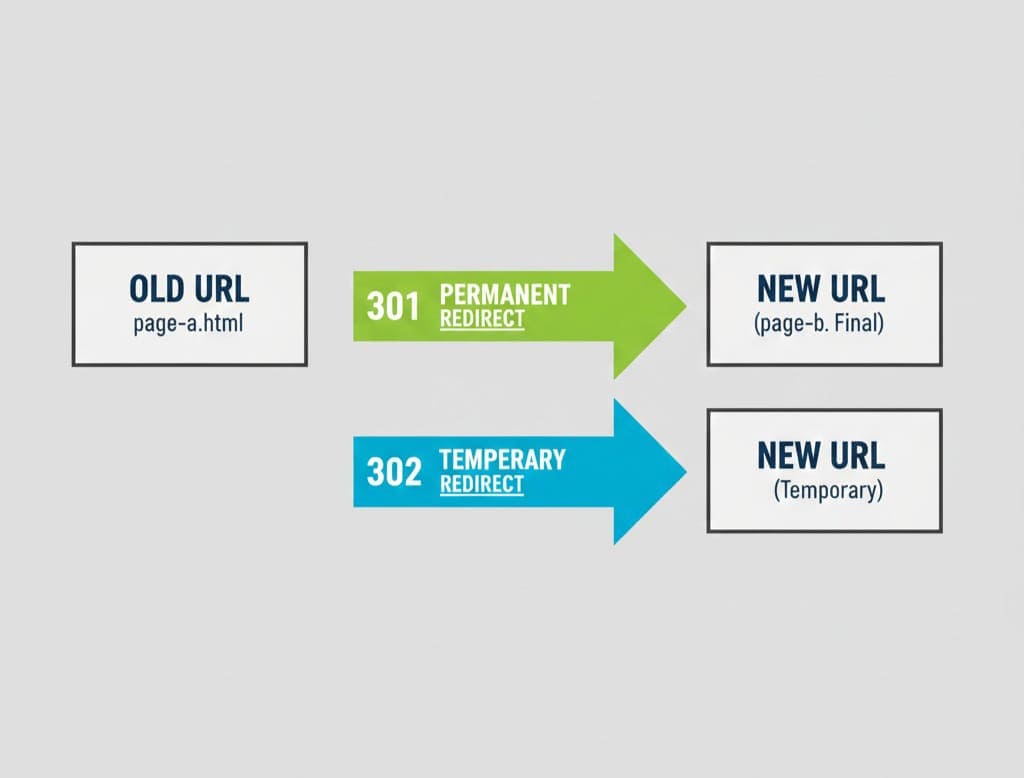
A URL redirect is a technique used to send both users and search engines from one URL to another. Redirects are implemented for multiple reasons, including website migrations, fixing broken URLs, or consolidating content. They help preserve link equity and maintain SEO performance when URLs change.
Types of URL Redirects
-
301 Redirect (Permanent Redirect):
A 301 redirect informs search engines that a page has permanently moved to a new location. It passes almost all link equity (ranking power) to the new URL, making it the preferred method for permanent redirects. -
302 Redirect (Temporary Redirect):
A 302 redirect indicates that a page has temporarily moved. Search engines generally do not transfer link equity in the case of a 302 redirect, making it suitable for temporary content or seasonal campaigns. -
307 Redirect (Temporary, HTTP 1.1):
Similar to 302, but specifically for HTTP/1.1 protocol. Ensures that request methods are preserved (POST requests, for example). -
308 Redirect (Permanent, HTTP 1.1):
Like 301 but for HTTP/1.1, preserving request methods.
Understanding these redirect types is crucial for developers and SEO professionals to maintain website health and avoid negative SEO impacts.
Why Redirects Matter for SEO
Redirects are not just technical necessities—they play a significant role in SEO. Here’s why:
-
Preserve Link Equity: 301 redirects pass ranking power from old URLs to new ones. Without proper redirects, your site may lose valuable link juice.
-
Avoid Broken Links: Broken links harm user experience and reduce crawl efficiency. Redirects ensure users land on the intended pages.
-
Improve Crawl Efficiency: Proper redirects prevent search engine bots from wasting resources crawling dead URLs.
-
Prevent Duplicate Content: Redirecting old pages to the main content ensures search engines index the correct URL.
-
Enhance User Experience: Seamless navigation increases time on site and reduces bounce rates, indirectly boosting SEO.
What Are Redirect Chains and Loops?
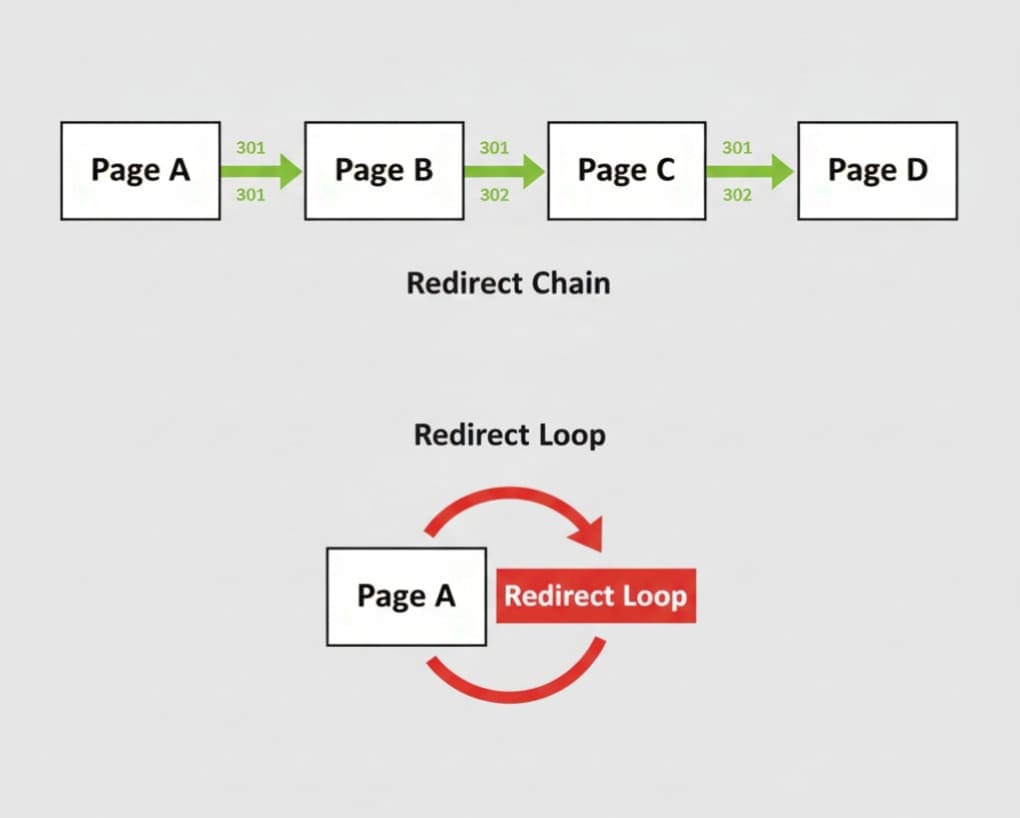
Even small websites can experience redirect issues. Two common problems are redirect chains and redirect loops.
Redirect Chains
A redirect chain occurs when a URL redirects to another URL, which then redirects to a third URL, and so on. For example:
Page A → Page B → Page C → Page D
Problems with redirect chains:
-
Slow page load time
-
Reduced link equity passed through multiple redirects
-
Increased server requests
-
Risk of search engines stopping follow-through on chains
How a Redirect Checker Tool Helps:
By using a Free Redirect Checker Tool, you can instantly identify long redirect chains and fix them by pointing the initial URL directly to the final destination. This improves SEO and user experience.
Redirect Loops
A redirect loop occurs when a URL redirects back to itself or creates a circular path. For example:
Page A → Page B → Page C → Page A
Problems with redirect loops:
-
Pages fail to load
-
Users encounter errors or infinite loading screens
-
Search engines cannot index affected pages
-
Negative impact on SEO rankings
Solution:
A redirect checker tool can detect loops instantly, allowing developers to correct misconfigurations and restore site functionality.
How a Free Redirect Checker Tool Works
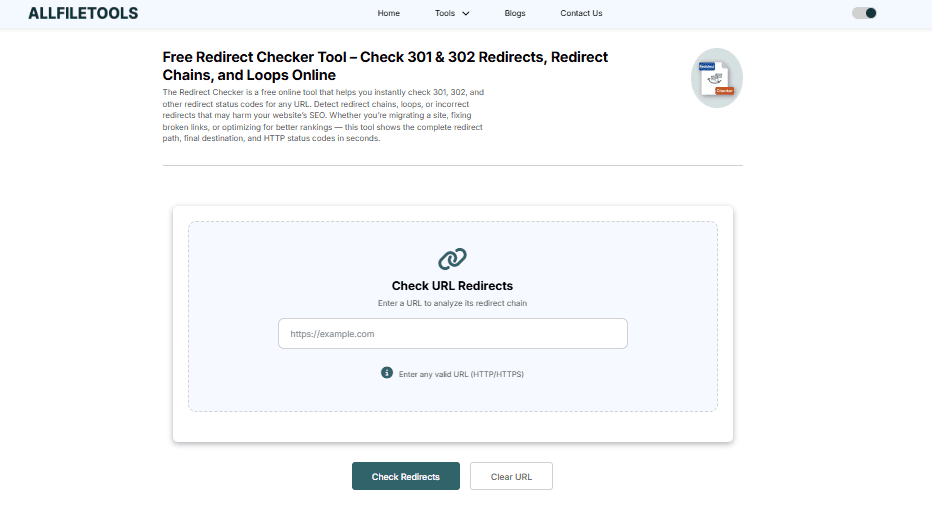
Using a Free Redirect Checker Tool like AllFileTools Redirect Checker simplifies complex URL issues. Here’s how it works:
-
Enter URL: Paste the URL you want to check.
-
Analyze Redirects: The tool scans the URL for 301, 302, and other types of redirects.
-
Detect Chains: Identify all intermediate URLs in a redirect chain.
-
Check Loops: Detect circular redirect loops that prevent page loading.
-
View Status Codes: See HTTP status codes returned at each step.
-
Optimize Redirects: Use the insights to correct chains, loops, or improper redirects.
Benefits:
-
Free to use, no registration required
-
Real-time analysis
-
Detect multiple redirect issues in seconds
-
Useful for large websites and SEO audits
Step-by-Step Guide to Using a Redirect Checker
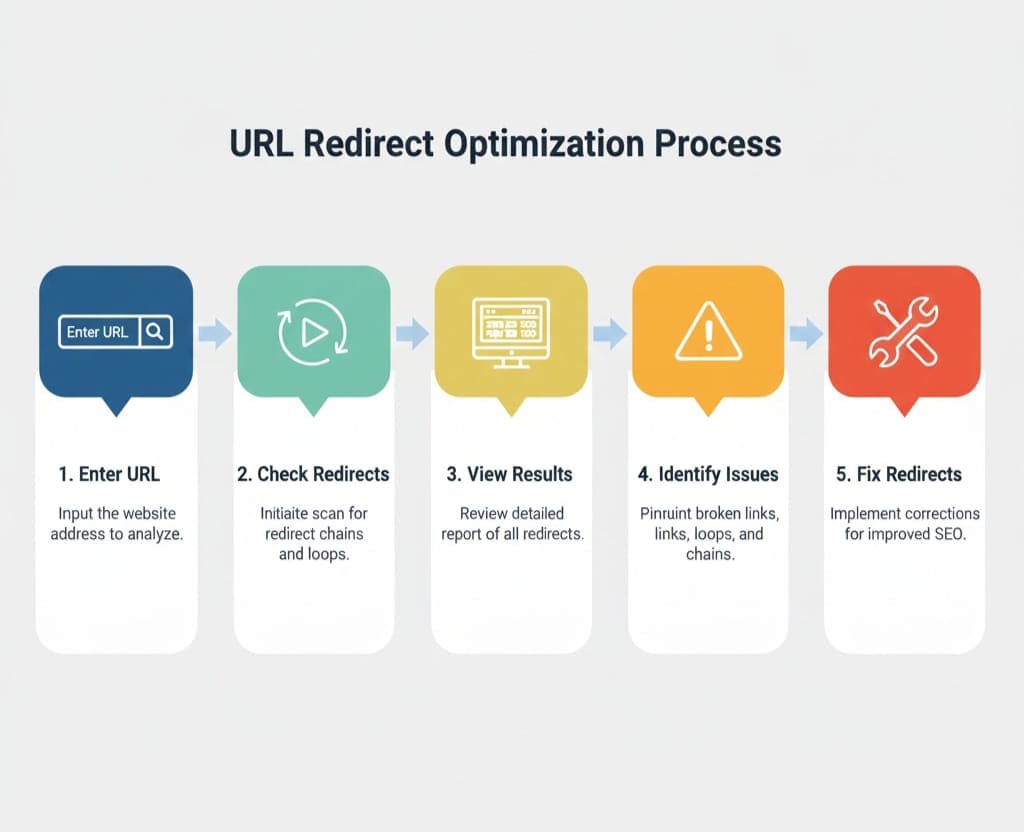
Here’s how to get the most out of a redirect checker tool:
-
Access the Tool: Visit AllFileTools Redirect Checker.
-
Input the URL: Paste the URL of the page you want to check.
-
Start the Analysis: Click the “Check Redirects” button.
-
View the Results: The tool displays all redirects in the chain along with HTTP status codes.
-
Identify Issues: Look for long chains, loops, or incorrect status codes.
-
Fix Redirects: Update server or CMS settings to point directly to the final URL.
-
Recheck: Verify that the URL now resolves correctly without chains or loops.
Key Features of a Free Redirect Checker Tool
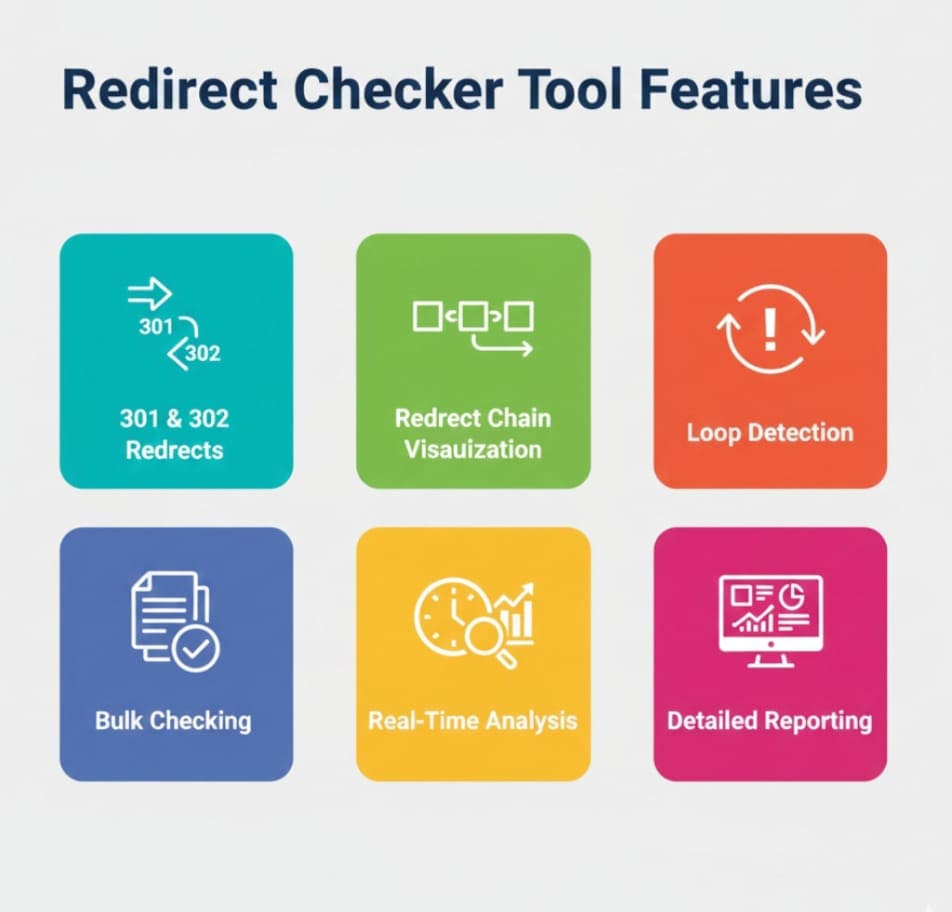
A professional redirect checker tool provides several features essential for SEO and web maintenance:
-
301 & 302 Redirect Detection: Quickly see all permanent and temporary redirects.
-
Redirect Chain Visualization: Understand the sequence of redirects.
-
Loop Detection: Instantly identify problematic loops.
-
Bulk URL Checking: Analyze multiple URLs at once (for large websites).
-
HTTP Status Codes: Monitor 200, 301, 302, 404, 500, and other response codes.
-
No Signup Required: Easy access for fast analysis.
-
Real-Time Analysis: Immediate feedback for urgent SEO fixes.
Benefits for SEO Experts and Web Developers
-
Maintain SEO Integrity: Prevent loss of link equity due to improper redirects.
-
Enhance User Experience: Ensure visitors reach intended pages without delays.
-
Save Time: Quickly detect multiple redirect issues across large websites.
-
Prevent Crawl Waste: Avoid search engine bots wasting crawl budget on dead URLs.
-
Technical SEO Audits: Perfect for agency-level client audits or personal site optimization.
Real-World Use Cases
1. Website Migration
During site migrations, redirect chains can multiply. A redirect checker ensures that old URLs redirect correctly to new pages without losing SEO value.
2. Fixing Broken Links
Identify URLs returning 404 errors due to misconfigured redirects and fix them.
3. Monitoring Campaign URLs
Track multiple marketing campaign URLs to ensure they redirect correctly to landing pages.
4. Large eCommerce Websites
Check thousands of product or category URLs for proper redirection to maintain sales and rankings.
Technical Insights for Developers

-
Monitor Redirect Latency: Each redirect adds milliseconds to page load. Minimize unnecessary chains.
-
Ensure Correct Status Codes: Avoid using 302 for permanent moves.
-
Preserve Request Methods: Use 307 or 308 for POST requests when necessary.
-
Audit Crawl Budget: Too many redirects can exhaust search engine crawl capacity.
By using a technical, data-driven approach, developers can optimize website performance and ensure search engines index pages correctly.
How to Optimize Redirects for SEO
-
Minimize Redirect Chains: Directly link old URLs to final destinations.
-
Use Correct Status Codes: Permanent moves use 301; temporary changes use 302.
-
Avoid Redirect Loops: Test regularly using a redirect checker tool.
-
Monitor Bulk URLs: Large websites need regular audits to maintain SEO health.
-
Check User Experience: Ensure pages load quickly and without errors.
Conclusion
A Free Redirect Checker Tool is an essential part of any SEO toolkit. By detecting 301 & 302 redirects, analyzing redirect chains, and identifying loops, webmasters and SEO professionals can maintain website health, improve user experience, and preserve link equity. Regularly auditing your website with such tools ensures optimal performance and compliance with search engine best practices.
For a fast and reliable redirect analysis, you can try AllFileTools Redirect Checker to instantly check redirects, identify chains, and detect loops.
Frequently Asked Questions (FAQs)
1. What is a redirect checker tool?
A redirect checker tool scans a URL to identify all 301, 302, and other types of redirects, along with redirect chains and loops, helping maintain SEO and website health.
2. How do redirect chains affect SEO?
Redirect chains slow down page loading, dilute link equity, and waste crawl budget, negatively impacting search engine rankings.
3. Can a redirect checker detect loops?
Yes, redirect checker tools detect loops where URLs redirect back to themselves or create circular paths, which can break user experience and indexing.
4. Is the redirect checker tool free?
Yes, tools like AllFileTools Redirect Checker are free to use and require no registration.
5. Which redirects should I use for permanent changes?
Use 301 redirects for permanent changes as they pass link equity to the new URL, whereas 302 redirects are for temporary moves.
6. Can bulk URLs be checked?
Many professional redirect checker tools support bulk URL analysis, ideal for large websites or marketing campaigns.
7. Why is checking redirects important for SEO?
Checking redirects ensures that search engines index the correct pages, preserve link equity, prevent broken links, and enhance user experience.
Leave a Comment
No comments yet. Be the first to comment!