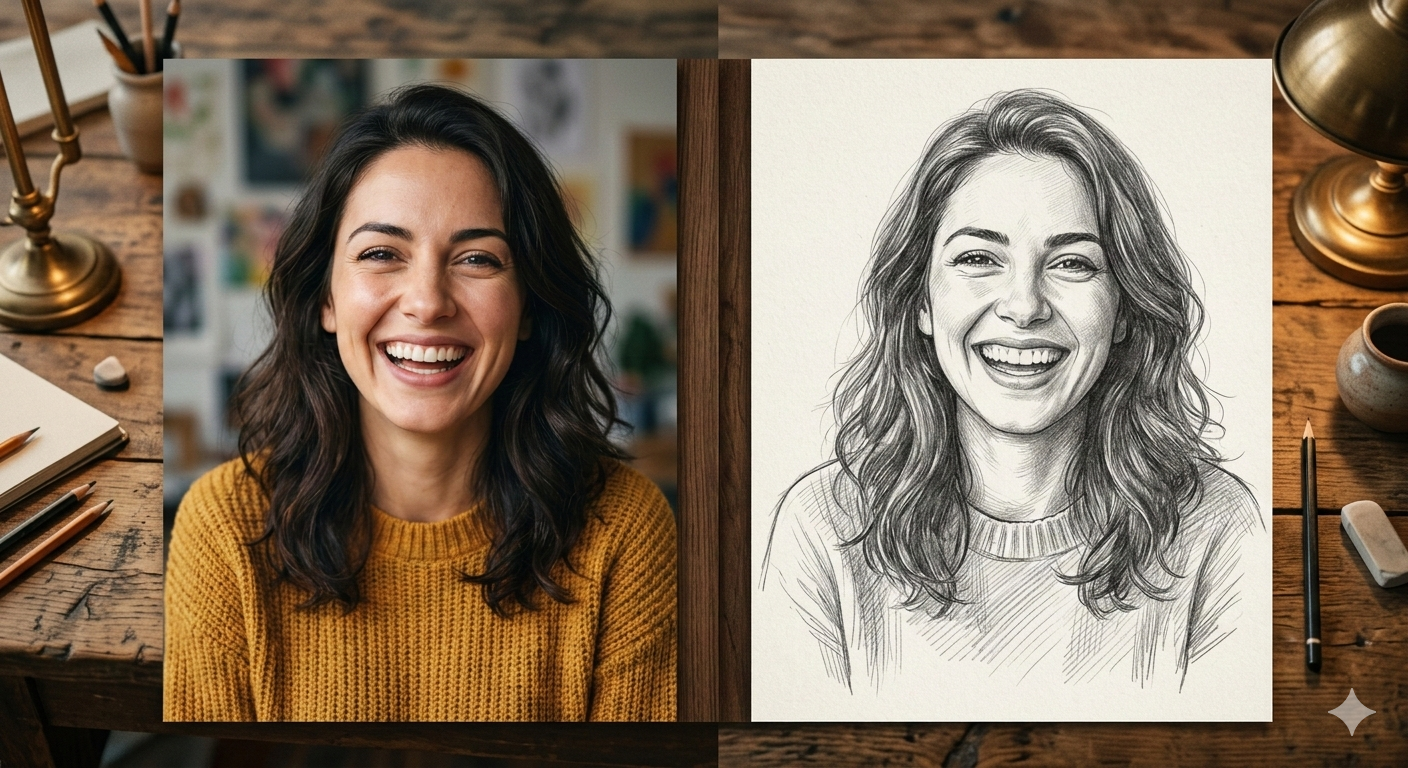
Have you ever looked at a beautiful painting and wished you could draw like that? Most of us love art, but not everyone has the time or the skill to sit down with a pencil and paper for hours. What if I told you that in 2026, you don't need to be an artist to create a masterpiece?
Thanks to the magic of modern technology, you can now turn any ordinary photo into a stunning pencil sketch in just a few seconds. Whether it’s a picture of your pet, a selfie, or a landscape from your last vacation, an Online Image to Sketch Tool can transform it into a work of art—for free!
In this ultimate guide, we will explore why sketching is so popular, how these AI-powered tools work, and how you can use them to make your digital life more creative.
What Exactly is an Image to Sketch Tool?
Imagine you have a magic wand. You wave it over a photograph, and suddenly, the colors disappear, the edges become sharp pencil lines, and the shading looks like it was done by a professional artist. That "magic wand" is what we call an Image to Sketch Tool.
In technical terms, it is a software powered by Artificial Intelligence (AI). It looks at your photo, identifies the shapes, lighting, and shadows, and then redraws them using digital "pencil strokes."
Why Use a Sketch Tool Instead of a Regular Photo?
-
It Feels Personal: A sketch looks more emotional and thoughtful than a quick digital snap.
-
It’s Unique: Everyone posts photos on Instagram, but not everyone posts high-quality pencil art.
-
Privacy: If you want a cool profile picture but don't want to show your actual face clearly, a sketch is a perfect middle ground.
-
Home Decor: You can turn a photo of your house or family into a sketch, print it, frame it, and hang it on your wall!
Why 2026 is the Best Time for Digital Art
Back in the day, online converters were not very good. The sketches looked "fake" or "blurry." But things have changed. In 2026, AI has become so smart that it can mimic the hand movements of a real human artist.
The Best Online Image to Sketch Tool 2026 offers:
-
Realistic Texture: You can actually see the "grain" of the paper and the "lead" of the pencil.
-
Smart Shading: The tool knows where the sun is hitting the face and adds shadows exactly where a human painter would.
-
Speed: You don’t have to wait for hours. It happens in the blink of an eye.
Key Features to Look for in a Sketch Converter
Not all tools are created equal. If you are looking for the best experience, make sure the tool you choose has these features:
1. Simple and Clean Interface
You shouldn't need a manual to use a website. The best tools are designed so simply that even a 4th-grade student can use them without asking for help. A big "Upload" button and a "Download" button are all you really need.
2. Variety of Artistic Styles
Art isn't just one thing. Sometimes you want a light pencil drawing, and other times you want a dark, moody charcoal sketch. A great tool provides options like:
-
Classic Graphite: For that school-sketchbook look.
-
Detailed Ink: For sharp, bold lines.
-
Color Pencil: When you want the art feel but keep the colors.
-
Oil Painting: For a thicker, more textured look.
3. High-Definition (HD) Output
There is nothing worse than a blurry photo. Ensure the tool allows you to download the final result in high resolution so it stays sharp even if you zoom in.
4. No Watermarks
Some sites put their logo on your art. The best tools for 2026 let you keep your art clean and professional without any annoying watermarks.
How to Convert Your Photo to a Sketch (Step-by-Step)
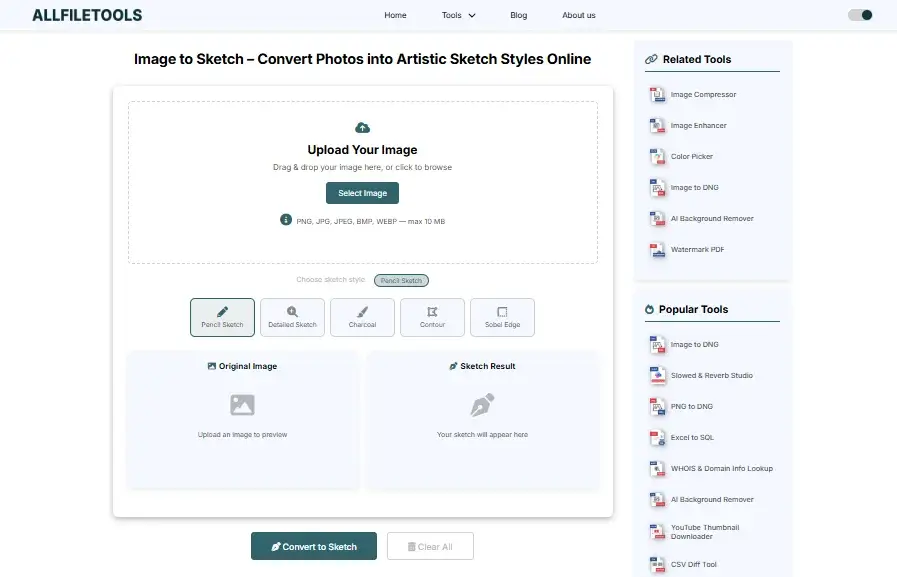
If you are ready to create your first piece of art, follow these easy steps:
Step 1: Pick a Good Photo
The better the photo, the better the sketch. Choose a photo with good lighting. If the photo is too dark, the AI might get confused about where the lines should be.
Step 2: Upload the Image
Go to the Image to Sketch Tool website. Click on the "Upload" button. You can select a photo from your phone gallery, your computer, or even your Google Drive.
Step 3: Select Your Favorite Style
Once the photo is uploaded, you will see different "filters" or "styles." Click through them to see a live preview. This is the fun part! Experiment until you find the one that makes you go "Wow!"
Step 4: Fine-Tune the Details
Most top-tier tools have a "Slider" bar. You can move it left or right to make the pencil lines thicker or thinner. Play with it until it looks just right.
Step 5: Save and Share
Hit the "Download" button. Your new masterpiece is now saved on your device. You can now set it as your wallpaper, send it to your grandma, or post it on your blog.
Why This Tool is a "Game Changer" for Guest Posting and Blogging
If you are a blogger or a business owner, you know that finding "Original Images" is hard. Google loves original content. If you take a standard stock photo and convert it into a unique sketch, Google sees it as new, original content.
-
Better SEO: Original images help your articles rank higher in Google Image Search.
-
Low Bounce Rate: People stay longer on your page to look at interesting art, which tells Google your website is high quality.
-
Social Shares: People are more likely to share a blog post that has cool, artistic visuals.
Is it Safe to Use Online Tools?
Safety is very important. When you upload a photo of your face, your family, or your home, you want to know it’s safe.
Reliable Image to Sketch tools use encrypted connections. They have a policy where they "Auto-Delete" your photos from their servers after 24 hours. This means your data doesn't stay on the internet forever. Always check for a "Privacy Policy" link at the bottom of the website to be sure.
Comparing Manual Drawing vs. AI Sketching
| Feature | Manual Drawing | AI Sketch Tool (2026) |
| Time Taken | 5 to 10 Hours | 5 to 10 Seconds |
| Cost | Expensive (Pens/Paper/Artist) | 100% Free |
| Skill Needed | Years of Practice | Zero Skill |
| Mistakes | Hard to fix | Just click "Undo" |
While we will always respect real artists, for daily social media use and quick projects, the AI tool is the clear winner for efficiency.
Frequently Asked Questions (FAQs)
Q: Can I convert my sketches back into photos?
A: Most tools focus on going from Photo to Sketch. Turning a sketch back into a realistic photo is much harder, though some advanced AI editors are starting to do this too!
Q: Do I need to pay for a subscription?
A: No. The best tools in 2026 offer their basic and HD services for free, usually supported by a few small ads on the side of the page.
Q: Does it work on iPhones and Android?
A: Yes! Since it is a web-based tool, it works on any device that has an internet browser like Chrome, Safari, or Firefox.
Q: Can I use the sketches for my book cover?
A: Usually, yes! Most free tools give you the right to use the generated image for personal and sometimes commercial use.
Final Thoughts: Release Your Inner Artist
You don’t need to be Leonardo da Vinci to have beautiful art in your life. The Best Online Image to Sketch Tool 2026 has made art accessible to everyone. Whether you are 8 years old or 80 years old, the joy of seeing a photo turn into a hand-drawn masterpiece is something everyone should experience.
So, don't let your photos just sit in your phone's gallery. Give them a new life. Turn them into sketches, share them with the world, and see how much more "artistic" your digital world becomes!
🔹 Explore more powerful file conversion and online utilities at AllFileTools –
🔹 For technical support, digital solutions, and expert services, visit LetDigitalFly IT Services –
🔹 Discover additional career and productivity resources at Resume Slip Builder –
Leave a Comment
No comments yet. Be the first to comment!