
Converting audio files can sometimes be a hassle, especially when you have different formats like M4A and MP3. Whether you’re a developer, a student, a musician, a content creator, or a podcaster, having a reliable and fast online converter is essential. That’s where the M4A to MP3 Converter comes in. With this free, fast, and high-quality online tool, you can easily convert your M4A files to MP3 without installing any software or signing up for an account.
In this blog, we’ll cover everything you need to know about M4A and MP3 formats, how to use the converter, the benefits of converting your audio files, and even answer common FAQs to make sure you have a smooth experience.
What is M4A and Why You Might Need to Convert It?
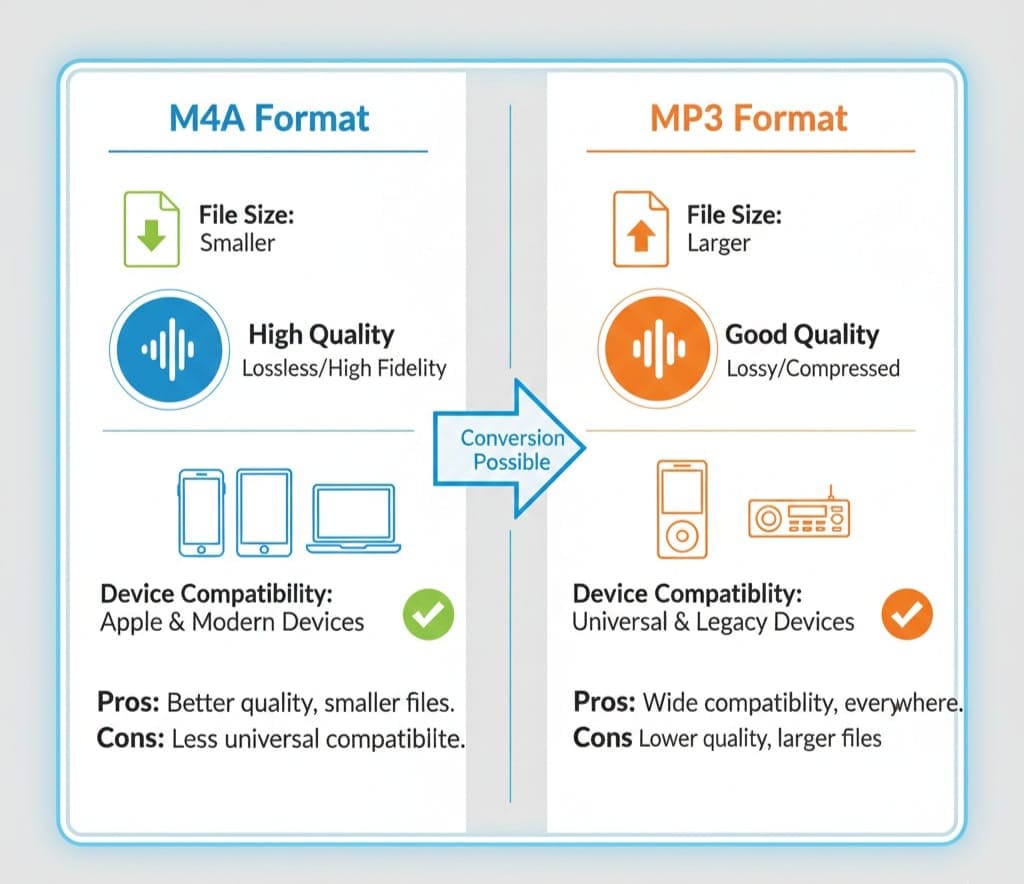
M4A is an audio format that stands for MPEG-4 Audio. It’s often used by Apple devices and iTunes. M4A files are great because they offer good audio quality with relatively small file sizes. However, not all devices or software support M4A files, which is why converting them to MP3, the most universal audio format, is often necessary.
Key Features of M4A:
-
High-quality audio compression
-
Commonly used in Apple ecosystem
-
Supports AAC or ALAC codecs
-
Smaller file size compared to WAV or AIFF
While M4A is excellent for Apple devices, MP3 is far more universal, supported by almost all media players, smartphones, and car audio systems. Converting your M4A files to MP3 ensures compatibility without sacrificing too much audio quality.
Why Convert M4A to MP3?
There are several reasons why converting M4A to MP3 can be helpful:
-
Universal Compatibility – MP3 files can be played on almost any device.
-
Smaller File Sizes – While M4A is compressed, MP3 often offers even smaller sizes at similar quality.
-
Easy Sharing – MP3 files are easier to share via email, cloud storage, or social media.
-
Podcast and Content Creation – Many podcast platforms require MP3 files for uploads.
-
Music Collections – For DJs or musicians, MP3 ensures your audio works across all hardware.
Introducing the M4A to MP3 Converter Tool
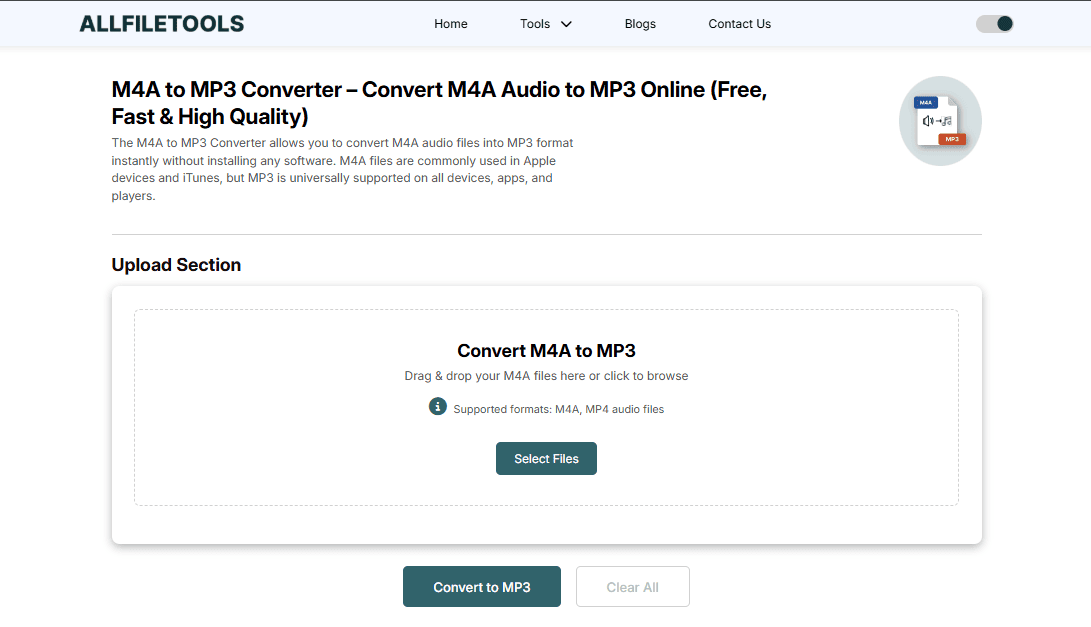
Our recommended tool for converting M4A to MP3 is the AllFileTools M4A to MP3 Converter. It’s designed for users who want fast, secure, and high-quality conversion without any technical hassle.
Features of the Tool:
-
100% Free – No subscription or hidden costs
-
No Signup Required – Start converting instantly
-
Fast Conversion – Convert multiple files in seconds
-
High-Quality Output – Keep your audio clear and intact
-
Browser-Based – Works on Windows, macOS, iOS, Android
-
Supports Batch Conversion – Convert multiple files simultaneously
-
Privacy-Safe – Your files are not stored permanently
Step-by-Step Guide to Converting M4A to MP3 Online
Using this tool is incredibly simple. Follow these steps:
Step 1: Upload Your M4A File
Go to https://www.allfiletools.com/m4a-to-mp3/ and click on the upload button. You can also drag and drop your M4A files directly into the browser window.
Step 2: Choose MP3 as the Output Format
Once your file is uploaded, select MP3 as the output format. You may also be able to adjust quality settings like bitrate (128k, 256k, 320k) depending on your preferences.
Step 3: Convert Your File
Click the “Convert” button. The tool processes your M4A file quickly, converting it to a high-quality MP3.
Step 4: Download Your MP3
Once the conversion is complete, download your MP3 file directly to your device. That’s it! You now have a universally compatible audio file ready to use.
Benefits of Using an Online Converter
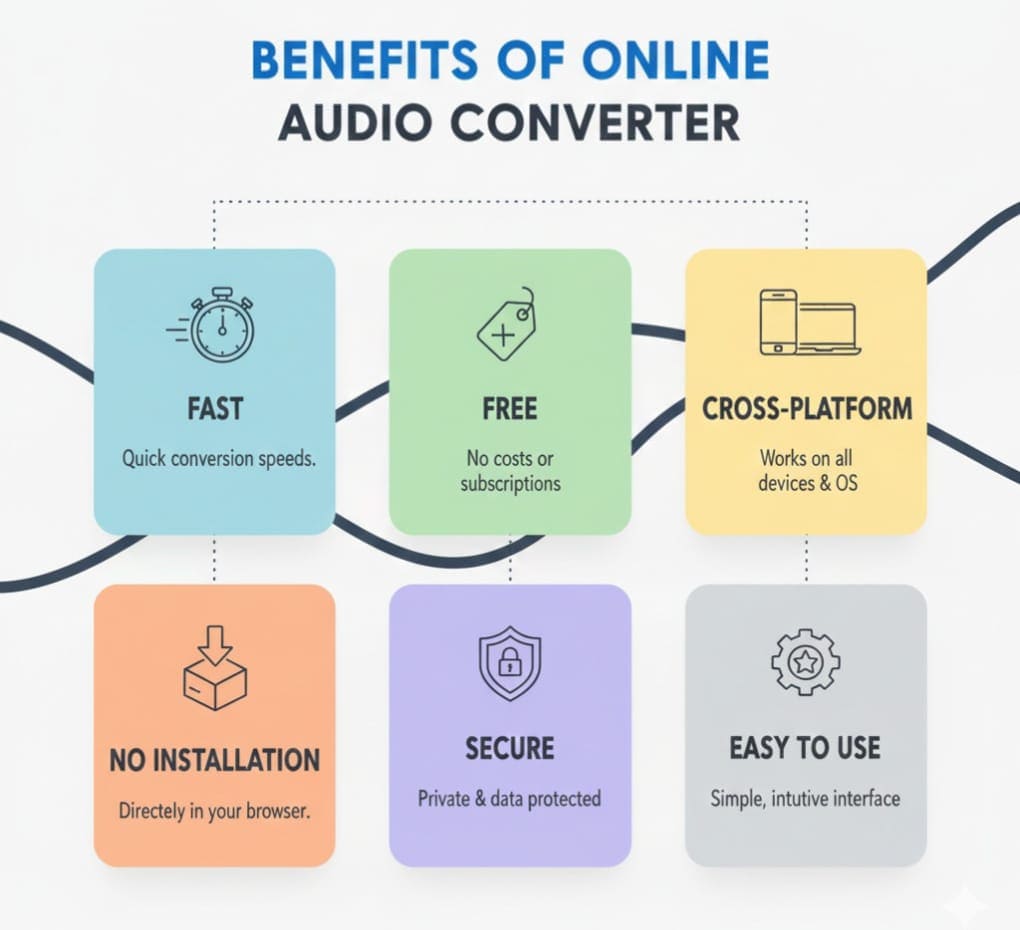
Using an online converter like AllFileTools M4A to MP3 Converter has multiple benefits over traditional software:
-
No Installation Required – Avoid downloading unnecessary software that can take up space or pose security risks.
-
Cross-Platform Compatibility – Works on desktops, laptops, smartphones, and tablets.
-
Time-Saving – Convert files instantly without waiting for complex programs to load.
-
Cost-Effective – Completely free to use with no hidden fees.
-
Easy to Use – User-friendly interface suitable for beginners and professionals alike.
Use Cases for Developers, Musicians, and Content Creators

Whether you’re creating music, producing a podcast, or developing an app that handles audio files, converting M4A to MP3 has practical benefits:
-
Developers: Include MP3 files in apps to ensure compatibility across devices.
-
Students: Convert recorded lectures to MP3 for easier playback.
-
Musicians: Convert tracks to MP3 for sharing online or with collaborators.
-
Content Creators: Upload MP3 files to video or audio platforms like YouTube or Spotify.
-
Podcasters: Ensure your recordings meet MP3 format requirements for distribution.
Tips for Maintaining Audio Quality
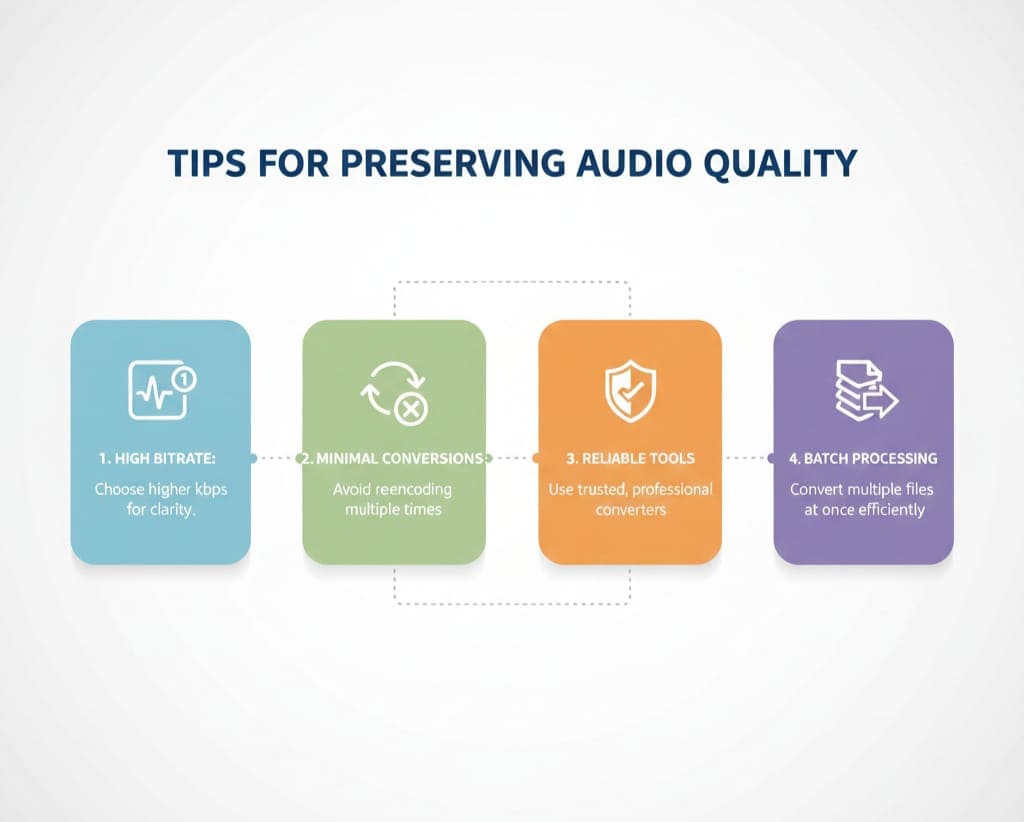
While converting M4A to MP3 is straightforward, there are a few tips to ensure optimal quality:
-
Choose a Higher Bitrate – For music or detailed audio, use 256k or 320k.
-
Avoid Multiple Conversions – Convert from the original M4A file to MP3 once to reduce quality loss.
-
Use Reliable Online Tools – Free tools like AllFileTools preserve audio quality.
-
Batch Convert Similar Files – Keep consistent settings for multiple files to maintain uniform quality.
How Does the M4A to MP3 Converter Work?
The online converter uses a browser-based audio processing engine. It does not require installing software, and your files are converted instantly in the cloud or locally in the browser depending on the tool’s privacy settings.
Conversion Process:
-
Step 1: Upload M4A
-
Step 2: Convert audio with selected bitrate and format
-
Step 3: Download MP3
This ensures a fast, reliable, and secure conversion every time.
Advantages Over Traditional Software
Traditional audio converters often come with issues such as:
-
Large downloads
-
Complex interfaces
-
Slow conversion speed
-
Hidden costs or ads
Online tools eliminate these issues, providing simplicity, speed, and accessibility, making it suitable for both beginners and experts.
Popular Scenarios for Conversion
-
Travel: Convert lecture or music files to MP3 for mobile playback.
-
Podcasts: Convert recorded interviews for distribution platforms.
-
Music Collections: Convert purchased M4A tracks to MP3 for compatibility.
-
App Development: Include MP3 files in applications for universal support.
Conclusion
Converting M4A to MP3 has never been easier. With AllFileTools M4A to MP3 Converter, you get a fast, free, secure, and high-quality conversion tool that works across all devices without signup or software installation. Whether you’re a developer, student, musician, content creator, or podcaster, this tool makes audio conversion simple, reliable, and efficient. Don’t waste time on complex software — convert your M4A files to MP3 online today and enjoy universal compatibility and seamless playback.
Frequently Asked Questions (FAQs)
1. Is the M4A to MP3 converter completely free?
Yes! This tool is 100% free to use. There are no hidden fees, subscriptions, or trial periods.
2. Do I need to sign up to use the converter?
No signup is required. You can start converting your files immediately without creating an account.
3. Will the audio quality be affected after conversion?
The converter allows you to select high-quality output settings, ensuring minimal to no loss in audio quality.
4. Can I convert multiple M4A files at once?
Yes, the tool supports batch conversion, letting you convert multiple files simultaneously.
5. Which devices and browsers are supported?
The converter works on Windows, macOS, iOS, Android, and is compatible with major browsers like Chrome, Safari, and Firefox.
6. Are my files secure during conversion?
Absolutely. The tool ensures your files are processed safely and are not stored permanently, maintaining your privacy.
7. How fast is the conversion process?
The conversion is lightning-fast. Most files are converted in just a few seconds, depending on size and internet speed.
Leave a Comment
No comments yet. Be the first to comment!