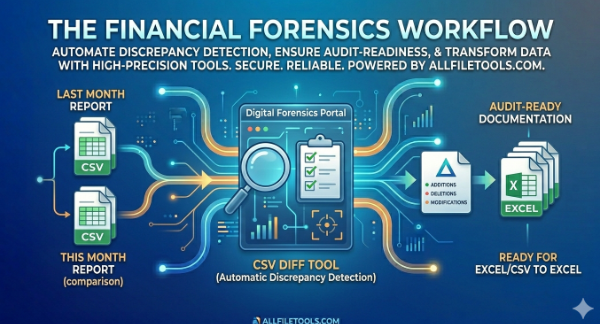
In mostly corporate finance, a single transposed digit or a missing transaction row can be the difference between a clean audit and a regulatory nightmare. As companies scale, the sheer volume of data exported from ERP systems (like SAP, Oracle, or NetSuite) makes manual "stare-and-compare" reconciliation impossible.
For accountants and financial analysts, the challenge isn't just seeing the data, it's identifying what changed between two versions of the same report. This is where Financial Forensics meets digital efficiency. Using the CSV Diff Tool on AllFileTools.com, you can automate the detection of discrepancies and generate audit-ready documentation in seconds.
The Concept of Financial Forensics in Modern Accounting
Financial forensics is the practice of examining financial records to identify errors, omissions, or intentional fraud. Traditionally, this required hours of VLOOKUPs in Excel or manual page-turning. However, modern financial data is typically exported in CSV (Comma Separated Values) format due to its lightweight nature and universal compatibility.
The Problem with Manual Reconciliation
When you have "Report_May.csv" and "Report_June.csv," a manual comparison faces three major hurdles:
- Row Shifting: If a new transaction is added in June, every subsequent row in your spreadsheet shifts down, making a line-by-line comparison fail.
- Hidden Formatting: Excel often hides precision (e.g., $10.00 vs $10.0001), which can lead to rounding errors in the thousands across large datasets.
- Human Fatigue: After checking 500 rows, the human eye begins to skip details, leading to missed discrepancies.
Detecting Discrepancies with AllFileTools
To achieve an Audit-Ready state, analysts need a repeatable, objective workflow. Here is how to use the AllFileTools suite to solve the reconciliation crisis.
Step 1: Standardized Data Export
Export your monthly Trial Balance, General Ledger, or Accounts Payable reports directly from your accounting software as CSV files. Ensure that both files have the same column headers (e.g., Date, Transaction_ID, Amount, Vendor).
Step 2: Running the CSV Diff
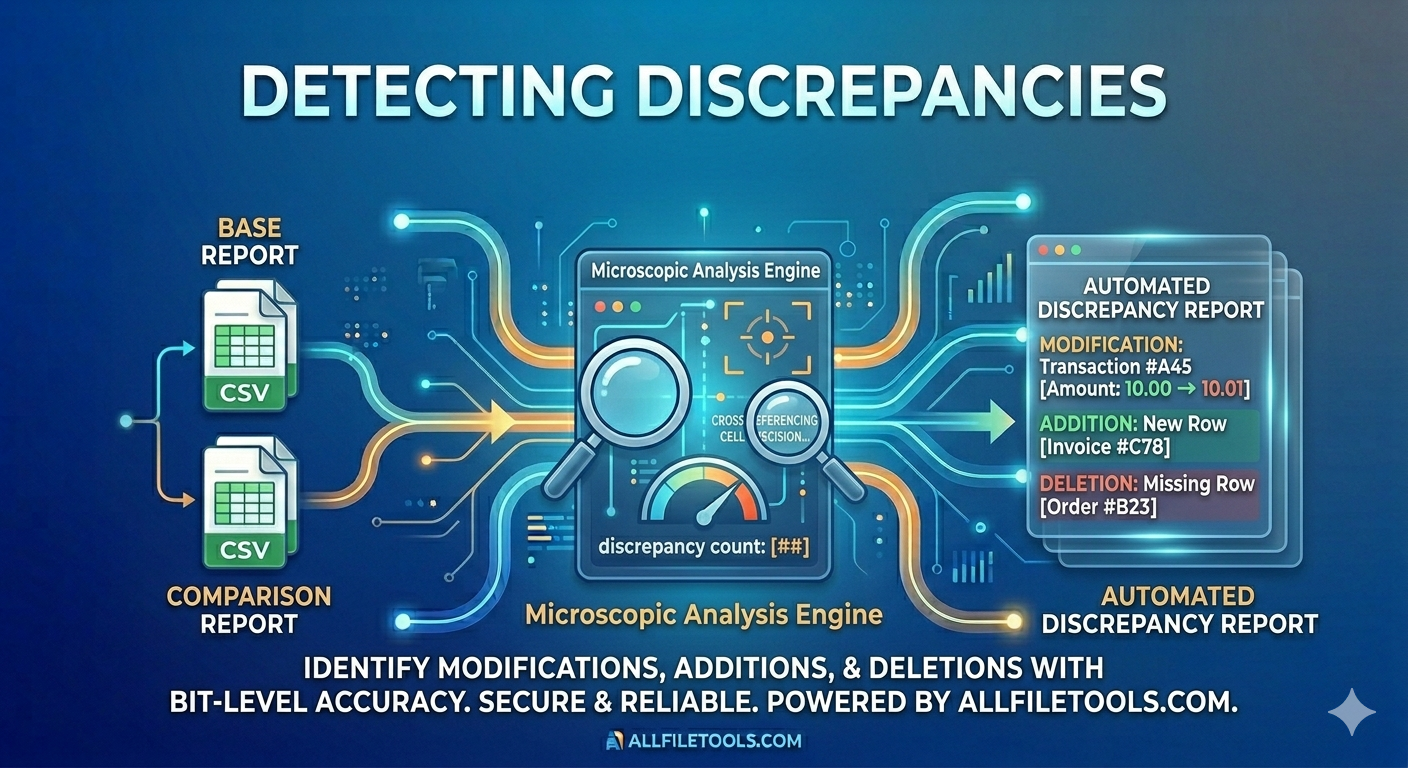
Navigate to the CSV Diff Tool on AllFileTools.com. Upload your "Baseline" file (Last Month) and your "Comparison" file (This Month).
- How it works: The tool performs a bit-level comparison of every cell. It ignores row shifts and looks for unique identifiers (like Transaction IDs) to match data points.
- The Result: The tool instantly generates a delta report highlighting:
- Additions: New transactions that didn't exist last month.
- Deletions: Transactions that have been removed or voided.
- Modifications: Rows where the ID matches, but a value (like the Amount or Date) has changed.
Step 3: Transforming to Audit-Ready Excel
While CSV is great for processing, auditors prefer the formatting and commentary capabilities of Excel. Once you have identified the differences, use the CSV to Excel Converter on AllFileTools.
- The Benefit: This creates a clean, formatted workbook where you can add a "Notes" column to explain each discrepancy (e.g., "Price increase approved by procurement on 06/12").
Practical Applications for Financial Teams
1. Accounts Payable (AP) Audits
Use CSV Diff to compare your Approved Vendor List month-over-month. This helps spot unauthorized vendors or changes to bank account details that could indicate "Business Email Compromise" (BEC) or internal fraud.
2. Payroll Reconciliation
Compare the "Gross Pay" CSV from the previous period to the current one. Any discrepancy that doesn't align with a known raise or new hire is a red flag that requires immediate investigation before the funds are disbursed.
3. Inventory Valuation
For companies with high stock turnover, comparing Ending Inventory CSVs helps identify Ghost Assets, items that are on the books but no longer physically in the warehouse.
Why AllFileTools is the Accountant’s Choice
1. Precision & Integrity
In finance, rounding is not an option. Our tools maintain the exact character precision of your raw exports, ensuring that a $0.01 difference is caught every single time.
2. Zero-Footprint Security
Financial data is sensitive. Unlike desktop software that might save temp files to your local drive, AllFileTools processes your data in an encrypted environment and purges it immediately. This helps your firm stay compliant with GDPR and SOC2 standards.
3. No Software "Bloat"
Accountants often work on locked-down corporate laptops where installing new software is prohibited. AllFileTools works entirely in the browser, providing high-end forensic capabilities without the need for IT department approval.
Conclusion: The Monthly Close
The Monthly Close doesn't have to be a race against the clock filled with manual errors. By adopting the Financial Forensics Workflow, you turn a tedious task into a high-precision automated process.
Spotting discrepancies is no longer about looking harder, it’s about using better tools. Head over to AllFileTools.com today and experience the speed of the CSV Diff and CSV to Excel utilities.



Leave a Comment
No comments yet. Be the first to comment!