
In the competitive world of digital marketing, ensuring your website is optimized for search engines is not just important—it’s essential. Whether you are a beginner, a blogger, a website owner, an SEO learner, or a developer, understanding your website’s SEO health can make a huge difference in driving traffic and improving rankings. Enter the Website SEO Analyzer – Free On-Page SEO Audit & Optimization Tool, a comprehensive solution designed to help you analyze, audit, and enhance your website’s SEO performance effortlessly.
In this blog, we will provide a step-by-step guide on how to use this tool, explore the key features, discuss why on-page SEO is crucial, and provide actionable insights to improve your website’s performance. By the end, you’ll understand not just the how, but also the why of SEO analysis.
What is a Website SEO Analyzer?
A Website SEO Analyzer is an online tool that evaluates your website’s SEO performance by scanning your site and identifying key factors that influence search engine rankings. These factors include on-page elements like meta tags, headings, images, content structure, keyword usage, and technical aspects like site speed, mobile-friendliness, and internal linking.
Using this tool, you can get a detailed SEO report for your website, pinpoint areas that need improvement, and implement actionable recommendations. The Website SEO Analyzer – Free On-Page SEO Audit & Optimization Tool is designed to be user-friendly and effective for both beginners and advanced users.
Why On-Page SEO Matters
On-page SEO refers to the optimization of individual web pages to rank higher and earn more relevant traffic in search engines. Unlike off-page SEO, which deals with backlinks and external signals, on-page SEO is completely under your control.
Here’s why on-page SEO is crucial:
-
Improves Visibility: Search engines understand your content better when your pages are optimized.
-
Enhances User Experience: Proper headings, fast loading speed, and optimized images keep visitors engaged.
-
Increases Traffic Quality: Targeted keywords help attract users who are genuinely interested in your content.
-
Boosts Rankings: Search engines favor well-optimized content that is easy to crawl and understand.
Using an SEO analyzer ensures your on-page SEO is error-free, comprehensive, and actionable.
Key Features of the SEO Analyzer Tool
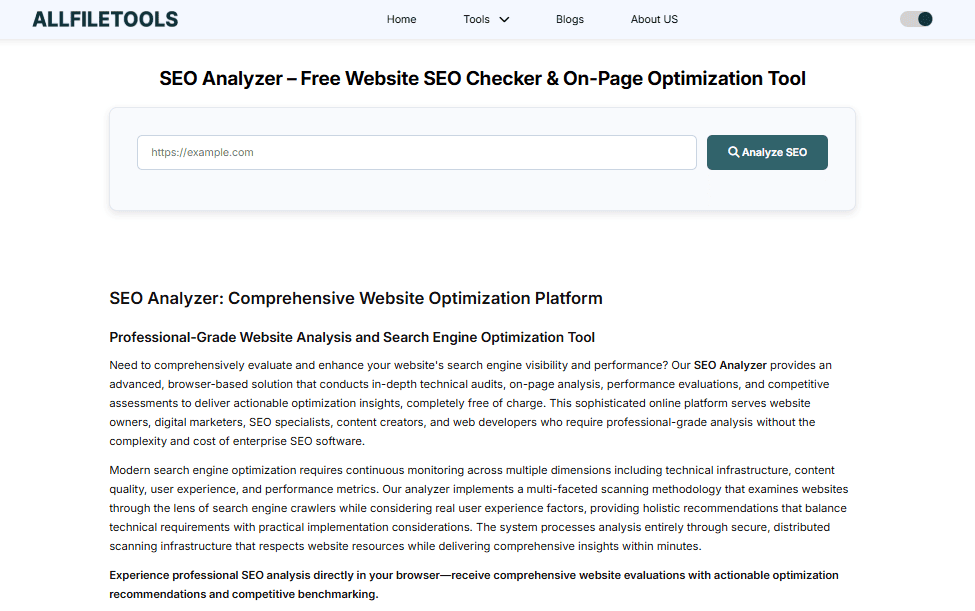
The Website SEO Analyzer provides multiple features to help you optimize your website. Key features include:
1. Meta Tags Analysis
The tool scans your title tags, meta descriptions, and meta keywords to ensure they are optimized for SEO. Proper meta tags improve CTR and help search engines understand your content.
2. Heading Tag Analysis
It checks for H1, H2, H3 usage, ensuring proper hierarchy and keyword placement. This helps both SEO and readability.
3. Keyword Optimization Check
The tool analyzes keyword density and placement in your content to avoid overstuffing while maximizing relevance.
4. Image SEO Audit
It reviews alt tags, image size, and loading speed. Proper image optimization improves page speed and accessibility.
5. Internal Linking Suggestions
The analyzer identifies missing or broken internal links, enhancing site structure and navigation.
6. Mobile-Friendly & Performance Checks
It checks mobile responsiveness, page speed, and Core Web Vitals, crucial for both user experience and rankings.
7. On-Page Recommendations
Based on the analysis, it provides actionable insights to fix errors and improve SEO score.
8. Free and Easy to Use
No sign-up is required. Simply enter your website URL and get a comprehensive SEO report instantly.
Step-by-Step Guide to Using the SEO Analyzer
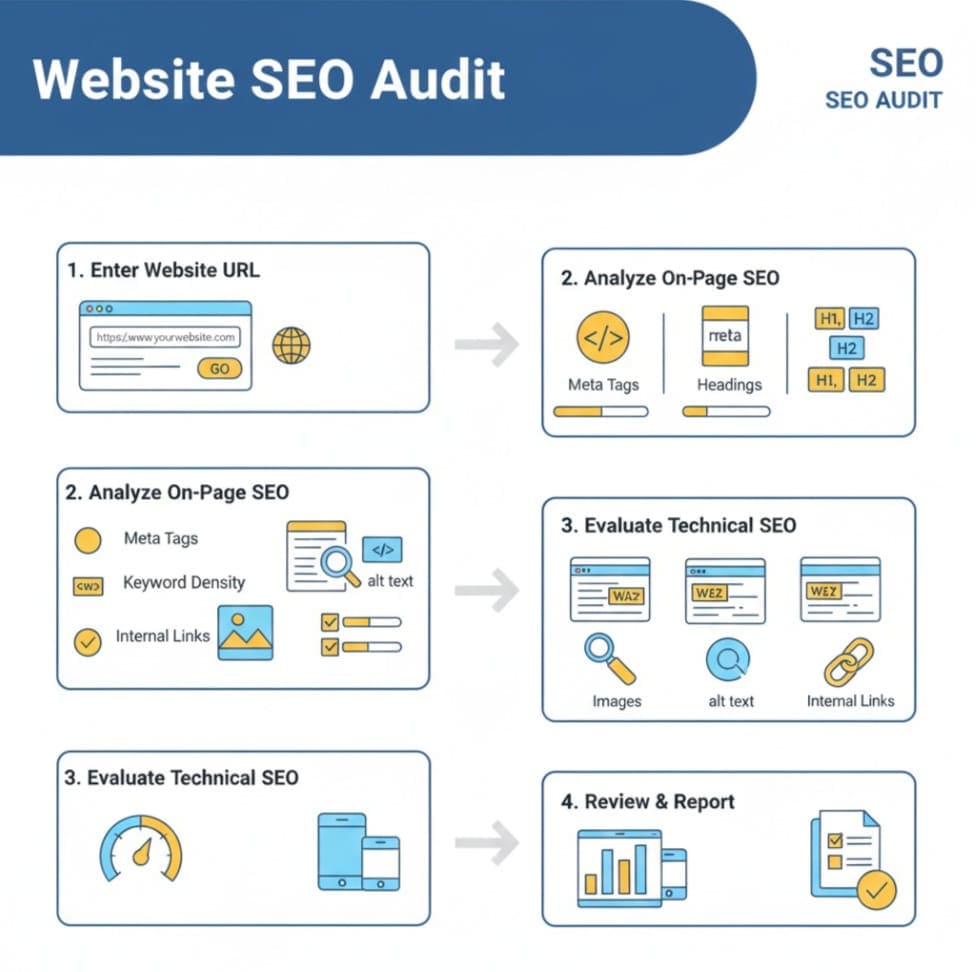
Here’s how you can maximize the benefits of this tool:
Step 1: Open the SEO Analyzer
Visit the tool here: Website SEO Analyzer
Step 2: Enter Your Website URL
Type your website or blog URL into the provided field and click “Analyze.”
Step 3: Review the SEO Report
The tool generates a detailed report covering all important SEO factors:
-
Meta tags status
-
Heading structure
-
Keyword density
-
Image optimization
-
Internal linking
-
Page speed and mobile-friendliness
Step 4: Identify Issues
The report highlights critical errors, warnings, and suggestions. Each issue comes with a clear explanation.
Step 5: Implement Recommendations
Fix meta tag errors, optimize headings, improve keyword placement, compress images, and repair broken links as suggested.
Step 6: Recheck Your Website
After implementing changes, run the tool again to ensure your SEO score has improved.
Understanding the SEO Report

The SEO report generated by the tool typically contains:
1. SEO Score
A numeric value representing your overall SEO health. Higher is better.
2. Critical Errors
Issues that need immediate attention like missing H1 tags, duplicate meta descriptions, or broken links.
3. Warnings
Moderate issues that affect SEO slightly but should be addressed over time.
4. Recommendations
Actionable suggestions for improving on-page SEO, page speed, content optimization, and more.
5. Detailed Metrics
-
Meta tag optimization
-
Heading tag usage
-
Keyword density
-
Image alt text optimization
-
Mobile responsiveness
-
Internal linking
Top SEO Metrics Checked by the Tool
The Website SEO Analyzer evaluates the following critical metrics:
1. Meta Tags
-
Title tags
-
Meta descriptions
-
Meta keywords (if used)
2. Headings
-
H1, H2, H3, and their proper hierarchy
3. Keyword Optimization
-
Keyword density and placement
-
Long-tail and semantic keywords
4. Images
-
Alt text presence
-
File size optimization
-
Loading speed impact
5. Internal Links
-
Broken links
-
Missing links
-
Navigation structure
6. Mobile-Friendliness
-
Responsive design check
-
Mobile page speed
7. Page Performance
-
Core Web Vitals
-
Page load time
-
Render-blocking scripts
How to Fix Common SEO Issues
Here are actionable steps for common problems detected by the SEO Analyzer:
1. Missing Meta Tags
-
Add descriptive title tags (50–60 characters)
-
Write meta descriptions (150–160 characters) with primary keywords
2. Heading Structure Errors
-
Use only one H1 per page
-
Include H2s and H3s for subsections
-
Incorporate target keywords naturally
3. Low Keyword Optimization
-
Ensure primary keywords appear in first 100 words
-
Use long-tail variations in subheadings
-
Avoid keyword stuffing
4. Unoptimized Images
-
Add descriptive alt tags
-
Compress images to reduce page load time
-
Use modern formats like WebP
5. Broken or Missing Links
-
Fix all broken internal links
-
Add links to relevant content within your site
6. Mobile & Performance Issues
-
Use responsive design frameworks
-
Minimize scripts and CSS blocking
-
Enable browser caching and CDN
Tips to Improve Your Website SEO Score
-
Regularly Audit Your Site – Run the SEO Analyzer at least once a month
-
Focus on High-Quality Content – Use keywords naturally and answer user intent
-
Optimize Page Speed – Compress images, enable lazy loading, minimize scripts
-
Use Proper Internal Linking – Helps search engines crawl your site efficiently
-
Update Meta Tags – Ensure titles and descriptions are unique for each page
-
Track Core Web Vitals – Improve user experience with fast-loading pages
-
Monitor Keyword Rankings – Adjust content based on keyword performance
Conclusion
Optimizing your website for SEO doesn’t have to be complicated. With the Website SEO Analyzer – Free On-Page SEO Audit & Optimization Tool, you can identify critical issues, make data-driven improvements, and improve your website’s rankings and user experience. Whether you are a beginner or an experienced developer, this tool provides actionable insights in a simple, step-by-step manner.
Start analyzing your website today and unlock your website’s full SEO potential: Website SEO Analyzer
FAQs
1. What is a Website SEO Analyzer?
A Website SEO Analyzer is a tool that checks your website for SEO issues, on-page optimization, and overall performance to improve search engine rankings.
2. Is this SEO Analyzer free to use?
Yes, the Website SEO Analyzer is completely free and requires no sign-up. You can analyze your website instantly.
3. Can beginners use this tool?
Absolutely. The tool is designed for beginners, students, bloggers, and developers alike. It provides step-by-step recommendations that are easy to follow.
4. What SEO factors does this tool check?
It checks meta tags, headings, keyword optimization, internal links, image SEO, mobile-friendliness, page speed, and other technical SEO factors.
5. How often should I use the SEO Analyzer?
It’s recommended to run the SEO Analyzer at least once a month to monitor your website’s SEO health and implement necessary improvements.
6. Does this tool provide actionable suggestions?
Yes, it not only identifies errors but also provides detailed, actionable suggestions to fix issues and optimize your website.
7. Will fixing these issues improve my search engine rankings?
Yes, addressing the errors and following recommendations can significantly improve your SEO score, enhance user experience, and boost search engine rankings over time.
Leave a Comment
No comments yet. Be the first to comment!