Music has always been more than just sound—it’s an experience. From calming lo-fi beats to energetic EDM drops, every note tells a story. In the age of social media, creators are constantly seeking new ways to enhance their audio content, especially on platforms like TikTok, Instagram Reels, and YouTube. One of the latest trends that has taken the internet by storm is slowed and reverb music. Its dreamy, aesthetic vibe captivates listeners, making it perfect for storytelling, background music, and social media clips.
If you’ve ever wanted to create your own slowed + reverb tracks without complicated software, you’re in the right place. In this comprehensive guide, we’ll dive deep into Slowed & Reverb Studio – an online tool that lets you create aesthetic slowed + reverb music for free. Whether you’re a beginner, musician, DJ, or a content creator, this blog will show you everything you need to know.
What is Slowed & Reverb Music?

Before diving into the tool, it’s important to understand the magic behind slowed and reverb music.
Slowed music is exactly what it sounds like—your favorite song or audio slowed down to a slower tempo. Slowing down a track can make it feel more emotional, chill, or even cinematic.
Reverb (short for reverberation) is an effect that simulates sound reflections in a room or environment. It adds depth, space, and a dreamy quality to your audio. When combined, slowed + reverb music creates a smooth, atmospheric, and aesthetic listening experience that has become incredibly popular among Gen Z, TikTok users, and aesthetic music lovers.
Example Use Cases:
-
Background music for TikTok & Reels videos
-
Chill study or focus playlists
-
YouTube video intros or montages
-
DJ sets and remix experimentation
-
Personal listening or aesthetic lo-fi mixes
Why Slowed & Reverb Music is Trending
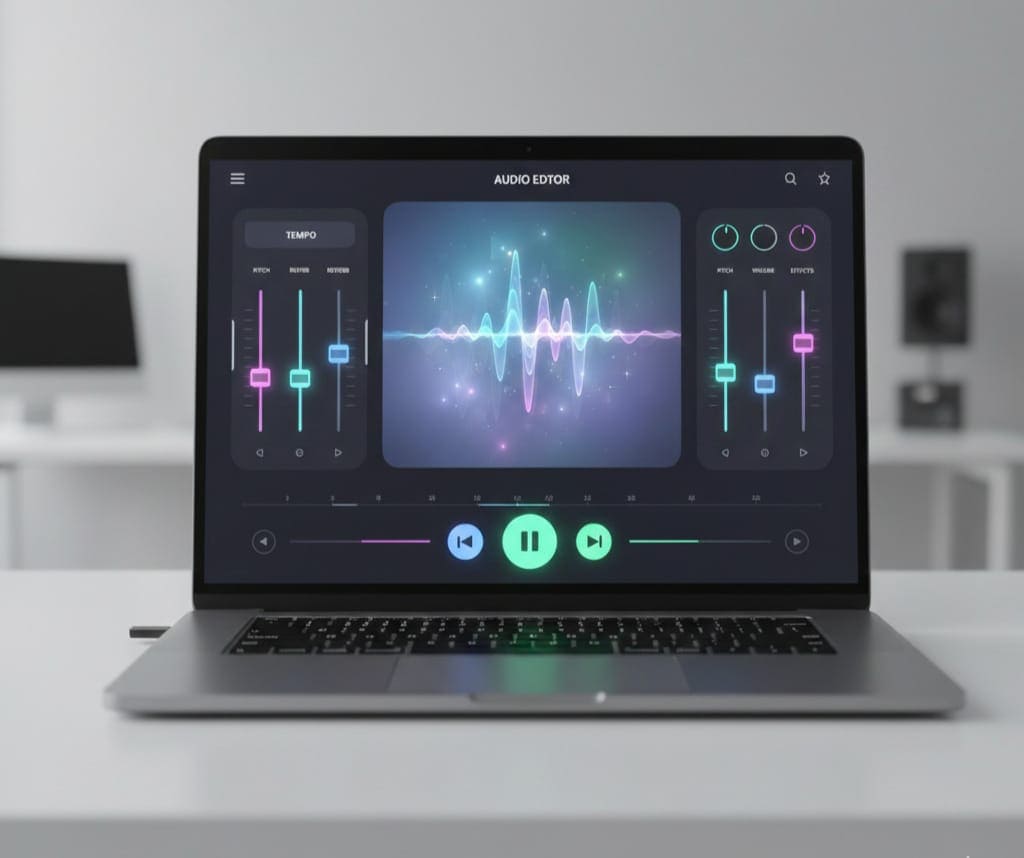
The trend has grown because it taps into emotional connection and vibe-based listening. Here’s why this music style is so popular:
-
TikTok and Reels Popularity: Short-form videos thrive on aesthetic audio. Slowed + reverb tracks make even ordinary clips feel cinematic.
-
Relaxation & Focus: The slower tempo and echoing sound provide a calming experience, perfect for studying or working.
-
Unique Sound: Content creators want their videos to stand out. A slowed + reverb track adds a signature vibe.
-
Ease of Creation: Online tools, like Slowed & Reverb Studio, make it accessible for anyone to create high-quality tracks in minutes.
Introducing Slowed & Reverb Studio
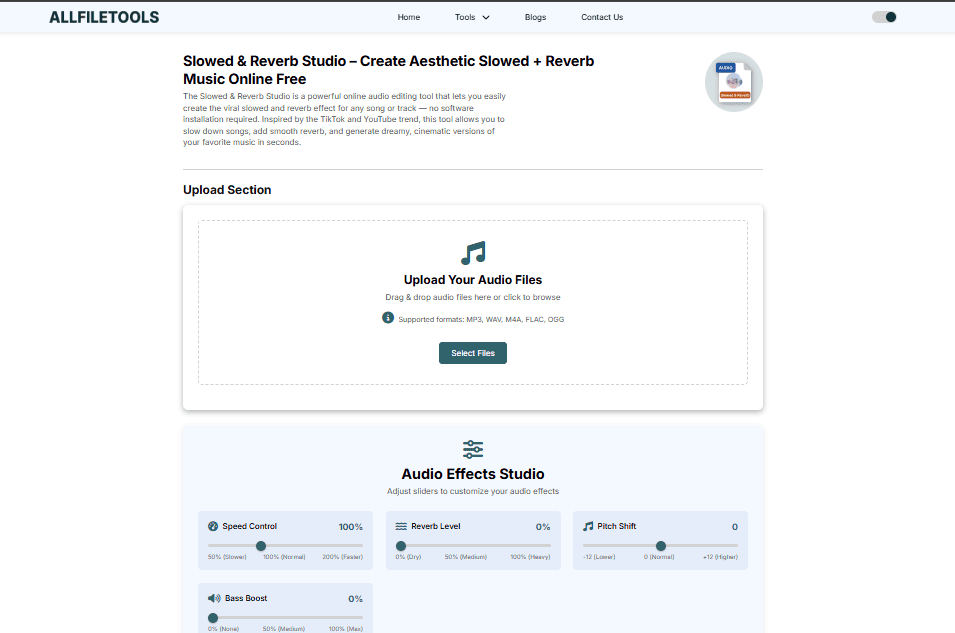
Now that you know what slowed and reverb music is, let’s explore the Slowed & Reverb Studio online tool.
Slowed & Reverb Studio is designed to be user-friendly, free, and accessible online. No downloads, no technical knowledge required. Here’s what makes it stand out:
Key Features:
-
Free Online Access: No subscriptions or software installations.
-
Upload Any Audio: Works with MP3, WAV, and other popular audio formats.
-
Slowing and Speed Adjustment: Change tempo to make the track slower or slightly faster.
-
Reverb Effect: Add atmospheric depth to any track with customizable settings.
-
High-Quality Export: Download your edited track in high-quality audio.
-
Beginner-Friendly Interface: Simple drag-and-drop uploads, intuitive sliders, and one-click effects.
Why Creators Love It:
-
Perfect for TikTok & Instagram content
-
Ideal for YouTubers creating background music
-
Great for aesthetic music lovers and lo-fi playlists
-
Beginners can make professional-sounding tracks in minutes
Step-By-Step Guide to Create Slowed + Reverb Music Online
Here’s a simple walkthrough using Slowed & Reverb Studio:
Step 1: Upload Your Audio
-
Click the Upload button and choose your file
-
Supported formats include MP3, WAV, and more
Step 2: Adjust Slowing Parameters
-
Use the tempo slider to slow down your track
-
Typical slowed tracks range from 70% to 85% of the original speed
-
Listen to previews to ensure it fits the desired aesthetic vibe
Step 3: Add Reverb
-
Toggle the Reverb Effect on
-
Adjust settings like room size, echo intensity, and wet/dry balance
-
Experiment with different levels until the track sounds cinematic
Step 4: Preview & Fine-Tune
-
Play your track multiple times
-
Make minor adjustments to speed and reverb until you’re satisfied
-
This stage is crucial for achieving the perfect aesthetic
Step 5: Export & Download
-
Click Export to finalize your track
-
Download in your preferred format
-
Your slowed + reverb music is now ready for TikTok, Reels, YouTube, or personal listening
Benefits of Using Slowed & Reverb Studio
Using this tool offers several advantages:
-
Free and Accessible: No cost, no complicated setups
-
Quick Workflow: Create tracks in minutes
-
High-Quality Audio: Maintains sound quality even after slowing and adding reverb
-
Customizable Effects: Fine-tune reverb and tempo to match your style
-
No Technical Skills Needed: Perfect for beginners and students
-
Supports Multiple Formats: Works with MP3, WAV, and other popular audio files
Who Should Use Slowed & Reverb Studio?
This tool is ideal for:
-
TikTok & Reels Creators: Add aesthetic audio to short videos
-
YouTubers & Music Editors: Generate background music or remixes
-
Aesthetic Music Lovers: Create chill, lo-fi, or atmospheric tracks
-
Beginners & Students: Easy-to-use interface for experimentation
-
Musicians & DJs: Quick tool to produce demo tracks or remixes
-
General Users: Anyone wanting to play with audio effects
Tips for Creating the Best Slowed + Reverb Tracks
-
Choose the Right Song: Some tracks work better when slowed, especially vocal-heavy or melodic songs.
-
Don’t Overdo Reverb: Too much reverb can make the track muddy.
-
Preview Frequently: Listen multiple times while adjusting settings.
-
Use Headphones: Helps catch subtle changes in echo and tempo.
-
Experiment with Multiple Versions: Create different variants for TikTok or Reels trends.
-
Keep It Short for Social Media: 15–30 seconds clips work best for TikTok/Reels.
Examples of Slowed + Reverb Usage
-
TikTok: A dance clip becomes cinematic with slowed + reverb audio.
-
YouTube: A vlog background music track sounds more immersive.
-
Personal Listening: Transform your favorite songs into relaxing, aesthetic versions.
-
Lo-Fi Playlists: Mix multiple slowed + reverb tracks for study or relaxation.
How Slowed & Reverb Studio Compares to Other Tools
| Feature | Slowed & Reverb Studio | Other Online Tools |
|---|---|---|
| Free | ✅ | Often limited |
| Supported formats | MP3, WAV | MP3 only |
| User-friendly | ✅ | Medium to complex |
| Reverb control | ✅ Customizable | Fixed presets |
| Export quality | High | Sometimes compressed |
The comparison shows Slowed & Reverb Studio stands out for accessibility, quality, and ease of use, especially for beginners and casual creators.
Integrating Your Music into Social Media
Creating slowed + reverb music is only half the battle. Sharing it effectively is key:
-
TikTok: Upload directly as background audio for short videos.
-
Instagram Reels: Sync with cinematic visuals for aesthetic effect.
-
YouTube Shorts: Perfect for intros, montages, and lo-fi playlists.
-
Playlists: Curate your slowed + reverb tracks on Spotify or Apple Music.
-
Collaborations: Musicians and DJs can remix or share tracks with peers.
Conclusion

Creating aesthetic slowed + reverb music no longer requires professional software or technical expertise. With Slowed & Reverb Studio, anyone—from beginners to advanced music editors—can craft dreamy, cinematic tracks in minutes. Its simple interface, free access, and customizable features make it a perfect tool for TikTok, Reels, YouTube, and personal playlists.
Whether you’re a content creator, student, DJ, or simply an aesthetic music lover, this tool empowers you to experiment, create, and share your own slowed + reverb music effortlessly. Dive in, try it out, and let your creativity flow!
FAQs
1. What is slowed and reverb music?
Slowed and reverb music is a style where songs are slowed down and layered with reverb effects, giving them a dreamy, atmospheric, and aesthetic feel.
2. Is Slowed & Reverb Studio free to use?
Yes! You can use the tool online for free, without downloads or subscriptions.
3. Can beginners use this tool?
Absolutely. Its simple drag-and-drop interface and sliders make it beginner-friendly.
4. Which audio formats does the tool support?
It supports MP3, WAV, and most common audio file types.
5. Can I use the generated tracks for TikTok or Reels?
Yes! Tracks can be exported and directly uploaded to TikTok, Instagram Reels, and YouTube.
6. How do I adjust the reverb effect?
You can customize room size, echo intensity, and wet/dry balance to achieve your desired sound.
7. Is audio quality maintained after slowing and adding reverb?
Yes, the tool preserves high-quality audio output even after adjustments.
Leave a Comment
No comments yet. Be the first to comment!