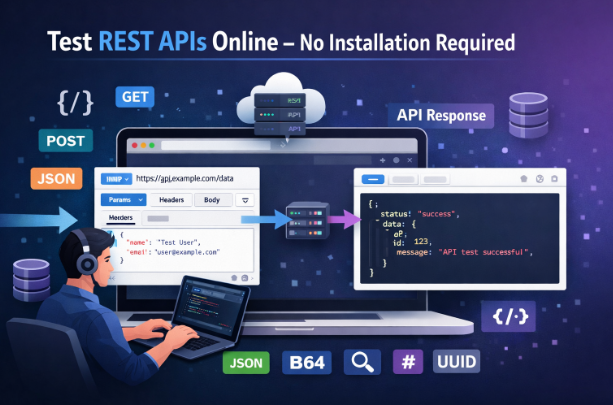
Developers commonly use tools like Postman or Insomnia to test APIs. These tools are powerful, but they require installation and setup. Sometimes you just need a faster way to test an API endpoint without installing anything.
For example, you may want to quickly test a request from a different computer, debug an endpoint while working in the browser, or quickly inspect an API response.
In these situations, browser-based API testing tools become extremely useful. They allow you to send requests, inspect responses, debug endpoints, and analyze API data directly in the browser.
In this guide, you will learn how to test REST APIs without installing software and which tools can help simplify your workflow.
What is REST API Testing?
REST API testing is the process of sending requests to an API and verifying that the response is correct. Developers use it to ensure that backend services behave as expected.
A typical REST API request includes:
- An API endpoint
- An HTTP method
- Headers
- Optional request body
- Response status code
- Response data (usually JSON)
Examples of common REST API endpoints:
GET /users
POST /login
PUT /profile
DELETE /post/12
When testing these endpoints, developers check whether the API returns the correct data, status code, and response structure.
REST API testing is an important part of backend development, mobile development, and frontend integrations.
Why Use Online REST API Testing Tools?
Online API testing tools make debugging APIs faster and easier. Instead of installing desktop software, developers can test requests directly from the browser.
Here are the main benefits.
✔ No installation required
✔ Works from any browser
✔ Accessible on any device
✔ Faster debugging workflow
✔ Easy request editing and resending
✔ Quick response inspection
Browser-based tools are especially useful when you want to test an API quickly without opening heavy desktop software.
One of the easiest ways to start is using the REST API testing tool available here:
https://www.allfiletools.com/rest-api-tester/
If you are working with GraphQL APIs instead of REST, you can test queries here:
https://www.allfiletools.com/graphql-tester/
How to Test REST APIs Online (Step-by-Step Guide)
Testing an API online usually takes only a few steps.
Step 1: Open a REST API Testing Tool
Start by opening a browser-based API testing tool:
https://www.allfiletools.com/rest-api-tester/
This tool allows you to send API requests and inspect the responses instantly.
Step 2: Enter the API Endpoint
Paste the API endpoint that you want to test.
Example:
https://api.example.com/users
Make sure the endpoint is correct before sending the request.
Step 3: Select the HTTP Method
Choose the HTTP method that matches the action you want to perform.
Common methods include:
- GET
- POST
- PUT
- DELETE
- PATCH
For example:
GET requests retrieve data
POST requests create data
Step 4: Add Headers
Some APIs require headers to authenticate the request.
Example headers:
Authorization: Bearer your-token
Content-Type: application/json
Headers are used for authentication, data format specification, and request validation.
Step 5: Add Request Body (if required)
POST or PUT requests usually require a request body.
Example JSON body:
{
"name": "John",
"email": "john@example.com"
}
This data is sent to the server as part of the request.
Step 6: Send the Request
Once everything is configured, click send.
The API tool will send the request and return the response.
Step 7: Analyze the API Response
After sending the request, inspect the response carefully.
Check the following:
- Status code (200, 401, 404, etc.)
- Response body
- JSON structure
- Error messages
This helps you confirm whether the API endpoint is functioning correctly.
Format API Responses Using a JSON Formatter
API responses often return large JSON objects. Raw JSON can be difficult to read if it is compressed into a single line.
Example:
{"name":"John","email":"john@example.com"}
To make the JSON easier to inspect, use a JSON formatting tool:
https://www.allfiletools.com/json-formatter-validator/
A JSON formatter will beautify the response and validate the structure so you can debug it more easily.
Encode URLs for API Requests
Sometimes API requests include special characters inside URLs or query parameters. These characters must be encoded before sending the request.
Example:
Plain text
hello world
Encoded version
hello%20world
You can encode or decode URLs using this tool:
https://www.allfiletools.com/url-encoder-decoder/
URL encoding ensures that the request is properly understood by the server.
Decode API Tokens Using Base64
Many APIs use Base64 encoding, especially for authentication headers.
Example:
Authorization: Basic YWRtaW46MTIzNA==
If you need to inspect the encoded value, you can decode it using this tool:
https://www.allfiletools.com/base64-encoder-decoder/
This is helpful when debugging authentication credentials or verifying encoded values.
Generate Secure Hashes for API Authentication
Some APIs require hash signatures for authentication or request verification.
Common hash algorithms include:
- MD5
- SHA256
- SHA512
These hashes are often used for:
- API request signatures
- authentication verification
- security tokens
- file integrity checks
You can generate hashes using:
https://www.allfiletools.com/hash-generator/
This helps when testing APIs that require hashed values.
Debug API Responses Using Regex
Sometimes you want to extract specific information from a large API response. Regular expressions (Regex) help identify patterns inside text.
For example, you may want to extract:
- email addresses
- IDs
- tokens
- URLs
You can test patterns using this tool:
https://www.allfiletools.com/regex-tester/
Regex tools are useful for quickly debugging response data.
Generate Unique IDs for API Testing
Many APIs require unique identifiers such as UUIDs when creating resources.
For example:
- user IDs
- order IDs
- session tokens
You can generate them quickly using:
https://www.allfiletools.com/uuid-generator/
This is useful when testing POST requests that require unique identifiers.
Convert API Data Formats
API responses usually return JSON data, but sometimes you need to convert it into another format.
Common conversions include:
JSON → CSV
CSV → JSON
JSON → XML
XML → JSON
You can convert formats using these tools:
https://www.allfiletools.com/json-to-csv/
https://www.allfiletools.com/csv-to-json/
https://www.allfiletools.com/json-to-xml/
https://www.allfiletools.com/xml-to-json/
These tools are useful when exporting API data or integrating with systems that require different formats.
Best Practices for API Testing
While testing APIs, following best practices helps avoid mistakes and improves debugging.
✔ Always verify the status code
✔ Validate JSON responses
✔ Test both successful and failed requests
✔ Use proper authentication tokens
✔ Encode URLs correctly when needed
✔ Check headers carefully
✔ Validate response formats before using the data
These habits will make your API testing workflow more reliable.
Conclusion
Testing REST APIs does not always require heavy desktop tools. With modern browser-based tools, developers can send requests, debug responses, format JSON, encode URLs, decode tokens, generate hashes, and convert API data formats directly online.
If you want a simple way to start testing APIs immediately, try:
https://www.allfiletools.com/rest-api-tester/
For GraphQL testing you can use:
https://www.allfiletools.com/graphql-tester/
Using these tools allows you to debug APIs faster without installing any software, making them ideal for quick testing and development workflows.
🔹 Explore more powerful file conversion and online utilities at AllFileTools
🔹 For technical support, digital solutions, and expert services, visit LetDigitalFly IT Services
🔹 Discover additional career and productivity resources at Resume Slip Builder
Leave a Comment
No comments yet. Be the first to comment!