
In the digital era, understanding who owns a domain and how it is configured is essential for SEO, cybersecurity, and business purposes. Whether you are a developer, digital marketer, business owner, or student, knowing domain ownership, registration details, and DNS records can save you from online risks, help verify websites, and improve SEO strategies. This is where a WHOIS & Domain Info Lookup Tool becomes invaluable.
This tool allows users to quickly find who owns a domain, when it was registered, expiration date, registrar information, and DNS configuration. With these insights, businesses can make informed decisions, detect potential fraud, and maintain transparency online.
In this comprehensive guide, we will explore the full capabilities of a WHOIS & Domain Info Lookup Tool, explain how it works, highlight its benefits, and provide a detailed step-by-step usage guide to help you leverage it efficiently.
What is a WHOIS Lookup?
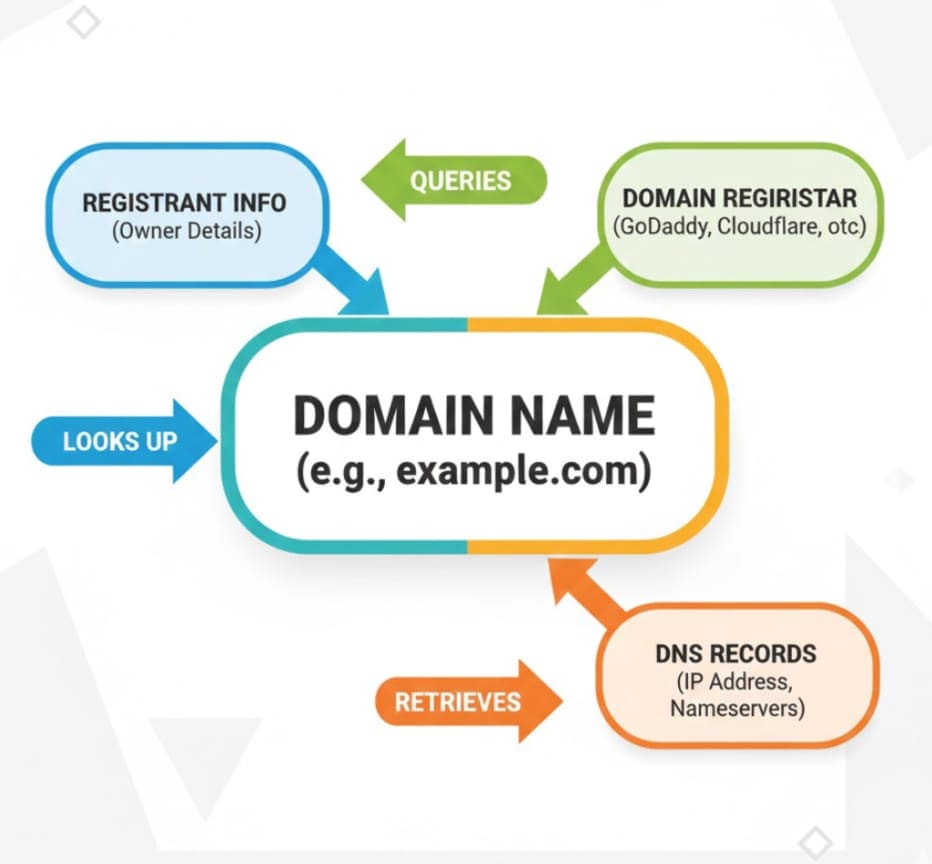
The term WHOIS refers to a protocol used for querying databases that store registered users or assignees of domain names. Essentially, a WHOIS lookup allows you to access domain registration information for any active domain name.
Key Details Revealed by WHOIS
-
Domain Owner / Registrant Name: The individual or organization who owns the domain.
-
Registrar Information: The company through which the domain was registered.
-
Domain Registration Date: When the domain was initially registered.
-
Domain Expiry Date: When the registration will expire.
-
DNS Records: Technical configuration details including nameservers, MX records, and more.
-
Contact Information: Email, phone, or organization details linked to the domain.
This data is critical for developers, SEO professionals, and business owners who need domain verification, competitor research, or cybersecurity assessments.
Why Knowing Domain Ownership is Important

1. SEO and Digital Marketing Insights
For digital marketers, domain ownership info can reveal:
-
Competitor strategies: Analyze the domains your competitors own and track potential backlink opportunities.
-
Domain authority insights: Knowing the age and registration details of a domain can help estimate trustworthiness.
-
Preventing duplicate content or copyright issues: Ensuring your content doesn’t overlap with domains owned by others.
2. Cybersecurity and Fraud Prevention
-
Identify suspicious or fake domains.
-
Track fraudulent websites that mimic popular brands.
-
Evaluate risk before conducting transactions on unknown websites.
3. Business Decisions
-
Before buying a domain, check current ownership and expiry details.
-
Identify domains that are available for acquisition or potential partnerships.
-
Protect your brand from cybersquatting or trademark conflicts.
Technical Terms You Should Know
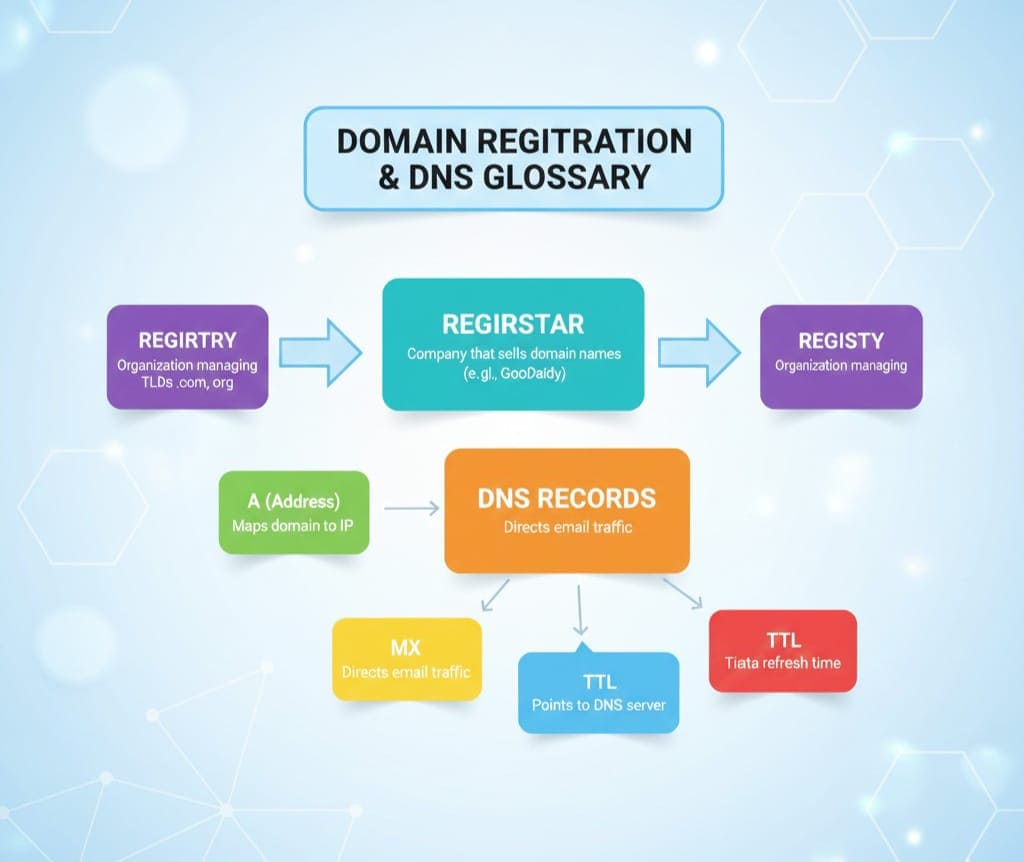
Understanding a WHOIS & Domain Info Lookup Tool also requires familiarity with technical terms related to domain and DNS.
Common Terms:
-
Registrar: The company authorized to register domain names.
-
Registry: Organization responsible for managing domain extensions (like .com, .net, .org).
-
Nameservers (NS Records): Servers that direct internet traffic to the correct domain host.
-
MX Records: Mail exchange servers, essential for email delivery.
-
TTL (Time to Live): How long DNS info is cached by servers.
-
Domain Privacy Protection: A service that hides personal contact info from public WHOIS queries.
Knowing these terms helps users interpret the results of a WHOIS lookup and use the tool effectively.
Features of a WHOIS & Domain Info Lookup Tool
A modern WHOIS & Domain Info Lookup Tool offers multiple features that make domain research simple and efficient:
-
Instant Domain Ownership Lookup
-
Enter any domain name, and the tool retrieves ownership details in seconds.
-
-
Registration Date and Expiry Check
-
Know exactly when the domain was registered and when it will expire.
-
-
DNS Records Access
-
Get detailed DNS records including A, CNAME, MX, TXT, and NS entries.
-
-
Bulk Domain Search
-
Some tools allow multiple domain queries simultaneously, saving time for agencies or developers.
-
-
Domain Privacy Detection
-
Identify whether a domain has WHOIS privacy enabled.
-
-
User-Friendly Interface
-
Easy-to-read layout ensures even beginners can access technical data without confusion.
-
How a WHOIS & Domain Info Lookup Tool Works
The tool interacts with domain registries and registrar databases using the WHOIS protocol to extract detailed domain information. Here's the process simplified:
-
Input the Domain Name
-
Users type a domain (example: example.com) into the search bar.
-
-
Query the WHOIS Database
-
The tool sends a request to the appropriate registry and registrar databases.
-
-
Retrieve Domain Info
-
Information such as registrant details, domain creation & expiry dates, and DNS records are collected.
-
-
Display Results
-
The tool presents the data in an easy-to-read format with clear headings and sections.
-
Step-by-Step Guide to Using the Tool
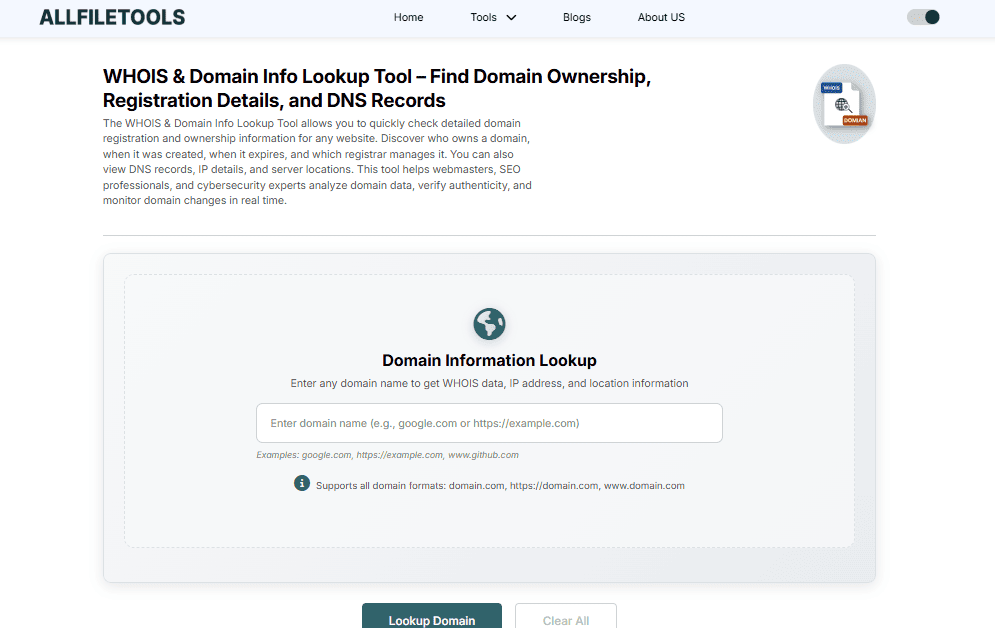
Here’s how you can efficiently use the WHOIS & Domain Info Lookup Tool:
Step 1: Access the Tool
Visit AllFileTools WHOIS Lookup.
Step 2: Enter the Domain Name
Type the domain name you want to check in the search bar.
Step 3: Start the Lookup
Click the “Search” or “Lookup” button.
Step 4: Analyze the Results
You’ll see multiple details:
-
Registrant name & contact info
-
Registrar name
-
Creation & expiry dates
-
Nameservers and DNS records
Step 5: Interpret DNS Records
Understand technical entries:
-
A Record: Points domain to an IP address
-
CNAME: Alias for another domain
-
MX Record: Email server for the domain
Step 6: Use Insights for Decisions
-
Validate website authenticity
-
Track competitors
-
Evaluate SEO potential
Benefits of Using the Tool
1. Time-Saving
Manual WHOIS searches can be tedious. A dedicated tool provides instant results.
2. Accuracy
Reliable WHOIS & Domain Info Lookup Tools fetch data directly from authoritative registries, ensuring accurate domain info.
3. Security Awareness
By checking domain ownership and DNS records, you can avoid phishing attacks and fraudulent websites.
4. SEO Strategy Improvement
Analyzing competitor domains and ownership history helps build better backlinks and content strategy.
5. Beginner-Friendly Interface
No technical expertise required — clear results with all essential details neatly organized.
Real-Life Examples
Example 1: Checking a competitor’s domain
-
Domain: competitor-example.com
-
Owner: Verified company XYZ
-
Creation: 2015
-
Expiry: 2026
-
Nameservers: ns1.hostingprovider.com, ns2.hostingprovider.com
Analysis: This shows the competitor has a domain older than 5 years — good for SEO authority.
Example 2: Validating a new business website
-
Domain: newbusiness.com
-
Privacy: Enabled
-
Registrar: Namecheap
-
Expiry: 2027
Analysis: Privacy protection enabled; contact info not public. Ensure legitimacy before business transactions.
Common Use Cases
-
Digital Marketers & SEO Experts
-
Track competitor domains and backlink opportunities
-
Analyze domain age & authority
-
-
Developers / IT Professionals
-
Verify DNS configuration
-
Troubleshoot email delivery issues
-
-
Cybersecurity Professionals
-
Detect fraudulent or phishing websites
-
Investigate malicious domains
-
-
Business Owners & Investors
-
Check availability of domains for acquisition
-
Assess brand protection risks
-
-
Students & Beginners
-
Learn about domains, DNS, and website ownership
-
How to Interpret WHOIS Data
Registrant Information
-
Reveals the owner of the domain
-
Important for verification and contacting website administrators
Registrar & Registry Info
-
Registrar: The company that registered the domain
-
Registry: Authority managing the domain extension
Creation & Expiry Dates
-
Older domains often have higher trust and authority
-
Expiry date is crucial for renewal or acquisition decisions
DNS Records
-
A Record: Points domain to server IP
-
MX Record: Email server info
-
NS Record: Nameserver info
-
TXT Record: Includes SPF, DKIM, DMARC for email authentication
Common Mistakes to Avoid
-
Ignoring domain privacy settings
-
Overlooking DNS misconfigurations
-
Not checking domain expiration dates
-
Relying on incomplete WHOIS data
Using a comprehensive tool mitigates these risks.
Conclusion
The WHOIS & Domain Info Lookup Tool is an essential resource for anyone managing websites, SEO campaigns, or online businesses. By providing accurate domain ownership, registration, and DNS data, it empowers users to make informed decisions, enhance security, and optimize their online strategies.
Whether you are a developer troubleshooting DNS issues, an SEO expert analyzing competitor domains, or a business owner evaluating potential domains for investment, this tool simplifies the process and ensures you have all the critical information at your fingertips.
Leverage the tool today to verify domains, monitor competitors, and safeguard your online presence: WHOIS & Domain Info Lookup Tool.
Frequently Asked Questions (FAQs)
1. What is a WHOIS lookup?
A WHOIS lookup is a query to check the registration information of a domain, including the owner, registrar, creation date, expiry date, and DNS details.
2. Can I check any domain using this tool?
Yes, you can perform a lookup on any publicly registered domain worldwide.
3. What are DNS records, and why are they important?
DNS records like A, CNAME, MX, and NS records determine how your domain points to servers and handles email. Accurate DNS records ensure proper website and email functioning.
4. Does WHOIS reveal private information?
Some domains use privacy protection to hide personal contact info. In such cases, only registrar-level information may be available.
5. How can this tool help SEO professionals?
SEO experts can analyze competitor domains, check domain age, verify ownership, and identify backlink opportunities.
6. Can business owners use this tool to buy domains?
Yes, it helps check if a domain is available, who owns it, and when it will expire — critical for acquisition or investment decisions.
7. Is this tool free to use?
Yes, the AllFileTools WHOIS & Domain Info Lookup Tool is completely free and provides instant domain information.
Leave a Comment
No comments yet. Be the first to comment!