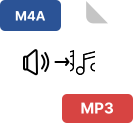
About MP3 to AAC Converter
The MP3 to AAC Converter is an online audio conversion tool that allows users to upload audio files and convert them into AAC format efficiently. The tool supports multiple audio formats as input and provides a clean, session-based workflow for uploading, converting, downloading, and managing audio files.
What Is MP3?
MP3 is a widely used compressed audio format that reduces file size by removing parts of audio data that are less noticeable to human hearing. MP3 files are commonly used for music playback, downloads, and audio storage due to their compatibility across devices and platforms.
What Is AAC?
AAC (Advanced Audio Coding) is a modern audio compression format designed to deliver better audio quality than MP3 at similar or lower bitrates. AAC is commonly used in mobile devices, streaming platforms, and modern audio applications.
What Does This MP3 to AAC Tool Do?
This tool converts uploaded audio files into AAC format using a server-side audio processing engine. It allows users to upload multiple audio files, process them in a single session, and download the converted files individually or as a ZIP archive.
Supported Input Audio Formats
Based on the tool’s validation logic, the following audio formats are supported for upload:
Any file outside these formats is rejected before processing.
Output Format & Audio Quality
-
Primary Output Format: AAC (.aac)
-
Fallback Output Format: M4A (.m4a)
-
Bitrate: 256 kbps (fixed)
-
Sample Rate: Preserved from the original audio
-
Channels: Preserved from the original audio (mono or stereo)
If direct AAC (ADTS) export fails, the tool automatically converts the file into M4A format using AAC codec to ensure compatibility.
Key Features of This MP3 to AAC Converter
Multiple File Upload
Users can upload multiple audio files at once using drag-and-drop or file selection.
Session-Based File Handling
Each conversion session is isolated using a unique session ID. Files uploaded in one session do not interfere with other sessions.
Automatic Session Cleanup
-
Files are automatically deleted after 1 hour
-
Temporary and converted files are cleaned using a background cleanup process
-
Users can manually clear their session at any time
Reliable Audio Conversion
-
Audio files are processed using a robust audio decoding and encoding pipeline
-
Conversion progress is tracked internally per file
-
Errors are handled individually for each file
Single & Bulk Download Options
Individual File Management
How This Tool Works
Step 1: Upload Audio Files
Users upload audio files through the interface. The tool validates file types before saving them temporarily on the server.
Step 2: Temporary Storage
Uploaded files are stored in a temporary directory and tracked using a session-based system.
Step 3: Audio Conversion
Each file is processed using the audio engine:
Step 4: Conversion Results
After conversion, the tool displays:
Step 5: Download or Cleanup
Users can download files or clear the session manually. Automatic cleanup also removes files after one hour.
Download Options Explained
-
Single File Download: Downloads a single AAC or M4A file
-
Multiple Files Download: Downloads all converted files as a ZIP archive
-
File names are generated based on original file names
User Interface Features
-
Drag-and-drop upload area
-
File preview list with name and size
-
Conversion status notifications
-
Per-file download button
-
Download-all button
-
Responsive layout for mobile and desktop
-
Toast notifications for success, warning, and errors
Error Handling & Validation
The tool includes built-in error handling for:
-
Unsupported file formats
-
Missing or deleted temporary files
-
Audio decoding or encoding failures
-
Conversion errors per file
-
Download issues
Each file is processed independently, so one failed file does not stop other conversions.
File Security & Privacy
-
Files are processed only within the active session
-
No permanent storage of audio files
-
Automatic file deletion after one hour
-
Manual session clearing available
Who Can Use This Tool?
This tool is suitable for:
Conclusion
The MP3 to AAC Converter provides a reliable way to convert audio files into AAC format with consistent quality settings. With support for multiple audio formats, batch conversion, session-based file handling, and automatic cleanup, the tool ensures efficient and controlled audio processing.