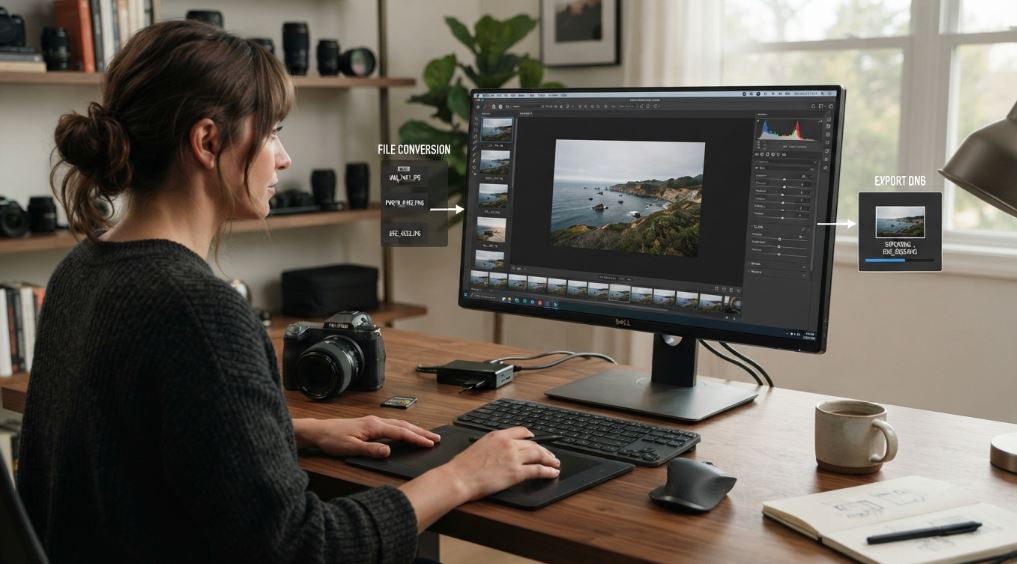
Working with digital images often means dealing with several file formats at the same time. PNG, JPG, and JPEG are common choices for websites, photography, graphic design, document sharing, and everyday image storage. DNG is another format that can be useful in photography and image-management workflows.
The challenge isn't simply changing one file extension to another. Before converting an image, it's important to understand what the source format contains, what DNG is designed for, and whether conversion actually makes sense for the intended use.
For users who need a convenient way to handle different file formats, AllFileTools provides online file conversion utilities that can make common conversion tasks easier to manage.
What Is DNG and Why Use It?
DNG stands for Digital Negative. It is a raw image format developed by Adobe for digital photography workflows. Raw formats are designed to preserve image information captured by compatible cameras so photographers can have greater flexibility during editing.
This creates an important distinction when converting an existing PNG or JPG file.
A converted image does not suddenly gain original camera data that wasn't present in the source file. For example, converting a compressed JPG into DNG doesn't restore image information that was lost when the JPG was originally created.
Instead, conversion can be useful when a particular workflow requires or prefers DNG files.
Understanding this difference helps users choose a conversion process for the right reason rather than expecting a format change to improve the original image automatically.
When Should You Convert PNG to DNG?
PNG is commonly used for graphics, screenshots, illustrations, logos, and images where lossless compression or transparency can be important.
If a workflow requires DNG files, a PNG to DNG converter can provide a straightforward way to process PNG images.
However, users should check the converted result carefully. PNG and DNG are designed for different purposes, so certain characteristics of the original image may not behave exactly the same after conversion.
For important files, keeping the original PNG is a sensible practice. It gives you a backup and allows you to return to the source if the converted version doesn't work as expected.
How Does JPG to DNG Conversion Work?
JPG is one of the most widely supported image formats. It's popular because it offers a practical balance between image quality and file size, making it useful for photographs, websites, social media, email, and general file sharing.
There are situations where someone may still need a DNG-based workflow. In those cases, a JPG to DNG converter can be useful for converting existing image files into the required format.
The same consideration applies to JPEG files. JPG and JPEG are commonly used names for the same underlying image format, so people searching for a JPEG to DNG converter may be trying to solve the same type of conversion requirement.
Before starting a batch conversion, it's worth testing one image first. Open the resulting file and confirm that it works correctly with the software, storage system, or editing workflow where it will be used.
Does Converting JPG to DNG Improve Image Quality?
This is one of the most important questions to answer before converting an image.
Generally, changing a JPG into DNG doesn't recreate information that was already lost during JPG compression. The resulting file may have a different format and may fit a particular workflow, but it shouldn't be treated as a way to recover original camera data.
If the goal is maximum editing flexibility from the beginning, capturing photographs in a camera-supported raw format is usually a different process from converting an existing JPG afterward.
For existing JPG images, conversion should therefore be based on workflow requirements, compatibility, organization, or another practical need.
PNG to DNG Converter: What Should You Check?
A good conversion workflow involves more than clicking a conversion button.
First, identify why you need DNG. If a specific application or photography workflow requires the format, confirm its compatibility requirements.
Next, review the original file. Check its dimensions, visual quality, transparency, and other characteristics that matter to your project.
After conversion, inspect the resulting DNG. Make sure the file opens correctly and that the image looks as expected.
For valuable photographs or business assets, don't immediately delete the originals. Keeping the source files gives you greater control over future editing and conversion requirements.
Why Use an Online Image Conversion Tool?
Not every image conversion task requires installing specialist desktop software. For occasional conversions, an online tool can provide a simpler workflow.
AllFileTools is designed around practical file-processing needs, giving users access to conversion tools from one location.
This can be particularly useful when someone needs to convert a small collection of files and doesn't want to install additional software for a single task.
The best approach is still to understand the output before using it for an important project. File conversion should make a workflow easier, not create uncertainty about the original data.
PNG, JPG or JPEG to DNG: Which Option Is Right?
The answer depends on the file you currently have and why you need DNG.
If your source is a PNG, use a PNG-focused conversion workflow and check whether properties such as transparency are important.
If your source is a JPG, use a JPG to DNG workflow and remember that the conversion won't restore information lost through previous compression.
If your file uses the JPEG extension, the same general considerations apply because JPEG and JPG refer to the same widely used image format.
In every case, keep an original copy of important files and verify the converted result before relying on it.
A Better Way to Handle Image Conversion
Image conversion works best when it begins with a clear purpose. Instead of converting files simply because another format sounds better, identify what your application, editing workflow, archive, or project actually requires.
A suitable converter can then make the technical part much simpler.
Whether you need PNG to DNG, JPG to DNG, or JPEG to DNG conversion, the practical goal is to produce a file that works for the next step in your workflow. Understanding the limitations of the source format helps you avoid unrealistic expectations and protects the quality of important image assets.
For users who need an accessible starting point for file conversion, AllFileTools offers conversion resources that can help simplify common file-processing tasks.
Converting PNG, JPG, or JPEG images to DNG can be useful when a particular photography or image-management workflow calls for the format. The key is understanding what conversion can and cannot accomplish.
A DNG file created from a JPG or PNG doesn't contain original raw camera information that wasn't present in the source. However, the conversion can still be appropriate for certain compatibility and file-management requirements.
Keep your original files, test conversions before processing large collections, verify the output, and choose a tool that fits the task. With a clear workflow, image conversion becomes a practical part of managing digital files rather than an unnecessary technical complication.