Introduction
Picture this. It is 11:30 PM the night before your data structures assignment is due at MIT. Your Python script has successfully processed the dataset — but the output is a completely unreadable wall of minified JSON. Your professor wants it cleanly formatted, properly indented, and validated. You do not have a JSON formatter installed. Your terminal is throwing errors. You have 30 minutes left.
Or you are a second-year Computer Science student at the University of Manchester. Your database assignment requires converting a CSV file of 400 rows into SQL INSERT statements. You know how to write SQL. You do not have time to write a script to do the conversion tonight.
These are not edge cases. These are the exact moments that every university student studying Computer Science, Software Engineering, Data Science, Information Technology, or any related field faces regularly throughout their degree. The tools that solve them are not complicated. They are not expensive. They just need to exist — and be accessible — at the exact moment you need them.
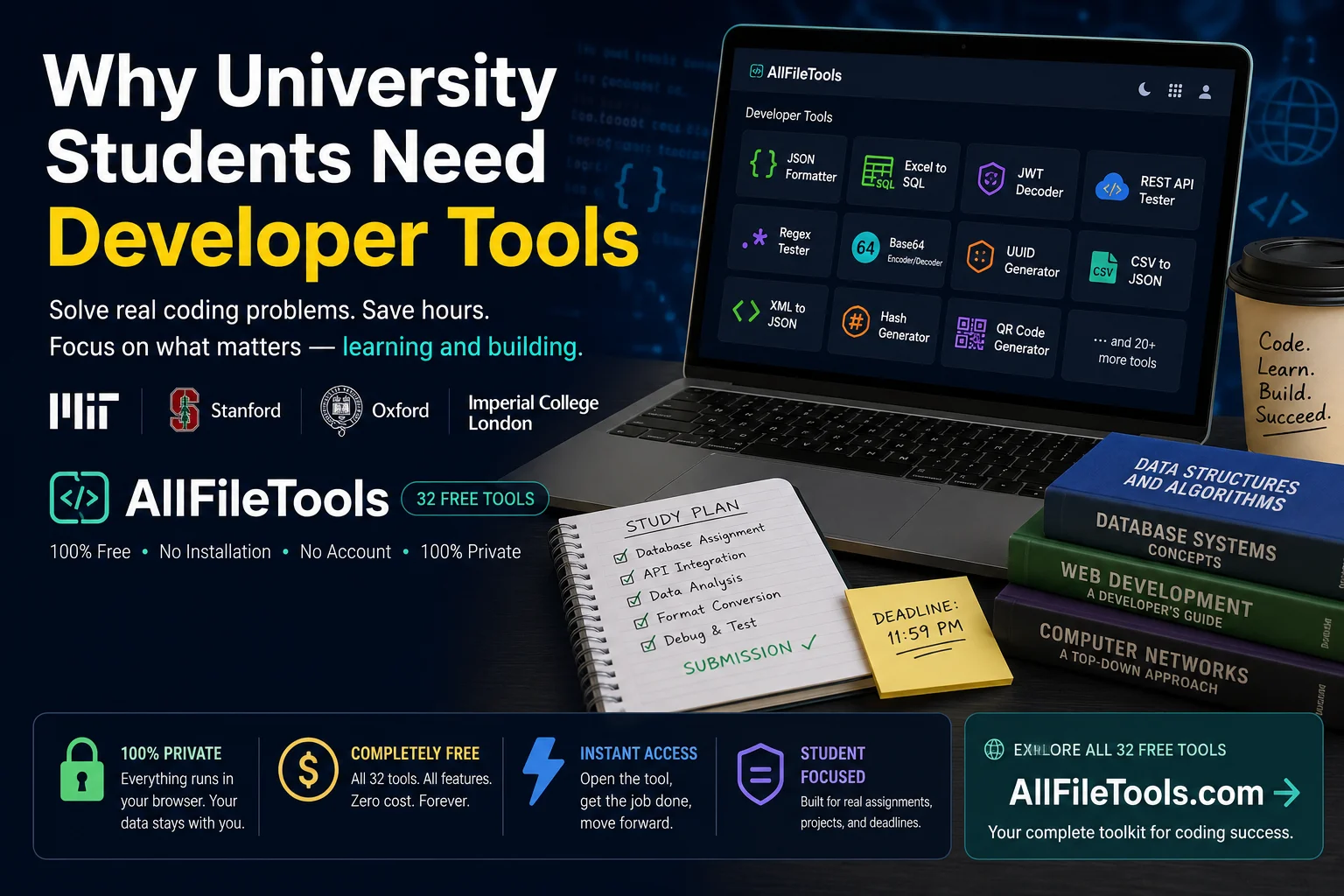
AllFileTools Developer Tools is a free, browser-based suite of 32 developer utilities covering format conversion, encoding, API testing, hashing, regex, and more. No installation. No account. No cost. Everything runs directly in your browser, which means your data never leaves your machine.
This article explains exactly which tools solve which student problems — and how to use them.
Who This Article Is For
This guide is written for students at universities including:
United States
- Massachusetts Institute of Technology (MIT)
- Stanford University
- Carnegie Mellon University
- University of California Berkeley
- Georgia Institute of Technology
- University of Washington
- Purdue University
- University of Michigan
United Kingdom
- University of Oxford
- University of Cambridge
- Imperial College London
- University of Edinburgh
- University of Manchester
- King's College London
- University of Bristol
- University of Southampton
Whether you are in your first year learning the basics of data formats or your final year building a full-stack capstone project, these tools will save you real time on real problems.
The 8 Biggest Developer Problems University Students Face — Solved
Problem 1 — Your JSON Output Is Unreadable
Who faces this: Every CS and Software Engineering student who works with APIs, REST services, or data assignments.
What happens: You call an API in your assignment code. The response comes back as one long unformatted string — {"user":{"id":1,"name":"John","email":"john@example.com","roles":["admin","editor"],"settings":{"theme":"dark","notifications":true}}} — and you need to present it in your report, debug it, or validate that it has the correct structure.
The solution: AllFileTools JSON Formatter & Validator
Paste your minified JSON into the tool. Instantly get:
- Properly indented, human-readable output
- Syntax highlighting for easy visual scanning
- Validation — if your JSON has a structural error, the tool tells you exactly where it is
How to use it:
- Go to allfiletools.com/json-formatter-validator/
- Paste your JSON into the input area
- Click Format — clean, readable output appears immediately
- If there is an error, the tool highlights the exact location
This is the tool you will use multiple times per week once you start working with any API or web service.
Problem 2 — Your Data Is in Excel but Your Assignment Needs a Database
Who faces this: Database Management students, Data Science students, Software Engineering students.
What happens: Your professor gives you a dataset in Excel format (.xlsx). Your assignment requires you to load it into a MySQL or PostgreSQL database and write queries against it. Manually writing INSERT statements for 200 rows would take hours. Writing a conversion script takes time you do not have.
The solution: AllFileTools Excel to SQL Converter
Upload your Excel file, enter your table name, and the tool generates clean SQL INSERT statements for every row automatically. It handles column headers as field names, escapes special characters correctly, and supports MySQL, PostgreSQL, and SQLite syntax.
How to use it:
- Go to allfiletools.com/excel-to-sql/
- Upload your .xlsx or .xls file
- Enter the table name your professor specified
- Download the generated SQL file
- Run it directly in your database — done
What used to take 45 minutes takes 45 seconds. This is one of the highest-impact tools for any student taking a databases module.
Problem 3 — You Need to Convert Data Between Formats for an Assignment
Who faces this: Data Science students, Web Development students, Software Engineering students, anyone working with APIs.
What happens: Modern software development requires constantly moving data between formats. Your API returns JSON but your analysis tool needs CSV. Your professor's dataset is CSV but your web app expects JSON. Your legacy integration assignment uses XML but your code is written for JSON.
The solutions — a complete conversion toolkit:
| You Have | You Need | Tool |
|---|---|---|
| CSV file | JSON | CSV to JSON |
| JSON data | CSV | JSON to CSV |
| Excel spreadsheet | JSON | Excel to JSON |
| JSON data | Excel | JSON to Excel |
| XML response | JSON | XML to JSON |
| JSON data | XML | JSON to XML |
| CSV file | SQL queries | CSV to SQL |
| Excel file | XML | Excel to XML |
| YAML config | JSON | YAML to JSON |
| JSON data | YAML | JSON to YAML |
Every one of these conversions is a task that students used to solve by writing throwaway scripts. Now each one takes 30 seconds and requires zero code.
Problem 4 — You Cannot Figure Out Why Your API Authentication Is Failing
Who faces this: Web Development students, Full-Stack students, Software Engineering students building applications with user authentication.
What happens: You are building a web application for your final year project. You implement JWT (JSON Web Token) authentication. A user logs in — the backend generates a token — the frontend stores it — and then every subsequent API call returns a 401 Unauthorized error. You have no idea why. Is the token malformed? Has it expired? Are the user roles wrong?
Most students spend hours console-logging token values and trying to decode them manually. There is a much faster way.
The solution: AllFileTools JWT Decoder & Validator
How to use it:
- Open your browser's developer tools (F12)
- Go to the Application tab → Local Storage or the Network tab → Request Headers
- Copy your JWT token (it looks like:
eyJhbGciOiJIUzI1NiIsInR5cCI6IkpXVCJ9.eyJ1c2VySWQiOjEsInJvbGUiOiJhZG1pbiIsImV4cCI6MTcwNTI0MTYwMH0.xyz) - Go to allfiletools.com/jwt-decoder/
- Paste the token
- The tool decodes and displays the header and payload in readable JSON
You can now immediately see:
exp— the expiry timestamp (convert to a date to see if it has expired)iat— when the token was issueduserId,role,email— whatever user data your backend encodesalg— the signing algorithm used
This tool alone has saved countless hours for students debugging authentication systems in their final year projects. Critically — the token is decoded entirely in your browser. It never gets sent to any server, which matters because JWT tokens carry sensitive user data.
Problem 5 — You Need to Test an API Endpoint Without Setting Up Postman
Who faces this: Web Development students, Full-Stack students, Mobile App students, anyone building or integrating with APIs.
What happens: You are working on your assignment at 2AM in the university library on a shared computer. You need to quickly test whether an API endpoint is responding correctly. Postman is not installed. Your own laptop is at home. You do not have time to install anything.
The solution: AllFileTools REST API Tester
How to use it:
- Go to allfiletools.com/rest-api-tester/
- Select your HTTP method (GET, POST, PUT, PATCH, DELETE)
- Enter the API URL
- Add any required headers — including
Authorization: Bearer your-tokenfor authenticated endpoints - Add a request body for POST/PUT requests (in JSON format)
- Click Send
- See the full response: status code, response headers, and response body with JSON highlighting
This handles the most common student API testing scenarios:
- Verifying that your backend routes respond before building the frontend
- Testing that your authentication middleware accepts valid tokens
- Checking that your data validation rejects incorrect inputs
- Confirming that a third-party API (weather, maps, payment) responds before writing integration code
For students working with GraphQL APIs — common in modern web development courses — the GraphQL Query Tester provides the same functionality with support for GraphQL queries and mutations.
Problem 6 — You Need to Write a Regular Expression and You Keep Getting It Wrong
Who faces this: Any student in any programming course — regular expressions appear in almost every language and framework.
What happens: You need to validate email addresses in your web application. Or extract phone numbers from a text dataset. Or match URLs in a web scraping assignment. You write a regex pattern — run your code — it either matches nothing or matches everything. You change one character and it breaks differently. You are in an endless loop.
The solution: AllFileTools Regex Tester
How to use it:
- Go to allfiletools.com/regex-tester/
- Enter your regex pattern in the Pattern field
- Paste your test string in the Test String field
- All matches are highlighted in real time as you type — you see the result of every character you add to the pattern
The tool shows you:
- All matches highlighted in the test string
- Individual capture groups and their captured values
- Named groups if you use them
- Support for flags (global, case-insensitive, multiline, dotAll)
Practical example for students:
Email validation regex: ^[a-zA-Z0-9._%+-]+@[a-zA-Z0-9.-]+\.[a-zA-Z]{2,}$
Paste this into the pattern field, then paste a list of email addresses into the test string field. You immediately see which ones match and which do not — and you can adjust the pattern and see the result change in real time.
Problem 7 — You Are Working with Encoded Data and Cannot Read It
Who faces this: Computer Science students, Cybersecurity students, Web Development students, anyone working with HTTP headers or authentication.
What happens: You are working on a networking assignment. You see a Base64-encoded string in an HTTP Authorization header and need to decode it to understand what it contains. Or you are in a Security module and need to encode a file to Base64 for an email attachment implementation. Or your web development assignment uses data URIs and you need to understand how the encoding works.
The solution: AllFileTools Base64 Encoder/Decoder
How to use it:
- To decode: Paste the Base64 string, click Decode, and see the original text or data.
- To encode: Type or paste your text, click Encode, and get the Base64 representation.
The tool supports standard Base64 and URL-safe Base64 (which uses - and _ instead of + and / — used in JWT tokens and URL parameters).
Also useful for URL encoding:
The URL Encoder/Decoder handles percent-encoding — critical for any student building web applications that pass user-supplied data in URL parameters. If your application breaks when a user enters a name with a space, an email with an @, or any string with special characters, URL encoding is the solution.
Problem 8 — You Need Unique IDs for Your Database Assignment
Who faces this: Database students, Web Development students, Full-Stack students.
What happens: Your database assignment requires setting up test data with unique identifiers. Your professor wants UUID primary keys rather than auto-incrementing integers. You need 50 unique IDs for your test dataset.
The solution: AllFileTools UUID Generator
Select batch generation, enter the number of UUIDs you need, and copy the entire list. Paste directly into your SQL seed file, your test fixture, or your configuration. Every UUID is cryptographically random and guaranteed unique — no duplicates in your dataset, no formatting issues, no manual entry errors.
Bonus Tools Every Student Should Know About
Hash Generator — For Cybersecurity and Cryptography modules, understanding hash functions is fundamental. Enter any string and generate MD5, SHA-1, SHA-256, or SHA-512 hashes instantly. Use it to verify file integrity, understand how password hashing works, or complete practical cryptography exercises without needing a programming environment.
CSV Diff Tool — For Data Science assignments where you transform a dataset and need to verify your output is correct, the CSV Diff Tool compares two CSV files and highlights every difference. Much faster than manually scanning rows in Excel.
QR Code Generator — For students presenting final year projects or capstone demonstrations, a QR code linking to your live project URL makes it easy for professors and visitors to access your work instantly on their phones.
Internet Speed Tester — Before spending an hour debugging slow API calls, check that your university network is actually performing. The speed tester gives you download speed, upload speed, and latency readings in 30 seconds — and can tell you whether the problem is your code or your connection.
HTML to Markdown / Markdown to HTML — For students writing technical documentation for their projects (required in most final year modules), these converters make it easy to move content between HTML-based wikis and Markdown-based README files without manual reformatting.
Why AllFileTools Is the Right Choice for Students
There are dozens of individual tools scattered across the internet that do individual tasks. The problem with using ten different websites for ten different tasks is that each one has its own interface to learn, its own privacy policy to trust, its own registration wall to climb, and its own ad-heavy experience to navigate.
AllFileTools Developer Tools solves this by putting all 32 developer utilities in one place, with three principles that matter specifically to students:
Everything is free — genuinely, completely free. Not a free tier with locked features. Not a free trial that expires. Every tool, every feature, zero cost, no credit card. For students managing tight budgets, this is not a small thing.
Your data stays private. Every tool on the platform runs entirely in your browser using client-side JavaScript. When you paste a JWT token, a database export, API credentials, or any sensitive data — it never travels to AllFileTools' servers. It never leaves your machine. For students working on projects that involve real user data or proprietary datasets, this matters significantly.
No account required, ever. You open the page, you use the tool, you close the page. No registration form, no email verification, no login wall between you and the tool you need at midnight before your deadline.
A Practical Study Session Workflow
Here is how a typical computer science student might use these tools in a single study session:
9:00 PM — Start working on database assignment. Professor provided data as Excel file. Use Excel to SQL to generate INSERT statements in 30 seconds. Load into MySQL and start writing queries.
9:45 PM — API integration for web dev project. Backend is returning data but something is wrong with authentication. Open JWT Decoder and decode the token — see immediately that it expired 6 hours ago. Fix the token expiry setting in the backend.
10:15 PM — Test that the fix worked. Use REST API Tester to send a request with the new token and confirm the endpoint responds correctly.
10:30 PM — Data Science assignment. Need to convert the processed dataset from JSON to CSV for the visualization tool. JSON to CSV handles it in 20 seconds.
11:00 PM — Need to validate email addresses in the web app. Build and test the validation regex using Regex Tester until the pattern works correctly for all test cases.
11:30 PM — Format the API response JSON for the assignment report. JSON Formatter makes it readable in one click.
11:45 PM — Done. Two assignments completed. No tools installed. No accounts created. No money spent.
Published by AllFileTools | Free Online Developer Tools for Students and Professionals
Tags: developer tools for students, free coding tools, JSON formatter, university computer science tools, free online IDE tools, SQL converter, JWT decoder, REST API tester
The Questions Every CS Student Eventually Asks
How to open developer tools in Chrome?
Press F12 or right-click anywhere on the page and select "Inspect." You can also use the shortcut Ctrl + Shift + I (Windows) or Cmd + Option + I (Mac).
What is developer tooling?
Developer tooling refers to the set of software utilities that help programmers write, test, debug, and format code more efficiently — including formatters, converters, API testers, and encoders.
What are software development tools?
Software development tools are programs or browser-based utilities that assist developers in building applications — covering areas like data conversion, API testing, regex matching, hashing, and encoding.
How to inspect fonts on website developer tools?
Open Chrome DevTools (F12), click the Elements tab, select any text element, and check the Computed panel on the right — it shows the resolved font family, size, and weight being applied.
What are the best AI tools for developers?
For everyday coding tasks, browser-based tools like JSON formatters, JWT decoders, REST API testers, and regex testers remain the most practical — no setup, no cost, and instant results right in your browser.
How can developer tools be used by attackers?
Browser developer tools can expose API endpoints, token structures, and network requests if applications are not properly secured — which is why understanding tools like JWT decoders and Base64 encoders is essential for writing secure code.
What are the best government-compliant tools for secure AI development?
For secure environments, browser-based tools that process data entirely client-side — never sending it to external servers — are the safest choice, as no sensitive data leaves the user's machine.
How can generative AI tools benefit a product development team?
AI-assisted tools can speed up repetitive tasks like data format conversion, documentation writing, and test data generation — freeing developers to focus on architecture and logic rather than manual work.
What is the best feature flag tool for developers?
Feature flag tools allow teams to toggle features on or off without redeploying code. For students and small teams, lightweight browser-based config tools paired with JSON or YAML converters offer a simple starting point.
How to add developer tools in Excel?
In Excel, go to File → Options → Customize Ribbon, then enable the Developer tab. For converting Excel data into formats like SQL, JSON, or XML, browser-based tools like AllFileTools handle the conversion instantly without any Excel add-ins needed.
Conclusion
University computing assignments have always required working with data formats, APIs, encodings, and databases. What has changed in 2026 is that the tools to handle these tasks are no longer locked behind expensive software licences, complex installations, or registration walls.
AllFileTools Developer Tools gives every student — whether you are at MIT, Stanford, Oxford, or Manchester — access to 32 free, private, browser-based utilities that solve the real problems that come up in every computing module, every database assignment, and every final year project.
The tools are right there. Free, instant, and ready to use the next time you need them.