You downloaded a song from iphone and it's .m4a. Your car stereo only reads .mp3. Or your podcast host requires .mp3 before it'll accept the upload. Or maybe you just want to know which format is actually worth keeping and which one you've been using for no particular reason.
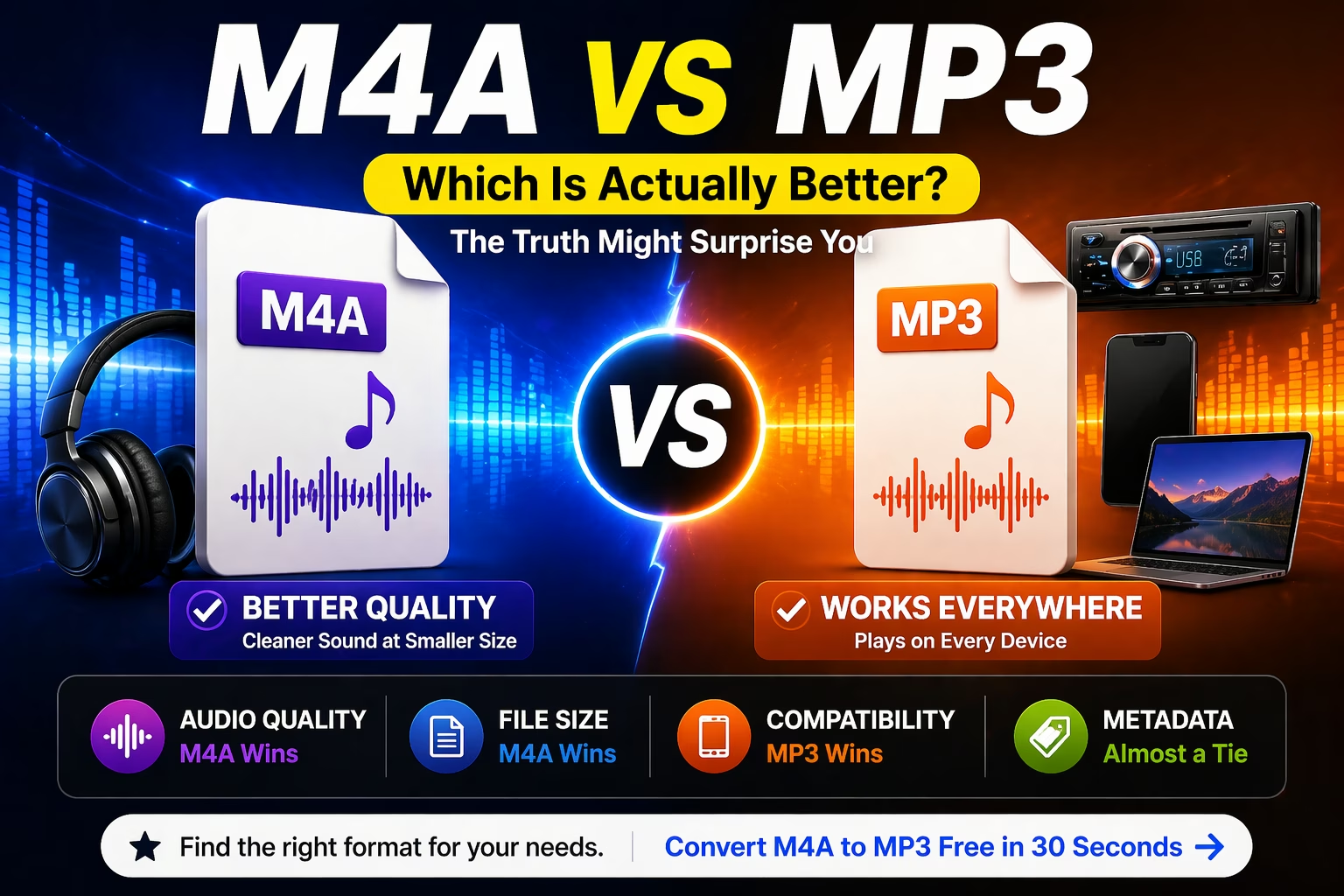
Here's the short version: M4A wins on audio quality. MP3 wins on compatibility. For most people, the difference won't matter much at all. But the format does matter if you're podcasting, archiving recordings, or dealing with a device that refuses to cooperate. Here's what you actually need to know.
What Is M4A?
M4A stands for MPEG-4 Audio. It's Apple's default audio format — the one your iPhone uses when you record a voice memo, the one GarageBand exports, and the one iTunes has used for music downloads since the early 2000s.
Almost all M4A files use the AAC (Advanced Audio Coding) codec. AAC is more efficient than MP3's encoding method, which means it can deliver cleaner audio at the same file size — or the same audio quality at a smaller file size. A 128 kbps M4A file sounds noticeably better than a 128 kbps MP3 file. At higher bitrates (256 kbps and above), most people won't hear a difference in everyday listening.
M4A files can also use ALAC (Apple Lossless Audio Codec), which keeps the audio completely uncompressed — useful for archiving master recordings, not for casual listening.
What Is MP3?
MP3 is the format that basically invented how we share audio online. It's been around since 1993, and for a long time it was the audio format — the one that filled early iPods, fueled the file-sharing era, and still ships as the default on more devices and platforms than any other format.
MP3 uses MPEG Layer 3 compression. It removes parts of the audio signal that human hearing is less sensitive to, shrinking file sizes dramatically compared to uncompressed WAV or AIFF. The trade-off is some loss in audio quality, especially at lower bitrates (below 128 kbps, it starts sounding rough).
Its age is actually its strength. Every media player, car stereo, podcast platform, and operating system made in the past 25 years plays MP3. No caveats, no workarounds.
M4A vs MP3: Head-to-Head Comparison
Audio Quality
At the same bitrate, M4A (AAC) sounds better than MP3. That's not opinion — it's how AAC was designed. It uses a more sophisticated compression model that preserves more audio detail, particularly in the high-frequency range.
In practice: a 192 kbps M4A file is roughly equivalent in quality to a 256 kbps MP3 file. You get the same listening experience with a smaller file.
That said, once you're comparing 256 kbps or 320 kbps MP3s, the difference becomes very hard to hear without studio headphones and a controlled listening environment. Blind tests consistently show most people can't reliably distinguish between the two at high bitrates.
| Bitrate | M4A (AAC) Quality | MP3 Quality |
|---|---|---|
| 128 kbps | Good — clean and detailed | Acceptable — audible compression artifacts at times |
| 192 kbps | Very good | Good |
| 256 kbps | Excellent | Very good |
| 320 kbps | Excellent | Excellent (nearly indistinguishable) |
Winner: M4A — especially noticeable at mid-range bitrates (128–192 kbps).
File Size
Because M4A's codec is more efficient, it produces smaller files at the same quality level. A 4-minute song encoded at "equivalent quality" will be roughly 15–20% smaller as M4A compared to MP3.
At very low bitrates (64–96 kbps), MP3 files can actually be smaller — but they'll also sound considerably worse. That's mostly relevant for voice recordings, audiobooks, or situations where quality is less important than storage.
Winner: M4A — smaller files at equivalent quality.
Compatibility
MP3 plays on everything. Literally. It's supported natively by Windows, macOS, iOS, Android, every major browser, every podcast platform, every car stereo with a USB port, and most Bluetooth speakers.
M4A works natively on Apple devices and most modern applications — VLC, Spotify, YouTube, and current versions of Chrome and Firefox all support it. But compatibility holes exist: older Android media players, some car stereos, certain recording devices, and a handful of podcast hosts won't accept M4A without conversion.
Winner: MP3 — no device will ever reject it.
Metadata and Album Art
Both formats support embedded metadata (artist name, album, track number, cover art). In practice, M4A handles this more reliably within Apple's ecosystem — iTunes and Music.app on macOS handle M4A metadata cleanly without the occasional syncing quirks you sometimes see with MP3 tags.
For everything outside Apple's apps, both formats behave similarly.
Winner: Tie (slight edge to M4A in Apple apps).
Editing and Production
Neither M4A nor MP3 is a good format for audio editing. Both are lossy — every time you encode a lossy file, you lose some quality. Edit a 128 kbps MP3, save it as another MP3, and the quality degrades further with each pass.
If you're recording, editing, or doing anything in a production workflow, use WAV or AIFF. Keep M4A and MP3 for final delivery only.
Winner: Neither — use WAV/FLAC for editing.
Need to convert M4A to MP3? It takes about 30 seconds and is completely free → M4A to MP3 Converter on AllFileTools
When Should You Use M4A?
Use M4A when:
- You're staying entirely within the Apple ecosystem (iPhone, Mac, iPad, Apple TV).
- Storage space matters and you want the best quality-to-size ratio.
- You're archiving voice recordings or music files you'll play through Apple devices.
- You're working with iTunes, Music.app, or GarageBand — all export M4A by default.
There's no real reason to convert M4A files if they work fine on your devices. The format is efficient and sounds great. The only time M4A becomes a problem is when you try to move files outside Apple's world.
When Should You Use MP3?
Use MP3 when:
- You're publishing a podcast — most podcast hosts require or strongly prefer MP3.
- You're sharing a file and you don't know what the other person's device is.
- You're uploading audio to a platform that doesn't specify format (safer bet).
- You're playing audio from a USB stick in a car stereo.
- You're sending audio to someone on Windows who might not have a media player that handles M4A.
When in doubt, MP3 is the safe default. You might be giving up a tiny bit of quality at lower bitrates, but you'll never have a compatibility problem.
How to Convert M4A to MP3 (and Vice Versa)
Converting between the two formats is straightforward. Keep in mind that converting M4A to MP3 is a lossy-to-lossy conversion — you're re-encoding an already compressed file, which will cause some quality loss. It won't be dramatic at 192 kbps or higher, but it's not the same as encoding from an original uncompressed source.
To convert M4A → MP3:
- Go to AllFileTools M4A to MP3 Converter
- Upload your .m4a file
- Select MP3 as the output format and choose your bitrate (320 kbps recommended)
- Download the converted file
To convert MP3 → M4A:
The same process works in reverse. AllFileTools also has an MP3 to M4A converter if you need to bring files back into an Apple-friendly format.
Both conversions take under a minute for typical files. No account required.
Which Format Is Better for Podcasts?
MP3. This isn't really debatable — it's just what the podcasting ecosystem runs on.
Buzzsprout, Spotify for Podcasters, Anchor, Podbean, and every major podcast host accept MP3 and most recommend it explicitly. Many hosts will reject M4A uploads or convert them automatically (which adds an unnecessary re-encoding step).
For voice, 128 kbps mono MP3 is the industry standard. It keeps file sizes small and sounds clean for speech.
Which Format Is Better for Music?
For personal listening: M4A is very slightly better, though the difference is essentially inaudible on most setups above 192 kbps.
For sharing: MP3 is safer. You don't know if the person you're sending a file to is on an Apple device, and M4A on Windows still requires a media player that supports it (most modern ones do, but not all).
Worth noting: most major streaming platforms (Spotify, Apple Music, YouTube Music) actually stream AAC internally — the same codec M4A uses. So when you're streaming, you're basically already listening to the M4A-quality version.
Frequently Asked Questions
One Tool Answers All These Questions, No software, no signup, works on every device.
Question |
Answers |
|
How to convert M4A to MP3 on iPhone |
Open AllFileTools in Safari, upload your M4A, tap convert |
|
How to convert M4A to MP3 on Windows |
No software needed — use AllFileTools directly in Chrome |
|
How to change M4A to MP3 on Mac |
Works natively in any browser on Mac — no iTunes needed |
|
Can I change M4A to MP3 |
Yes, instantly and free at AllFileTools |
Is M4A higher quality than MP3?
At the same bitrate, yes — M4A (AAC) consistently produces better audio quality than MP3. The difference is most noticeable at low-to-mid bitrates (128–192 kbps). At 320 kbps, both formats sound virtually identical to most listeners.
Can MP3 players play M4A files?
Modern media players (VLC, Windows Media Player updated versions, most smartphone apps) can play M4A. Older dedicated MP3 players — the kind from the early 2000s — usually cannot. If you have an older device or a car stereo that only reads MP3, you'll need to convert.
Why does iPhone save audio as M4A and not MP3?
Because M4A (AAC) is more efficient than MP3 at the same quality level, making it better for storage-constrained devices. Apple has used AAC as its standard audio codec since the iTunes era, and M4A files integrate cleanly with the rest of Apple's ecosystem.
Does converting M4A to MP3 reduce quality?
Yes, but usually not in a way you'll notice. Both formats are lossy, so converting between them means re-encoding an already-compressed file. At 192 kbps or higher, the quality loss from a single conversion is minor. If you're doing multiple conversions or working with very low bitrates, the degradation becomes more audible.
What is the best bitrate for MP3?
For music, 320 kbps is the highest standard MP3 quality — essentially transparent to most ears. 256 kbps is excellent and barely distinguishable from 320 kbps. For voice recordings and podcasts, 128 kbps mono is the standard and sounds clean for speech.
Convert any M4A file to MP3 instantly — free, 320 kbps, no signup required → AllFileTools M4A to MP3 Converter