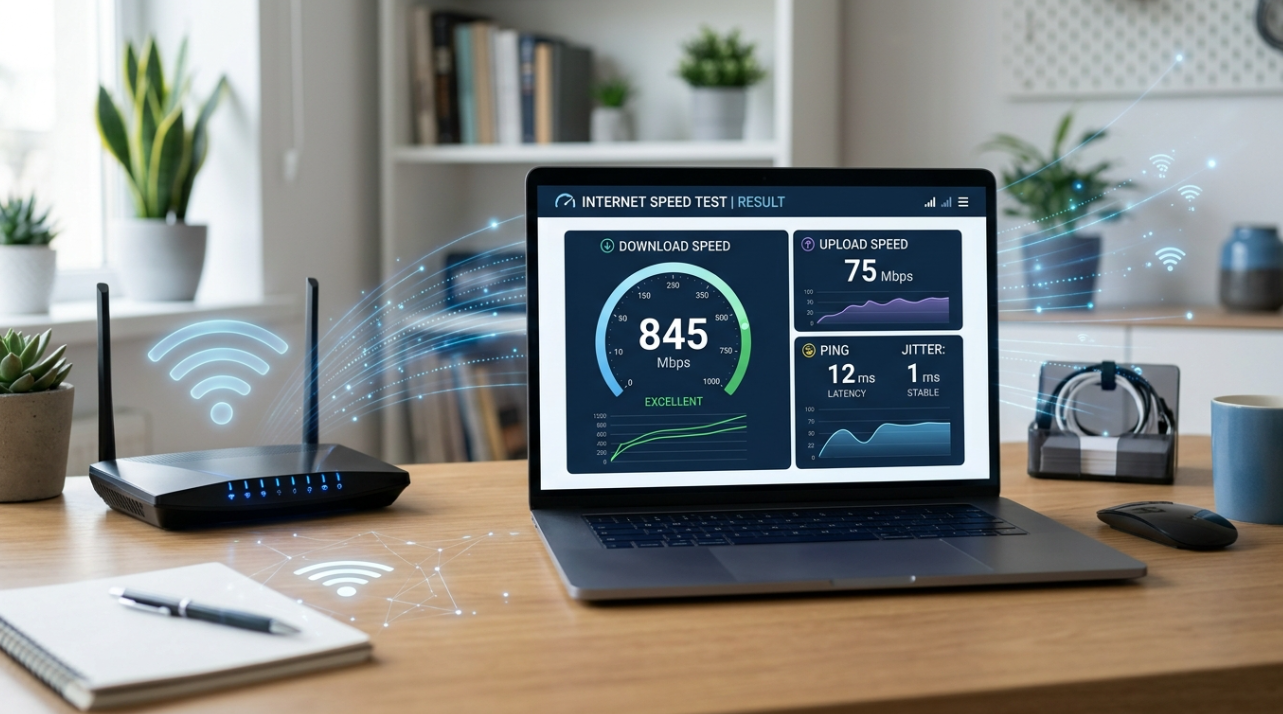
A slow internet connection can make even simple online activities frustrating. Websites take longer to load, video calls may become unstable, streaming services can buffer, and large files can take much longer to download. Before changing your internet plan or replacing your router, it is worth finding out what is actually happening with your connection.
The easiest starting point is to check internet speed online. A speed test can provide useful information about your connection and help you determine whether the problem is related to your internet service, Wi-Fi network, or individual device.
What Does an Internet Speed Test Measure?
An internet speed test generally measures several aspects of your connection, including download speed, upload speed, and latency.
Download speed indicates how quickly data can reach your device from the internet. It matters when streaming videos, browsing websites, downloading files, or using cloud applications.
Upload speed measures how quickly your device can send data to the internet. This becomes particularly important for video conferencing, uploading large files, backing up photos, and sharing content online.
Latency, commonly measured in milliseconds, represents the delay involved in sending data between your device and a server. Lower latency can be particularly useful for activities that require quick responses, such as online gaming and interactive video calls.
Understanding these measurements makes the results of a speed test much more useful than simply looking at the largest number displayed on the screen.
How to Check Internet Speed Online
Running an online speed test usually takes only a few moments. Start by choosing a reputable browser-based testing service and open it on the device where you are experiencing the problem.
Before starting the test, close applications that may be consuming significant bandwidth. Pause downloads, streaming services, cloud backups, and other activities that could affect the result.
Then start the test and allow it to complete. You will normally receive measurements for download speed, upload speed, and latency.
For a more reliable picture, perform several tests at different times rather than relying on a single result. Internet performance can change during the day because of network congestion and other factors.
Why a Wireless Internet Speed Test Can Be Different
If you are connected through Wi-Fi, the results may not represent the maximum performance of your internet service. Wireless connections are affected by several environmental and technical factors.
The distance between your device and router is one important consideration. Walls, floors, furniture, and other obstacles can weaken the wireless signal. Nearby electronic devices and neighboring wireless networks may also contribute to interference.
This is why a wireless internet speed test can produce different results depending on where the test is performed.
For example, you may receive excellent speeds while standing close to the router but significantly lower speeds in a bedroom or upstairs office. That difference does not automatically mean your internet provider is delivering an inadequate connection. The issue may be related to wireless coverage.
Using a Wi-Fi Speed Tester to Find Weak Spots
A Wi-Fi speed tester can help you investigate performance throughout your home or office. Instead of testing from only one location, try testing from several rooms.
Record the results and compare them. If the speed remains consistent throughout the property, your wireless network may be performing normally. If performance drops substantially in specific areas, the location of the router or the strength of the wireless signal may be contributing to the problem.
Moving the router to a more central and open location can sometimes improve coverage. Keeping it away from enclosed cabinets and potential sources of interference may also help.
For larger properties, a mesh Wi-Fi system or additional access point may provide better coverage than relying on a single router.
Why Your Speed Test May Not Match Your Internet Plan
It is common for users to compare a speed-test result directly with the advertised speed of their internet package. However, several factors can affect the actual result.
The device itself may have hardware or software limitations. Older wireless standards may also provide lower performance than newer Wi-Fi technology.
The number of connected devices matters as well. If several people are streaming videos, downloading files, playing games, or using cloud services simultaneously, available bandwidth may be shared between them.
The test server and its geographical location can also influence results. For this reason, a small difference between your test result and the advertised maximum speed does not necessarily indicate a problem.
How to Get More Accurate Test Results
Consistency is more important than performing one test and immediately drawing a conclusion.
Run multiple tests at different times of day. If possible, compare a test performed over Wi-Fi with one performed using a wired Ethernet connection. This can help determine whether the issue is related to your wireless network.
You should also test from the same device when comparing results. Changing devices introduces another variable and can make the comparison less meaningful.
If the wired connection consistently performs close to the expected level while Wi-Fi is significantly slower, your wireless setup may deserve further investigation.
What to Do If Your Internet Is Consistently Slow
If repeated tests show unusually low speeds, start with basic troubleshooting. Restart your router and modem, check the cables, update your device's network software, and make sure your router firmware is current.
You can then repeat the test. If the problem continues across multiple devices and connection types, contact your internet provider and share the results.
Keeping a record of several tests can make the conversation with your provider more productive because you can demonstrate when and how often the problem occurs.
Knowing how to check internet speed online gives you a simple way to understand your connection before making expensive changes. Download speed, upload speed, and latency each tell part of the story, while a wireless internet speed test can help identify whether Wi-Fi is affecting performance.
For households or offices with coverage problems, a Wi-Fi speed tester can also help identify areas where wireless performance needs attention.
Rather than assuming that every slow connection requires a faster internet package, test first, compare results, and identify the actual source of the problem. A few minutes of testing can provide valuable information and help you choose the right solution.



Leave a Comment
Loading comments...