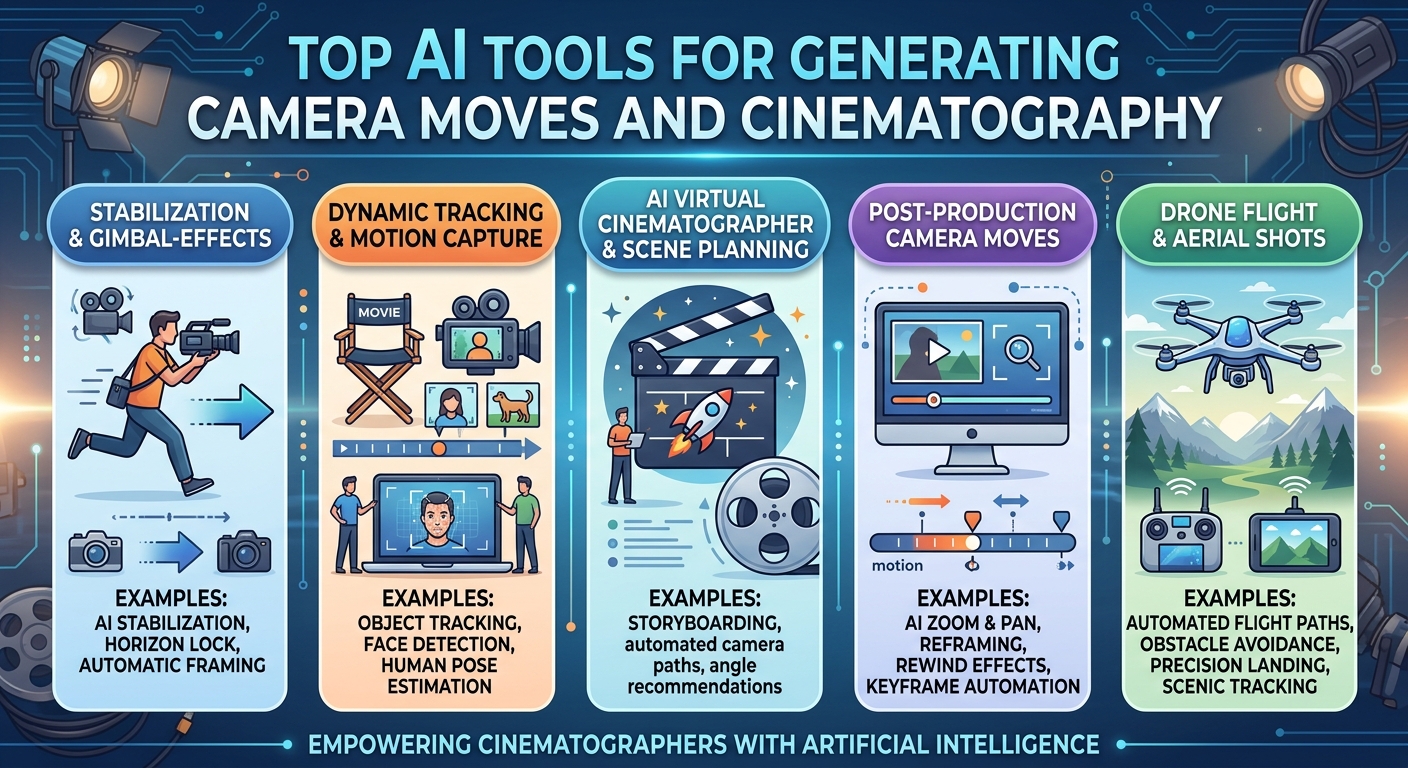
Cinematography is more than camera movement, it's the combination of lighting, lens choice, and composition that gives a shot its emotional register, and one industry framework describes a shot as having four distinct lives: Reference, where a look gets defined; Design, where lighting and lens choices get planned; Capture, where the shot actually gets framed and lit; and Review, where the finished result gets evaluated. AI tools now touch every one of those stages, though rarely the same tool twice. This list follows that structure, pairing genuine generation tools with the specialist craft software cinematographers actually use.
Comparison table
|
|
|
|
|
|
|
|
|
|
|
|
|
|
|
|
|
|
|
|
|
|
|
|
|
|
|
|
|
|
|
|
|
|
|
|
|
|
|
|
|
|
|
|
|
|
|
|
|
|
1. invideo agent
Most tools on this list serve one life of a shot well: a reference library, a lighting planner, a viewfinder. invideo agent is built to carry cinematographic decisions across all of them inside a single generated project. Camera Controls let a director choose a specific, deliberate move, a slow dolly-in, a crash zoom, a 360-degree orbit, and a persistent context engine holds that decision, along with a project's established lighting mood and visual style, consistent across every shot rather than resetting with each new generation.
The platform routes each shot to whichever of its 200+ integrated models fits that particular cinematographic need, including Veo 3.1, Sora 2, Kling 3.0, Seedance 2.0, Runway, PixVerse, Hailuo, WAN, Recraft, GPT Image 2.0, and Nano Banana, which means a film can draw on whichever model handles a specific lighting condition or lens character best without losing a unified cinematographic identity across the cut.
Best for: productions that need cinematographic consistency, camera language, lighting mood, and look, held across a full multi-shot project generated from a script.
Where it falls short: it generates cinematography rather than planning or reviewing footage a DP shot practically, so the specialist tools below still matter for a production with a real physical shoot.
Pricing: plans start at $17/month, with team and enterprise options also available.
2. ShotDeck
ShotDeck is a searchable library of real film stills, tagged by lighting setup, lens, aspect ratio, color, and composition, letting a cinematographer build a reference deck for a project's look grounded in shots that actually exist rather than an AI's approximation of a style.
Best for: building a grounded visual reference deck from real film stills before any lighting or lens decisions are made.
Where it falls short: it's a reference and search tool, not a generation, planning, or review platform, so it feeds the earliest stage of a shot's life rather than any of the later ones.
Pricing: subscription-based.
3. Set.a.light 3D
Set.a.light 3D lets a cinematographer design a lighting setup in a 3D digital space, placing virtual lights, modifiers, and a camera to preview how a scene will actually be lit before a single physical light goes up on set.
Best for: planning and testing a lighting design digitally before committing time to physically rigging a set.
Where it falls short: it's a lighting design specialist rather than a camera-move or full-scene generation tool, and the real light on the day still has to be read and shaped live.
Pricing: subscription-based.
4. ImagineArt Film Studio
ImagineArt Film Studio's Camera section accepts genuinely cinematographic inputs, camera type, lens type, focal length, and aperture, directly, which makes technical previs possible without renting equipment, testing how a specific lens choice will actually render a scene before committing to it.
Best for: technical previs using real cinematographic parameters, lens and aperture, rather than vague style descriptions.
Where it falls short: it's a previsualization tool for planning those decisions, not the final production-grade generation a finished film needs.
Pricing: free tier available; paid plans scale from there.
5. Storyflow
Storyflow keeps a shot plan, lighting references, and lens notes on one canvas that a director and DP can both read, closing the specific gap that shows up when a shot's intent lives in scattered PDFs and messages instead of one shared, connected plan the DP has to keep reconstructing from memory.
Best for: keeping a cinematographic shot plan and its references visible to the whole team across the reference and design stages.
Where it falls short: it doesn't design lighting or simulate a lens itself, so it complements specialist tools like Set.a.light 3D rather than replacing them.
Pricing: free, with unlimited boards.
6. Cadrage
Cadrage turns a phone into a director's viewfinder, simulating the exact field of view of a specific camera and lens combination on set, so a cinematographer can walk a location and frame shots accurately before the real camera package arrives.
Best for: framing and blocking shots on location with an accurate simulation of a real lens's field of view.
Where it falls short: it's a viewfinding tool for the physical capture stage, not a planning, generation, or review platform.
Pricing: one-time app purchase.
7. Frame.io
Frame.io provides frame-accurate review and approval on a cut, letting a director, DP, and colorist leave time-coded comments directly on the footage rather than trying to describe a specific frame's lighting or composition issue over email.
Best for: getting frame-accurate feedback and approval on cinematography once footage exists, whether from a practical shoot or generation.
Where it falls short: it's a review platform, not a tool for designing or generating the cinematography itself.
Pricing: free tier available; paid plans scale from there.
8. PixVerse V6
PixVerse V6 treats cinematography as a set of literal optical parameters rather than a style cue, exposing focal length, aperture, depth of field, lens distortion, chromatic aberration, and vignetting directly, closer to briefing a camera operator than writing a caption.
Best for: controlling a generated shot's actual lens and optical characteristics with precision.
Where it falls short: that fine control has a real learning curve, and the platform doesn't retain memory between generations.
Pricing: consumer plans from around $10/month.
9. Luma Ray 3.14
Ray 3.14 shipped the first AI video model with native 16-bit HDR output, and its camera motion is grounded in NeRF-style 3D-space reasoning, which is why both its lighting range and its physical camera movement read as unusually convincing rather than the flatter, floatier quality more purely 2D approaches show.
Best for: generated shots where lighting range and physically grounded camera motion matter most.
Where it falls short: complex scenes with heavy simultaneous motion can still break coherence.
Pricing: plans from roughly $7.99/month.
10. ArtNovaAI
ArtNovaAI generates stills specifically in film-industry visual language, the orange-teal grade of a modern action film, the warm grain of a period piece, the cold clinical blue of a sci-fi thriller, applying dramatic lighting, cinematic color grading, and lens physics to concept and mood imagery at 4K.
Best for: generating concept art or mood imagery in a specific, named cinematic visual language before committing to full production.
Where it falls short: it's a stills and concept tool rather than a video generation or camera-move platform.
Pricing: free commercial license included on every plan.
Which one should you use
- Full cinematography held consistent across a generated project → invideo agent
- A grounded reference library from real film stills → ShotDeck
- Designing a lighting setup in 3D before rigging a set → Set.a.light 3D
- Technical previs with real lens and aperture parameters → ImagineArt Film Studio
- A shared shot plan and references across the whole team → Storyflow
- An accurate director's viewfinder for framing on location → Cadrage
- Frame-accurate review and approval on a cut → Frame.io
- Literal lens-level control over a generated shot → PixVerse V6
- HDR lighting range with physically grounded camera motion → Luma Ray 3.14
- Cinematic-language concept and mood imagery → ArtNovaAI
Frequently asked questions
What are the "Four Lives of a Shot" in cinematography? It's a framework describing a shot's progression through Reference (defining a look from existing examples), Design (planning lighting and lens choices), Capture (framing and lighting the actual shot), and Review (evaluating the finished result). AI tools tend to specialize in one of these four stages rather than covering all of them equally.
Can AI actually simulate a specific lens's character, not just camera movement? Yes, on a few of these platforms. PixVerse V6 exposes focal length, aperture, depth of field, lens distortion, and chromatic aberration as explicit parameters, and ImagineArt Film Studio's previs tools accept real camera type, lens type, focal length, and aperture inputs, both treating lens character as a literal technical setting rather than a vague style descriptor.
Do professional cinematographers actually use AI tools, or just directors and generalists? Yes, though usually specialist tools rather than general video generators. ShotDeck for reference, Set.a.light 3D for lighting design, and Cadrage for on-set viewfinding are all built specifically around a working DP's craft, and none of them are replaced by a general-purpose AI video generator.
Is there a tool that keeps a cinematographic look consistent across a whole generated film, not just one shot? This is exactly the problem invideo agent's persistent context engine addresses, holding a project's established lighting mood, camera language, and visual identity consistent across every generated shot rather than resetting it with each new generation.
Is AI cinematography tooling free to test on any of these platforms? Several offer usable free tiers, including Storyflow (free with unlimited boards), ImagineArt Film Studio, Frame.io, and ArtNovaAI's included commercial license, though the deepest lighting design and reference-library tools are typically subscription-based from the start.