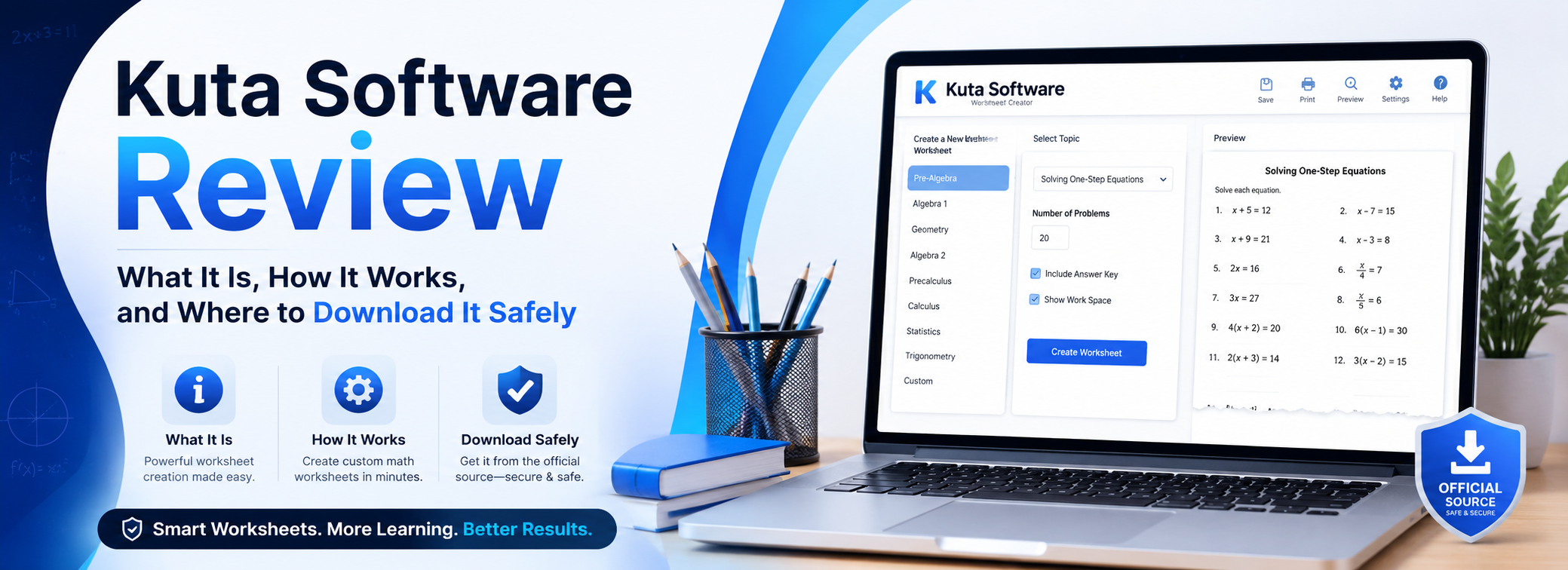
AllFileTools | Software Guides & Downloads Last Updated: June 2026 | Category: Education Software
If you searched for "Kuta Software" and landed here, you're probably a math teacher looking for a faster way to create worksheets, a student trying to get more practice problems, or someone who just heard about the tool and wants to know if it's legit before downloading it. Whatever brought you here — you're in the right place.
At AllFileTools, we help people find the right software without the guesswork. So let's get straight into it: Kuta Software is real, it's been around since 2002, and it's used by over 50,000 math teachers in 90 countries. It's not a scam, it's not spyware, and it's not some random app — it's one of the most trusted math tools in education today.
We tested the Infinite Algebra 1 trial on Windows 11 and found the worksheet generation took under 10 seconds for a 20-question assignment — noticeably faster than manually typing problems, and every answer key was generated automatically without a single error.
Here's everything you need to know before you download it.
So What Exactly Is Kuta Software?
Kuta Software LLC is a company based in North Bethesda, Maryland, and they make one thing: math worksheet and test generator software. That's it. No fancy dashboards, no AI gimmicks, no subscription boxes. Just a solid desktop program that lets teachers and students create, customize, and print math problems in minutes.
The software was founded in 2002 by educators who were tired of manually typing algebra problems at midnight before a class. They built a tool that generates questions automatically — and the math community never looked back.
Today it covers everything from basic Grade 6 math all the way up to Calculus, and it works on both Windows and Mac.
Official Website: https://www.kutasoftware.com
Who Is Kuta Software Actually For?
A lot of people search for Kuta Software without being totally sure if it's meant for them. Here's a quick breakdown:
Math Teachers are the primary audience. If you teach any level of math from middle school to high school, this software will save you serious time. Instead of writing out 20 algebra problems by hand, you click a topic and the software generates as many as you need — with answer keys included.
Students can also benefit a lot. If you want extra practice before an exam, or you keep getting a certain type of problem wrong and need to drill it repeatedly, Kuta gives you unlimited fresh questions on the same topic. Every time you click, you get a new set.
Homeschoolers and Private Tutors find it especially useful because it covers a complete school math curriculum. You can essentially run a full math course using nothing but Kuta Software's worksheets — from fractions in Grade 6 all the way to integration in Calculus.
New Learners who are picking up math later in life or brushing up for a career switch will find the step-by-step structure helpful. You can start at the basics and work up at your own pace.
Looking for other educational tools? Check out our guides on Best Free PDF Tools for Students and Top File Converter Tools for Teachers on AllFileTools.
What Products Does Kuta Software Include?
Kuta Software is actually a collection of separate programs, each focused on one level of math. You can buy individual programs or get all of them together.
Infinite Grade 6 Math covers foundational topics like fractions, decimals, percentages, ratios, and introductory geometry — ideal for middle school students building their core math skills.
Infinite Pre-Algebra covers number theory, expressions, basic equations, and inequalities. It's the bridge between arithmetic and algebra, and one of the most searched Kuta products online.
Infinite Algebra 1 is the most popular product in the lineup. It handles linear equations, graphing, systems of equations, polynomials, and factoring — all the big topics in a first-year algebra course.
Infinite Geometry covers angles, triangles, circles, proofs, surface area, and volume. The software generates accurate geometric diagrams automatically, which is something most other tools get wrong.
Infinite Algebra 2 goes deeper into quadratic functions, logarithms, sequences, matrices, and complex numbers — everything you need for a second-year algebra class.
Infinite Precalculus covers trigonometry, vectors, conic sections, and an introduction to limits. It's the last stop before calculus.
Infinite Calculus handles differentiation, integration, related rates, and more advanced topics. With over 10,000 problem variations, it's nearly impossible to run out of practice material.
Kuta Works is the online add-on that lets teachers post assignments digitally. Students complete them through a browser, and the platform automatically grades responses and tracks progress — no paper needed.
Features That Actually Matter
Here's what makes Kuta Software worth using day-to-day:
Unlimited Unique Questions. The software does not pull from a fixed question bank. It generates problems by randomly selecting variables and values within your chosen parameters. So you can assign the same topic to students on multiple days and they'll always get different numbers. This is the core feature that teachers love most.
Full Control Over Difficulty. You decide everything — how many problems, what types, how hard, how much spacing for working space. You can make a quick 5-question warm-up or a full 50-question exam. You can also scale the number of questions up or down proportionally with one click, which saves time when switching between classwork and homework versions.
Automatic Answer Keys. Every single assignment comes with a full answer key generated instantly. There's nothing to calculate yourself. Teachers can check their own work or just hand the key to a teaching assistant.
Multiple Test Versions. To stop students from copying during exams, Kuta can produce multiple versions of the same test automatically. You can scramble the question order, scramble the answer choices for multiple-choice questions, or generate entirely new numbers while keeping the same concept. Every student gets a different paper.
Presentation Mode. Connect your laptop to a projector or smart board, switch to Presentation Mode, and Kuta displays one to four problems at a time on the big screen. You can zoom in so the back row can read it clearly, and draw working lines next to the problem while you solve it in front of the class. It turns the software into a teaching aid, not just a printing tool.
PDF and Image Export. Finished worksheets can be exported as PDFs or bitmap images. You can email them to students, upload them to Google Classroom, or paste individual questions into Word documents. The integration with other tools is smooth and requires no special setup.
Kuta Works Auto-Grading. When students complete assignments through Kuta Works online, the platform grades them instantly and sends results back to the teacher's dashboard. You can see how long each student spent, which questions they flagged, and what their final score was — all without touching a single paper.
How to Download Kuta Software
Getting the software onto your computer takes about five minutes:
- Go to the official website: https://www.kutasoftware.com
- Click on the product you want to try — for example, Infinite Algebra 1
- Hit the Free Trial button to download the installer
- Open the downloaded file and follow the on-screen installation steps
- Launch the software and start building your first worksheet
No account is required to start the free trial. You get full access for 14 days. The only thing you cannot do during the trial is print directly to PDF — everything else works without restriction.
After the trial, you'll need to purchase a license to keep using it. The license is tied to your email, and you can activate it on up to two computers at the same time.
Also useful: If you need to convert or compress your exported worksheets before sharing, check out our Free PDF Compressor Tool and PDF to Word Converter — both free to use directly on AllFileTools.
Kuta Software Pricing — How Much Does It Cost?
One of the best things about Kuta Software is its pricing model. Unlike most software today that charges you every month, Kuta uses a one-time lifetime license. You pay once and own it forever with no renewal fees.
| License Type | Single Program | All 6 Programs |
|---|---|---|
| Single-User License | $150 | $700 |
| Campus Site License | $400 | $1,850 |
A single-user license works on up to two computers, which is perfect for a teacher splitting time between school and home. The campus site license covers an entire school with unlimited installs and runs for three years, including home computer use for all staff.
Kuta Works student seats are billed separately at $1 per student seat — making it one of the most affordable online grading platforms available for schools.
Pros and Cons — The Honest Take
What works well:
- Generates unlimited fresh problems — students can never "run out" of practice
- Complete math curriculum from Grade 6 through Calculus in one place
- One-time payment, no monthly fees, no surprise renewals
- Works fully offline after installation — no internet needed in class
- Answer keys generated automatically for every assignment
- Aligned with Common Core Standards
- Free 14-day trial with no credit card required
- Available for both Windows and Mac
What could be better:
- The interface looks like it was designed in 2004 — because it kind of was
- No mobile app — you need a desktop or laptop to create assignments
- Not ideal for schools going fully paperless or tablet-only
- Takes a session or two to get comfortable with all the settings
The interface criticism comes up a lot in reviews, but most teachers consider it a minor issue. When a tool generates accurate math problems, grades them automatically, and never crashes — a plain design is easy to overlook.
Is It Safe to Download?
Yes. Kuta Software is a legitimate company that has been operating for over two decades. The installer from kutasoftware.com is clean and safe.
What you should avoid is downloading Kuta Software from any third-party site that offers it for free or as a "cracked" version. These unofficial downloads almost always come packaged with malware, spyware, or keyloggers. Several users have reported serious computer issues after downloading pirated versions. It is not worth the risk — especially when a genuine free trial is already available on the official site.
Always download from: https://www.kutasoftware.com
Final Thoughts
If you've been searching for Kuta Software to figure out whether it's real, whether it's safe, or whether it's worth it — hopefully this answers all of that. It's a genuine, well-built math tool that has earned its reputation over 20+ years in real classrooms. It won't win any design awards, but for teachers who need to produce quality math worksheets fast, and for students who need unlimited practice without repetition, it genuinely delivers.
The free trial costs nothing and takes five minutes to set up. That's probably the easiest way to decide for yourself.
Download the 14-day free trial here: https://www.kutasoftware.com
Related Guides on AllFileTools:
- Best Free Tools for Students and Teachers
- How to Convert PDF to Word for Free
- Top Software Downloads for Education
About the Author This review was written and tested by the AllFileTools editorial team — a group of software reviewers and educators who test tools hands-on before recommending them. We cover educational software, file tools, productivity apps, and download guides to help students, teachers, and everyday users find the right software faster. Have a question or suggestion? Visit our Contact Page.
Published on AllFileTools.com — Helping you find, download, and use the right software since day one.

Leave a Comment
Loading comments...