Sheppard Software is one of the rare exceptions. It's been free since 1997. It runs entirely in a browser. It covers over 1,000 learning activities across five subject areas. And it asks nothing from you — no account, no download, no subscription.
At AllFileTools, we cover free software that works without making you jump through hoops — that's the whole philosophy behind our browser-based tools. Sheppard Software fits that same mould for education. This is an honest look at what it does well, where it falls short, and whether it's worth recommending to parents, teachers, or students.
What Is Sheppard Software?
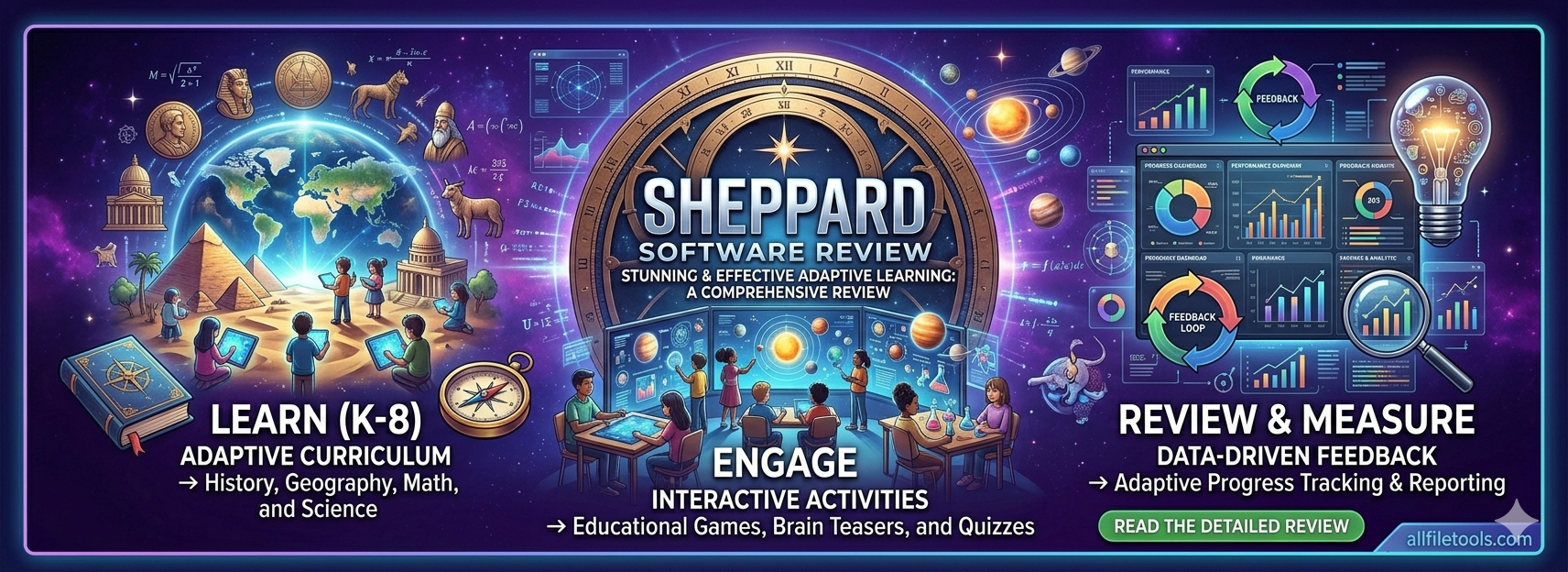
Sheppard Software is a free, browser-based educational platform founded in 1997 by Brad Sheppard, a teacher who wanted to make learning more interactive and accessible. It offers over 1,000 games and activities covering five main subjects:
- Math — arithmetic, fractions, percentages, algebra, geometry, number sense
- Geography — world maps, country capitals, US states, flags, continents
- Science — human body systems, animals, ecosystems, life cycles, food chains
- Language Arts — vocabulary, spelling, grammar, reading comprehension
- General Knowledge — history, logic puzzles, brain teasers, trivia
The games target a wide age range — from preschool basics like counting and alphabet recognition up to middle school and high school topics including algebra and advanced world geography.
Around 20 million users visit the platform annually. It has no app to download, no software to install, and no account required to access any of the content. It runs in any modern browser on Windows, macOS, Linux, Chromebook, or tablet.
Why "No Download" Actually Matters
Most people don't think twice about installing software. But in educational and school settings, it matters a lot:
- School-managed devices often block software installation by policy
- Shared family computers accumulate software that nobody remembers installing
- Chromebooks — extremely common in schools — run Chrome OS and can't install traditional desktop software at all
- Older or lower-spec computers may struggle with software installers even when permitted
Browser-based tools sidestep all of this. Just like the tools on AllFileTools.com that convert your PDF or compress your image without you downloading anything, Sheppard Software runs entirely in the tab. Close the tab and it's gone — no uninstaller, no leftover files, no licence key to lose.
For parents and teachers especially, this is a practical advantage that makes it genuinely easy to use in a classroom or home setting without any technical setup.
What Sheppard Software Does Well
The Geography Games Are Exceptional
If there's one area where Sheppard Software is genuinely best-in-class among free resources, it's geography. The interactive map games cover:
- All countries of the world with multiple difficulty levels
- US states and capitals
- World capitals and flags
- Continents, oceans, and major geographic features
The games work by placing you under time pressure to click the correct location on a map, with instant feedback and scoring. It's a format that works extremely well for geography — far more effective than flashcards or static maps — and the difficulty levels mean a beginner and an advanced student can both use the same platform meaningfully.
Teachers who need students to learn world geography often recommend Sheppard Software's map games specifically, even if they use different tools for everything else.
Immediate Feedback on Every Activity
Every game on Sheppard Software gives you instant feedback — correct answers are confirmed, wrong answers are flagged immediately, and most activities give you a score or completion time at the end. This immediate feedback loop is how learning games should work, and Sheppard Software has maintained it consistently across its full library.
Genuine Breadth of Content
1,000+ activities across five subjects is a real number, not padding. There are multiple games for most topics at different difficulty levels, which means a student can start with the basics and work progressively without needing to switch platforms.
Truly Free, No Tricks
There's an optional paid subscription to remove ads — but there is no content behind a paywall. Every single activity is accessible for free, on any device, with no account. In a market where "free" almost always means "free for five questions and then subscribe," this is genuinely unusual and worth acknowledging.
Where Sheppard Software Falls Short
An honest review means acknowledging the weaknesses clearly.
The Design Looks Like 2005 — Because It Kind of Is
Sheppard Software's visual design reflects its origins. The interface is functional and navigable, but it's plain compared to modern educational platforms. For children accustomed to polished mobile apps with animations, sound design, and character progression, the aesthetic may feel less engaging on first impression.
This doesn't affect how well the content teaches — but it does affect how long a young child will stay engaged before getting distracted by something shinier.
Flash Is Gone, and Some Content Went With It
A significant portion of Sheppard Software's original library was built in Adobe Flash, which was permanently discontinued in December 2020. Many activities have been rebuilt in HTML5, but not all of the original library survived the transition. Some topic areas are noticeably thinner than they were five years ago, particularly in science and some language arts sections.
No Progress Tracking
Because there are no user accounts, there is no progress tracking. A student can play for an hour and the platform has no memory of it the next day. Parents and teachers can't see what's been practised, how scores have changed, or what needs more attention.
For supplemental, self-directed practice this is fine. For structured learning over a semester, it's a genuine limitation.
The Ad Experience Is Variable
The free version includes display advertising. On a desktop browser with an ad blocker installed, this is essentially invisible. On a school Chromebook or family tablet without ad blocking, the ads can be intrusive — particularly for younger children. The paid subscription removes ads entirely, but it's worth knowing what the free experience actually looks like on an unmodified browser.
How It Compares to Alternatives
| Platform | Free Content | No Account Needed | No Download | Progress Tracking | Best For |
|---|---|---|---|---|---|
| Sheppard Software | ✅ Full library | ✅ Yes | ✅ Yes | ❌ No | Geography, quick practice |
| Khan Academy | ✅ Full library | ❌ Account required | ✅ Yes | ✅ Yes | Structured maths & science |
| Prodigy | 🟡 Maths only | ❌ Account required | ✅ Yes | ✅ Yes | Gamified maths practice |
| Coolmath Games | ✅ Free | ✅ Yes | ✅ Yes | ❌ No | Maths games, logic |
| Duolingo | 🟡 Partial | ❌ Account required | ✅ Yes | ✅ Yes | Language learning |
The honest summary: Sheppard Software wins on accessibility — no account, no download, full library free. It loses on tracking and polish. For parents or teachers who need something a student can open immediately on any device, it's the fastest path to genuinely useful educational content.
Who Should Use Sheppard Software?
It's a strong choice for:
- Teachers who need a no-setup activity students can open on any device in seconds
- Parents looking for free, safe supplemental practice without creating accounts
- Students specifically studying world geography — the map games are among the best free resources available anywhere
- Homeschool families who want variety across subjects without a subscription
- Anyone on a Chromebook, older PC, or shared device where installing software isn't practical
It's not the right fit for:
- Structured learning across a school year where tracking progress matters
- Very young children who need visually engaging, app-quality experiences to stay engaged
- Students who need content aligned to specific curriculum standards
Is Sheppard Software Safe?
Yes. The content is age-appropriate across the full library. There are no user-generated content sections, no chat features, and no social elements of any kind. The display advertising in the free version should be reviewed on school or family devices, as with any ad-supported site, but the educational content itself is safe and appropriate.
It has no data collection beyond basic site analytics since accounts aren't required — there's no profile information, no stored personal data, and nothing to delete or manage when a student is done.
The Broader Point: Free Software That Respects Your Time
What makes Sheppard Software worth reviewing alongside downloadable free software is that it demonstrates something important: the best free tools remove friction rather than add it.
You don't install it. You don't register. You don't wait for a download to finish. You open a browser, navigate to the site, and start learning. That's the same principle behind the tools on AllFileTools — whether you're converting a PDF, compressing an image, or generating a hash for a file download, none of it requires installing anything or creating an account.
Sheppard Software has maintained that philosophy for nearly three decades of educational publishing. In a market full of free tools that gradually become paid tools, that consistency is worth something.
Key Takeaways
- Sheppard Software is a free, browser-based educational platform with 1,000+ games across maths, geography, science, language arts, and general knowledge.
- It requires no download, no account, and no payment for any of its content — making it one of the most accessible free educational resources available.
- Its geography games are genuinely best-in-class among free tools and are widely recommended by teachers.
- Its main weaknesses are dated visual design, no progress tracking, and some content loss after Flash was discontinued in 2020.
- For quick, no-friction, free educational practice — especially on school devices where software can't be installed — it's one of the most practical options available in 2026.
Looking for Free Browser-Based Tools for Adults?
If Sheppard Software's browser-first, no-download approach resonates with you, AllFileTools.com takes the same approach to file handling. Over 146 free tools — PDF conversion, image editing, developer utilities, SEO tools, audio and video conversion — all running directly in your browser. No installation, no account, no subscription.
And if you prefer downloadable desktop software, our free software section lists verified, safe, open-source software across file compression, image editing, video editing, audio tools, and developer utilities — all free, all reviewed, all confirmed safe to download.