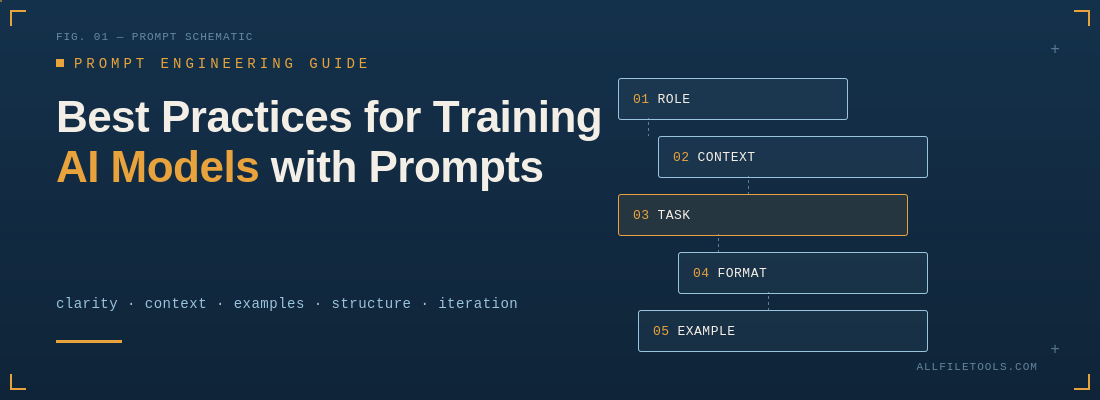
Prompts are the primary interface between humans and modern AI models. Whether you're fine-tuning a large language model, building an AI-powered application, or simply trying to get better everyday results from a chatbot, the quality of your prompts has an outsized impact on the quality of the output. This article walks through the practices that consistently produce better, more reliable results when working with AI models through prompts.
1. Be Clear and Specific
Vague prompts produce vague or unpredictable answers. AI models don't fill in gaps the way a colleague who knows your context would — they take the prompt largely at face value.
- State the task explicitly rather than implying it.
- Include the format you want the answer in (a table, a numbered list, JSON, a short paragraph).
- Specify length constraints when they matter ("in under 200 words," "a single sentence").
- Name the audience or purpose ("explain this to a first-year engineering student," "write this for a legal team").
Weak prompt: "Tell me about marketing." Strong prompt: "List five digital marketing tactics that work well for early-stage SaaS startups with under $5,000/month in ad spend. Present them as a numbered list with a one-sentence explanation each."
2. Provide Context and Background
Models don't have access to information you haven't given them — your company's internal terminology, the specific dataset you're working with, or the constraints of your project. Give the model enough background to reason correctly.
- Share relevant facts, data, or documents up front.
- Explain constraints (budget, tools available, deadlines, technical limitations).
- Clarify what "good" looks like for this particular task.
A model given rich, relevant context will produce output that's usable immediately, rather than generic text that needs heavy editing.
3. Use Examples (Few-Shot Prompting)
One of the most reliable ways to steer a model's output is to show it what you want rather than only describing it. This is called few-shot prompting.
- Provide one or more input/output pairs that demonstrate the pattern you want.
- Keep examples consistent in tone, structure, and format with what you expect back.
- Include both positive examples (what to do) and, where useful, negative examples (what to avoid).
Even two or three well-chosen examples can dramatically improve consistency, especially for structured outputs like data extraction, classification, or formatted reports.
4. Break Complex Tasks into Steps
Large, multi-part tasks are easier for a model to handle — and easier for you to verify — when broken into smaller steps.
- Ask the model to work through a problem step by step rather than jumping straight to a final answer.
- For multi-stage workflows (research, then draft, then edit), consider separate prompts for each stage rather than one giant instruction.
- For reasoning-heavy tasks (math, logic, multi-step analysis), explicitly encourage the model to show its work before giving a final answer. This tends to improve accuracy because it gives the model "room" to reason rather than jumping to a guess.
5. Specify the Desired Output Format
If you need output in a particular structure — JSON, a table, XML-like tags, markdown headers — say so explicitly and, ideally, show the exact shape you want.
- Define field names and data types when requesting structured data.
- Ask for delimiters or tags around specific sections of a long response, which makes it easier to parse programmatically.
- Request a fixed template when consistency across many outputs matters (e.g., generating product descriptions in bulk).
This is especially important when prompt output feeds directly into another system, since inconsistent formatting can break downstream automation.
6. Set Boundaries and Constraints
Telling a model what not to do is often as useful as telling it what to do.
- Specify topics, formats, or approaches to avoid.
- Set tone constraints ("professional but not stiff," "avoid jargon").
- Define scope limits ("only use information from the provided document, don't speculate beyond it").
Clear boundaries reduce the chances of the model wandering off-topic or making unsupported claims.
7. Iterate and Refine
Rarely does the first prompt produce the perfect result. Treat prompting as an iterative process:
- Start with a reasonable first attempt, review the output, and refine the prompt based on what went wrong.
- If the output is too long, too short, off-tone, or missing key points, adjust the instructions directly rather than manually fixing the output every time — this builds a better prompt for future use.
- Keep a working library of prompts that have proven effective for recurring tasks.
8. Assign a Role or Persona
Giving the model a role can help calibrate tone, depth, and vocabulary.
- "You are an experienced data scientist reviewing this analysis for methodological flaws."
- "Act as a technical writer creating documentation for non-technical users."
Role assignment works because it narrows the space of plausible responses to match the expertise and voice appropriate for that role.
9. Ask for Reasoning Transparency When It Matters
For tasks involving judgment calls, calculations, or decisions with real consequences, ask the model to explain its reasoning alongside its answer. This serves two purposes:
- It lets you sanity-check the logic instead of just trusting the conclusion.
- It often improves the answer itself, since articulating reasoning tends to catch errors that a purely intuitive jump would miss.
10. Manage Prompt Length and Focus
More text isn't always better. Long, cluttered prompts with irrelevant information can dilute the model's focus and lead to it missing key instructions.
- Keep prompts focused on what's actually needed for the task.
- Put the most important instructions near the beginning or end of the prompt — models tend to weight these positions more heavily.
- Remove redundant or conflicting instructions, which can confuse the model about what to prioritize.
11. Test for Edge Cases
If a prompt will be reused across many inputs (for example, in an automated pipeline), test it against unusual or edge-case inputs, not just typical ones.
- Try empty inputs, very long inputs, ambiguous inputs, and adversarial inputs.
- Check how the model behaves when the expected information is missing.
- Adjust the prompt to handle these cases gracefully rather than assuming the "happy path" every time.
12. Use System-Level Instructions for Persistent Behavior
Many AI platforms allow a separate "system" prompt that sets standing behavior across an entire conversation or session, distinct from the specific task instructions in each user message.
- Use system-level prompts for things that should apply consistently: tone, formatting conventions, safety constraints, or domain expertise.
- Keep task-specific instructions in the individual prompt so they don't get lost among general behavioral rules.
13. Evaluate Outputs Systematically
For any prompt used repeatedly or at scale, build a lightweight evaluation process:
- Define what a "good" output looks like in concrete terms.
- Run the same prompt against a range of representative inputs and check consistency.
- Track failure patterns over time and adjust the prompt (or the examples within it) accordingly.
This turns prompting from guesswork into a measurable, improvable process.
Common Pitfalls to Avoid
- Overloading a single prompt with too many unrelated tasks at once.
- Assuming shared context the model doesn't actually have access to.
- Being ambiguous about format, then being surprised the output doesn't match what you needed.
- Ignoring iteration — treating the first prompt attempt as final rather than refining it.
- Skipping examples for tasks that have a specific, learnable pattern.
Conclusion
Getting strong results from AI models isn't about finding a single "magic" prompt — it's about applying a consistent set of practices: being specific, providing relevant context, showing examples, breaking down complex tasks, defining output format, and iterating based on results. Treated this way, prompting becomes a repeatable skill rather than trial and error, and it pays off directly in the quality, consistency, and usefulness of what the model produces.



Leave a Comment
Loading comments...